Build an Applet
When you build an applet, you go through the same process as when you build an application. For that reason, you can refer to the following Application Builder topics for additional detail about building applets:
You can include an integration that consists of an associated task or a common task in applets. Other integrations can be included, but must be further configured once the applet has been added to an application. The integration configuration can span both the application and it's workflow.
Create Applet from Section
You can also build applets from existing layouts in Application Builder.
To build an applet from an existing section in Application Builder:
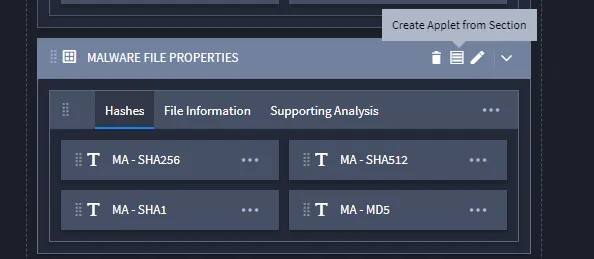
Open an application and find the section you want to recreate as an applet. Hover over the section's function bar and select the Create Applet from Section icon.
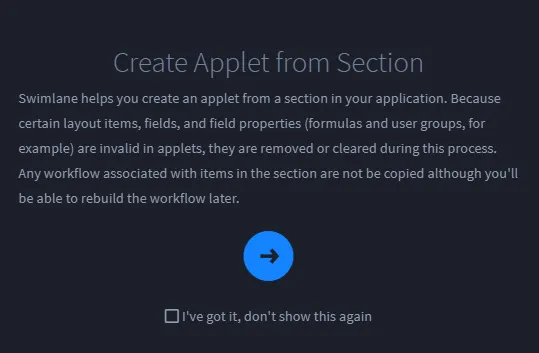
Swimlane describes the next steps in a dialog. Read the dialog, then click the arrow key.
- On Create Applet, name the applet and (optionally) provide a description.
- Click the logo Icon to select a logo, then click the Administration tab.Note: If you do not use a logo, then Swimlane will use the applet's acronym in its place.
- On Administration Permissions, specify the roles for the applet. When finished, click Create.Return to the Applications and Applets main page to locate your new applet.