Selection
Use this field when you need to select values from a list of pre-defined options. A selection field can be single-select or multi-select, and require a minimum and maximum number of selected items.
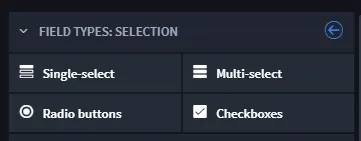
When creating a selection field, you can choose from these types:
Field Type | Description | Example in Records |
|---|---|---|
Single-select | Use to display a list of values, one of which can be selected for the record. | 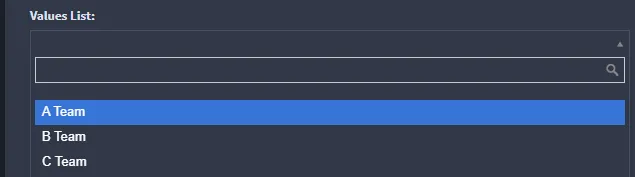 |
Multi-select | Use to display a list of values, one or more of which can be selected for the record. | 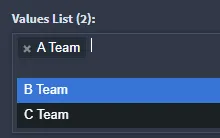 |
Radio buttons | Use to display radio button choices of values. | 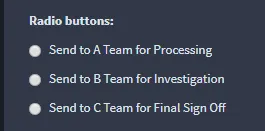 |
Checkboxes | Use to display checkboxes of value options. | 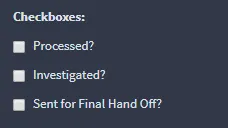 |
To create selection fields:
From Application Builder's Field Types, select a selection field and then drag and drop it to the Form Layout. Drop the field in the layout area, or within a Tab or Section layout object.
Access the field's Field Properties and complete the following fields as needed:
Field | Step | Example |
|---|---|---|
Display Name | Enter the name of the field. | Incident Type |
Help Text | Enter contextual help text. You will first need to specify whether the help text will appear above or below the field in the record form, and then you can enter the text. | Select the incident type for this record. |
Required | Click to indicate whether entering data in the field is required to process the record. | checkmark |
Read-only | Click to indicate that the field is read-only for the record. The field will not be editable. | checkmark |
Next, set up the list items themselves. On the Field Properties tab, under Advanced, click Add/Edit Values.
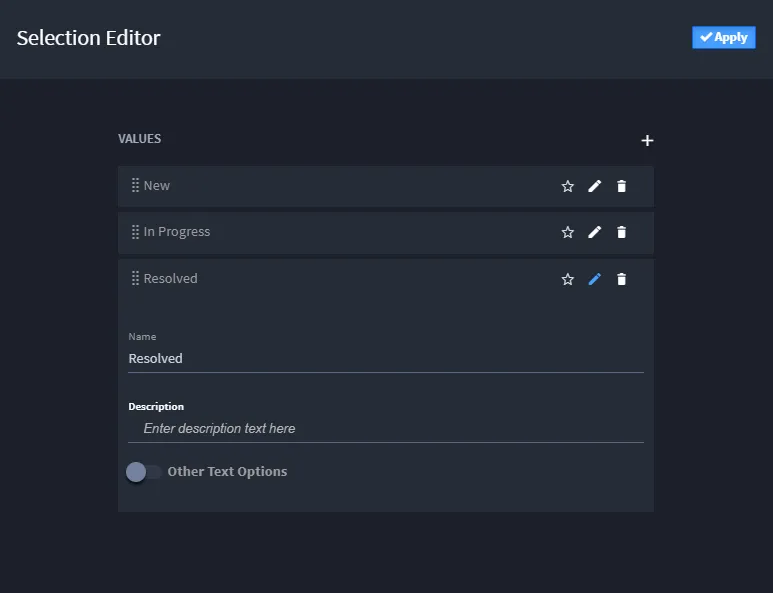
On the Values List Editor, click + to add values. Click Apply when you have added all of the values for your field.
Under Permissions, add specific field-level permissions by role, and when ready click Apply.