Create a Suspicious Emails Application
Now that you've created a new email asset, you are ready to create an application that will hold all the email records that the automated process will eventually be collecting. In this activity, you create an application to hold records of suspicious emails.
You could import an existing application that has all of these details already built-in, but since you're just getting started, let's make one from scratch.
To create a suspicious emails application:
- From the global navigation menu, select Applications and Applets.
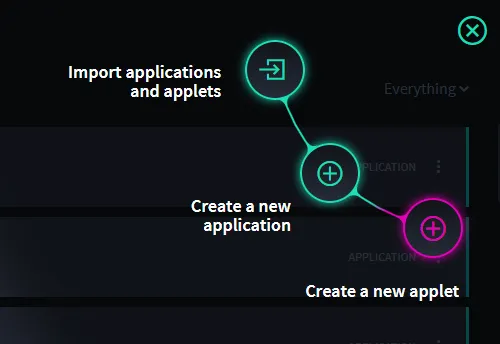
From the Applications and Applets home page, click the plus menu icon , and then select Create a new application.
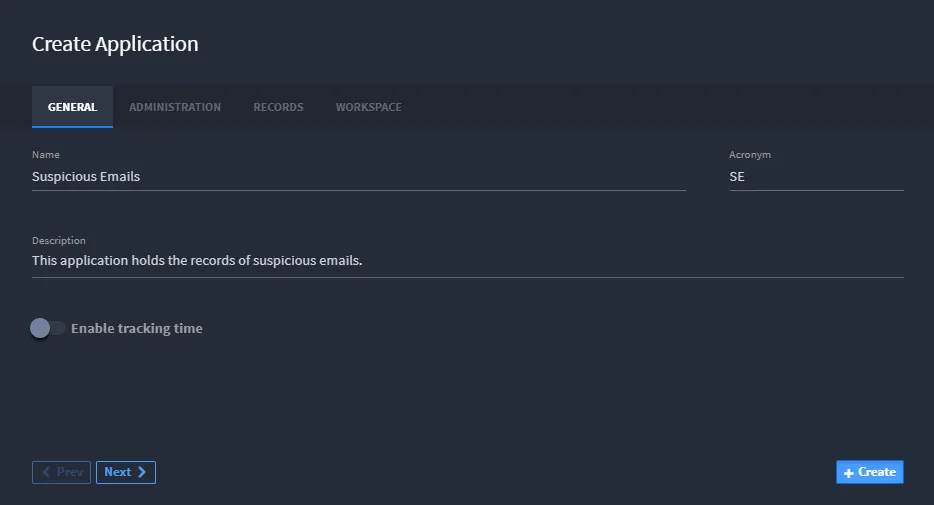
- On the Create Application, General tab, give your application a name, and (optionally) a description, and then click Create.
Note: By default, when you create a new application, a new workspace with the name of the application is created. If you have a specific workspace where you would like this application to reside, you can specify it now on the Workspace tab of the Application Settings.
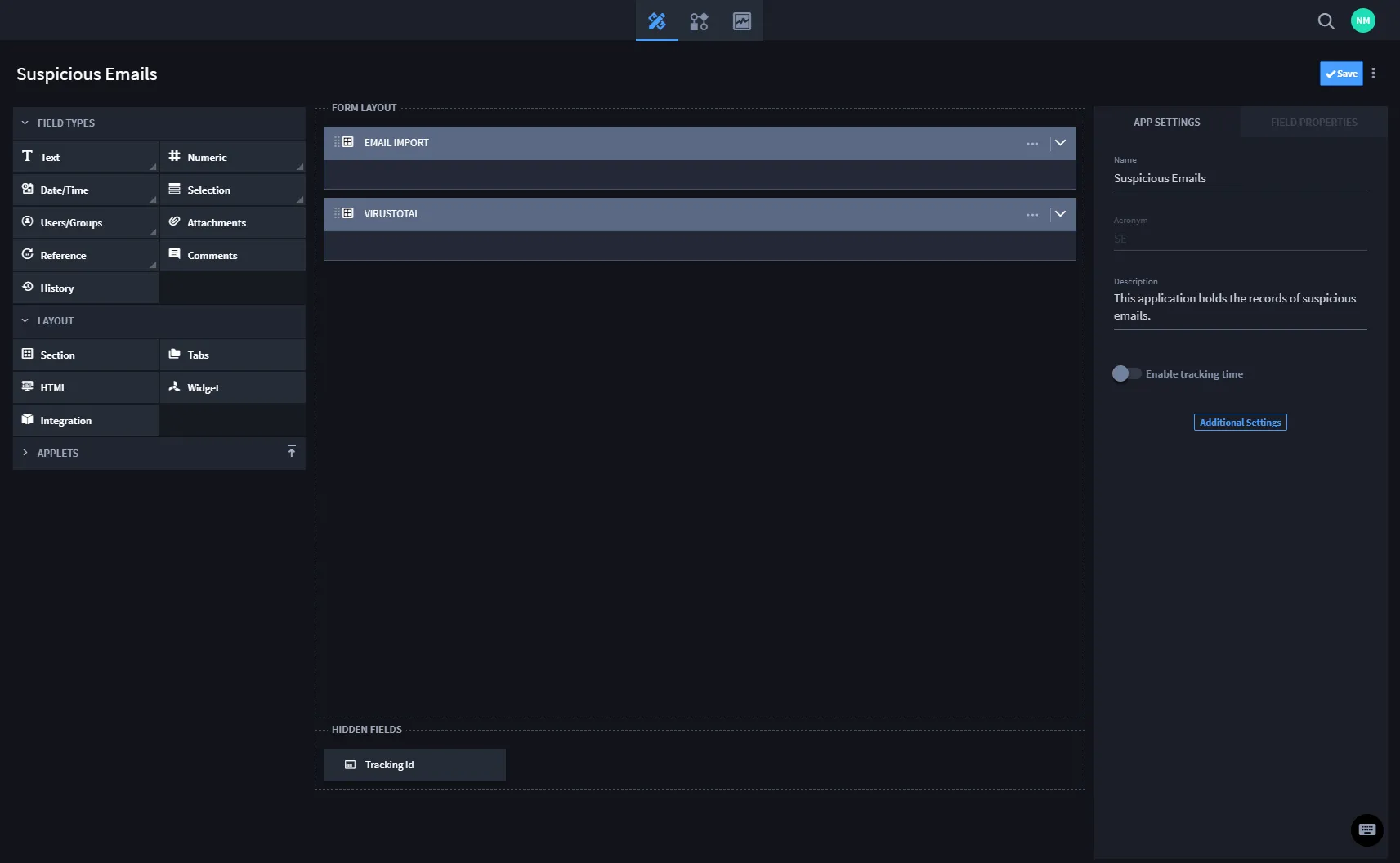
Application Builder opens.
- Drag and drop two Section Layout items to your Application Builder Form Layout area. Name one "Email Import" and the other "VirusTotal."
Under Field Types, drag and drop the following fields to the Email Import section of the Application Builder Form Layout and then give them the following names:
Note: If you do not see the fields above, click Text to expand the field type selections. Click the blue arrow to collapse the field type selections.
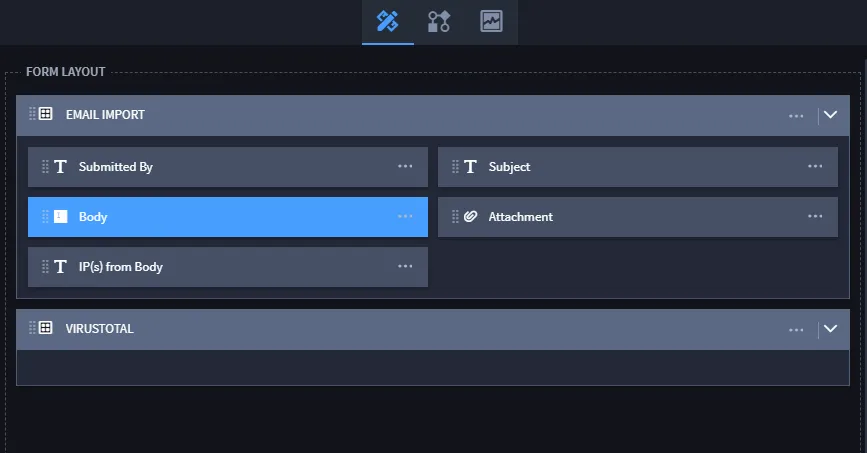
Tip: You can change the field sizes in the Field Properties. Change the Multi-Line, Body field to 100%.
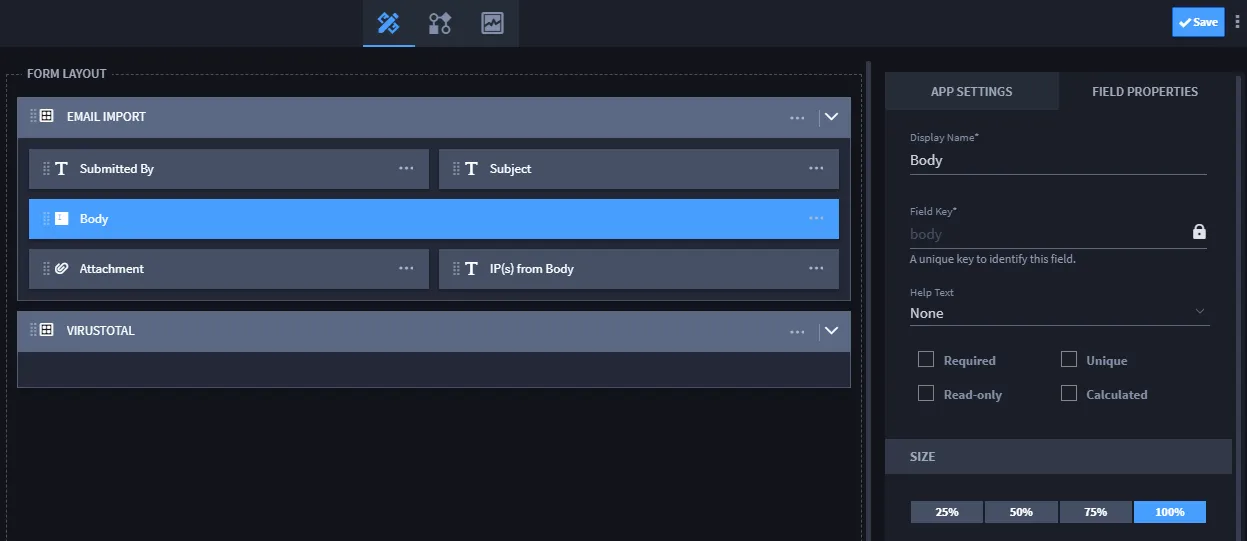
- Click Save to save your progress so far.Next, you will build out the Virus Total section.
- Add the following ten text fields to the VirusTotal section of the Application Builder Form Layout and rename them as indicated:
- Add a Date and Time field to the VirusTotal section. Name the field Creation Date and, under Field Settings, set it to Read-only. Additionally, on Field Settings, Advanced, change the default value to Current date-time.This field will automatically track when the record was created.
- From the Application Builder taskbar, select Save.
Related Links
Applications and AppletsApplications and Applets
AssetsAssets