SAML Auto-Provisioning
Overview
Auto-provisioning is a process that automates the creation of user accounts in a system or application. When enabled, it ensures that a new user account is created automatically when a user logs in with valid credentials, such as through a Single Sign-On (SSO) service.
For example, in the context of SAML-based SSO, if a user attempts to log in and their credentials are authenticated successfully, the system will automatically generate a basic user account. This account may be created without any pre-assigned roles or group memberships, which can then be configured later as needed. If the user is associated to a particular group, the group is automatically synced with the user on creation.
Prerequisites
- Access to the Admin Portal.
- JumpCloud or any SSO account credentials.
Group Synchronization with Swimlane during User Creation:
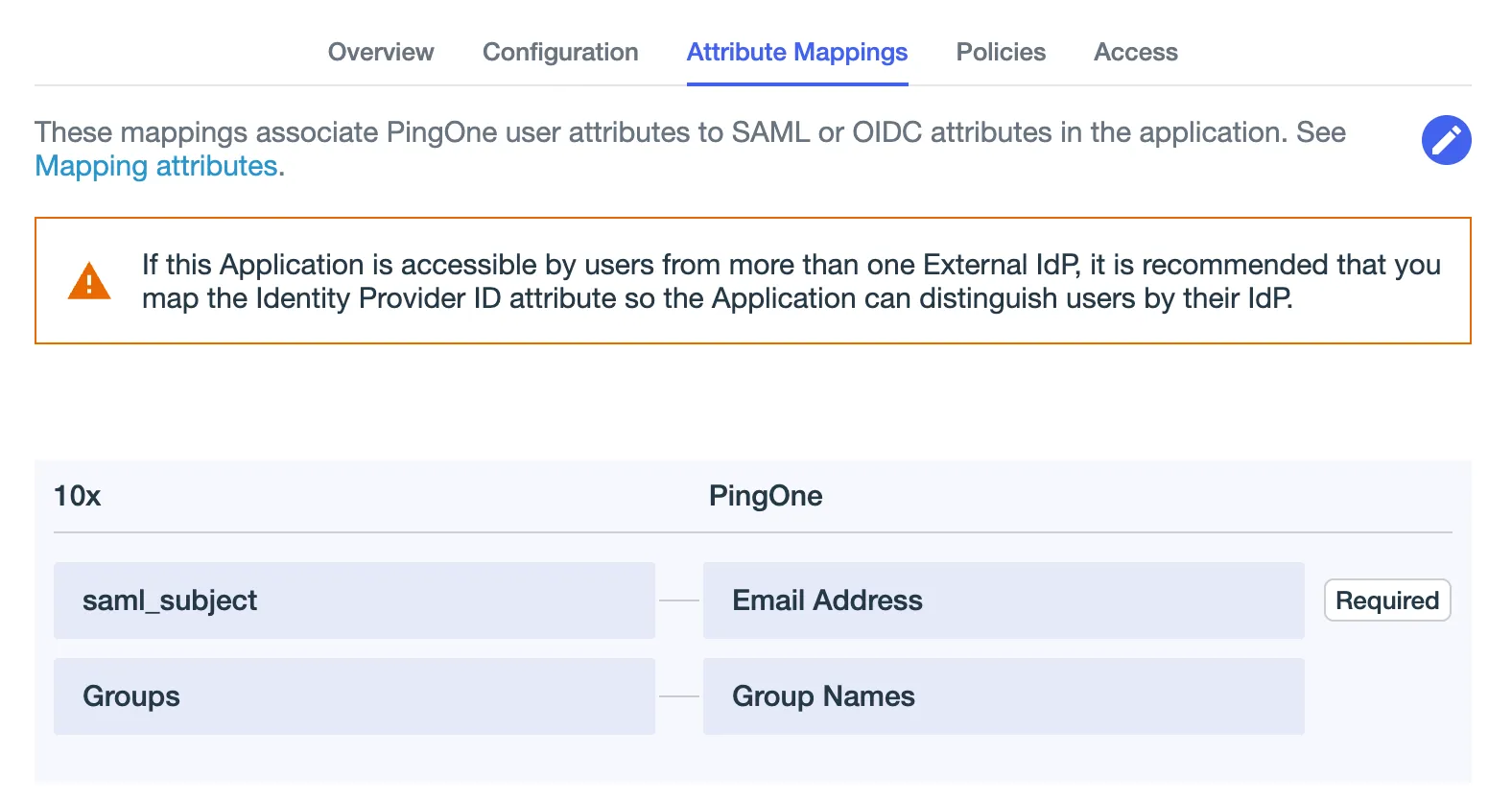
To enable automatic group synchronization in the Swimlane application during user creation via SSO, ensure that the Groups attribute is included in the attribute mapping configuration of your respective SAML identity provider (for example, Azure AD, Okta, JumpCloud, and so on). This allows Swimlane to receive and assign user group information at the time of login or provisioning. For more details, see the following image.
Enable Auto-Provisioning
- Navigate to Settings > Sessions & Security > Authentication.
- Turn on the SAML Authentication toggle.
- Click SAML Settings.
- Configure SAML Auto-Provisioning:
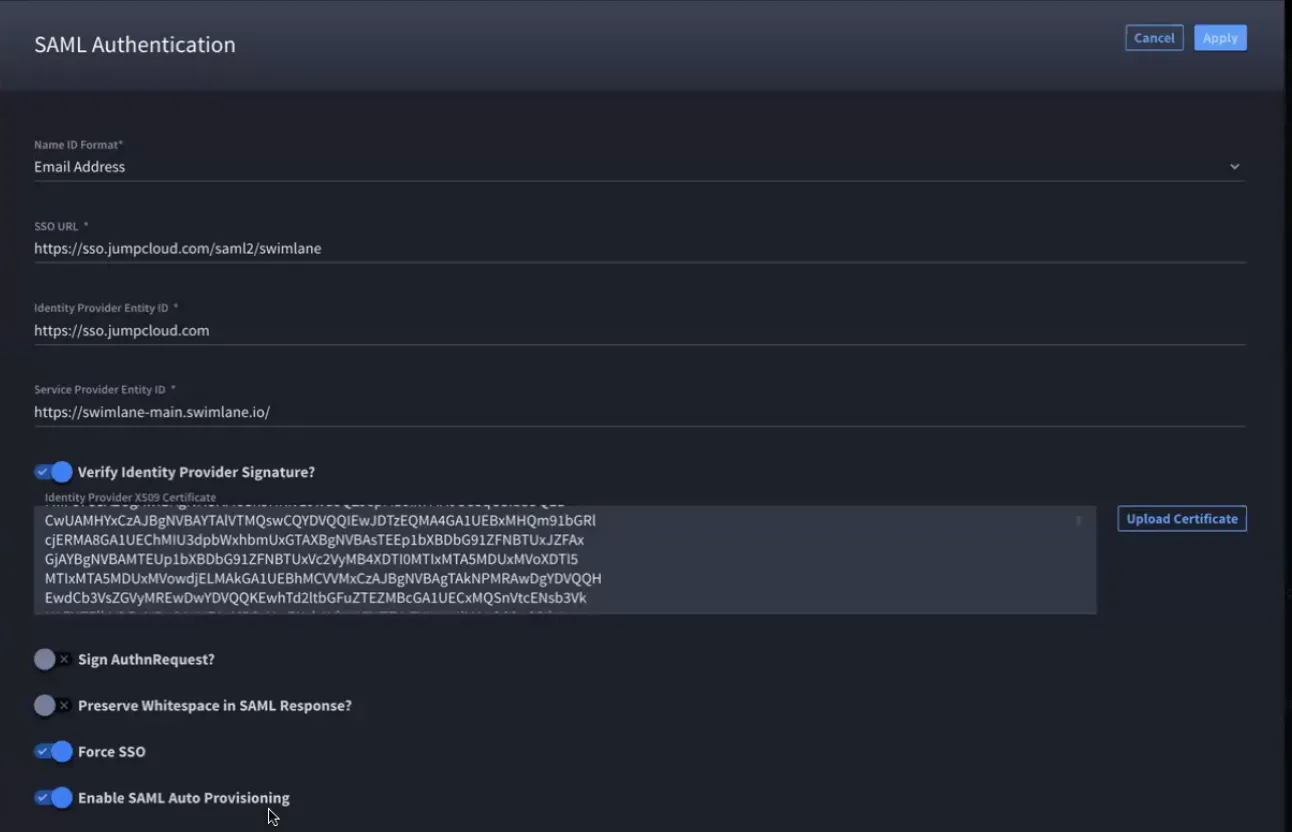
- Fill in all the required authentication details. Refer to SAML authentication for more information. For more information on filling the SAML Authentication dialog box refer to Enable SAML for SSO.
- Toggle Enable SAML Auto Provisioning to On.
Save the changes.
Create a New User
- Login via SSO
- Automatic User CreationOnce the login is successful, a basic user account is created automatically.If the user is associated to a particular group, the group is automatically synced with the user on creation.
- Verify User CreationGo to the Admin Portal and check for the user.