Force SSO
Force SSO (Single Sign-On) is a security feature that mandates users log in exclusively through an SSO provider, enhancing security and simplifying access. It centralizes authentication, reducing the need for passwords while ensuring compliance with organizational policies. Specific users can be exempted if alternative access is required.
Note:
When enabling Force SSO, ensure that the Admin is exempted from this setting. Otherwise, the Admin will not be able to log in using credentials in the future, and only SSO will be available for authentication.
If a user attempts to log in using credentials while Force SSO is enabled, an authentication error will occur.
Enable Force SSO
- Navigate to Session & Security → AUTHENTICATION → SAML Settings.
- Toggle ON Force SSO.
When Force SSO is enabled at the account level, most users must log in via SSO. However, specific users can be exempted from this requirement, even if they belong to the same account.
Exempt a User from Force SSO
- Navigate to Users, Groups & Roles → Users.
- Click Create a New User.
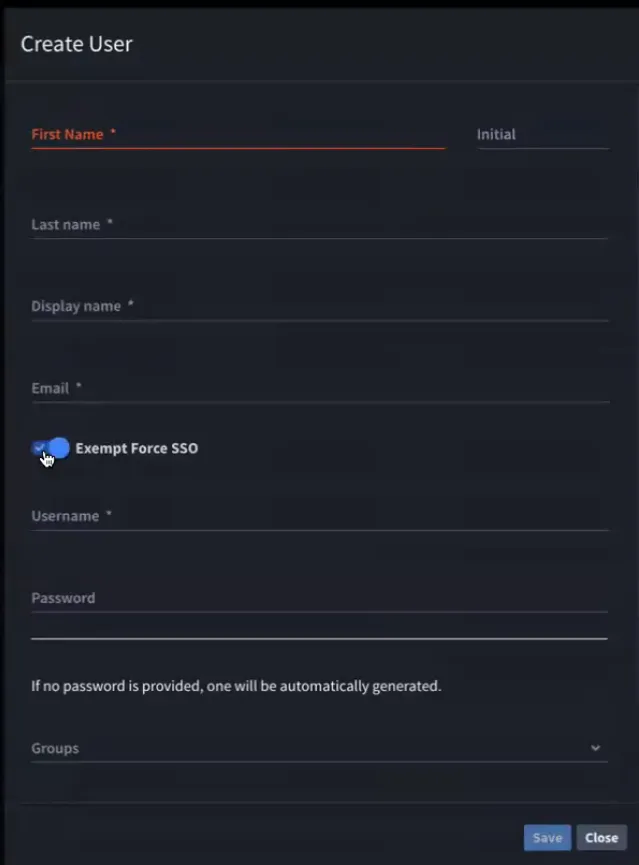
- In the Create User window:
Toggle ON the Exempt Force SSO option.
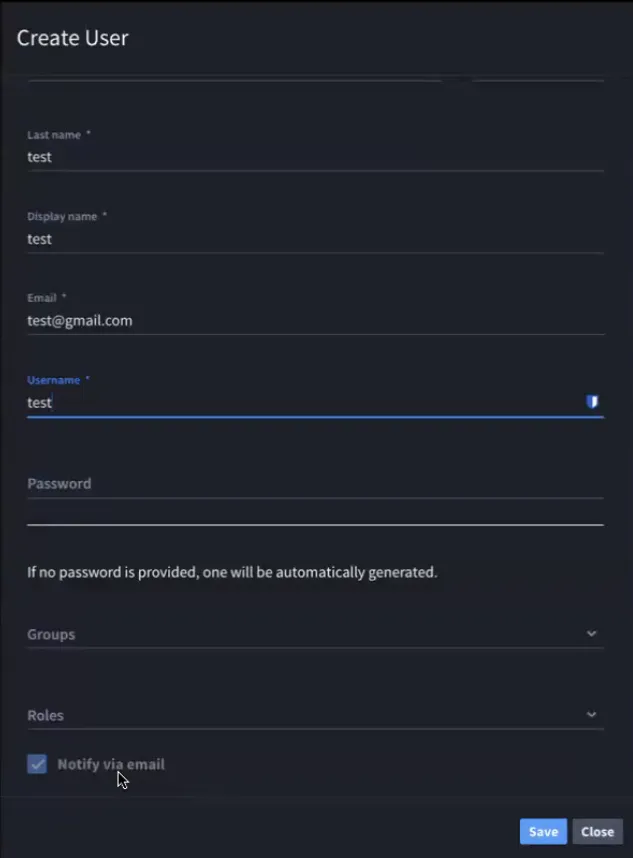
Select Notify via Email to send an email notification.
Behavior When Exempting Users
If the Exempt Force SSO toggle is enabled:
- The admin creating the user receives an email with a password link for the user.
- The password field is disabled by default. If you manually set a password, the toggle is enabled automatically.
- If Notify via Email is toggled OFF, an email is sent without the password link.
Edit an Existing User’s Force SSO Exemption
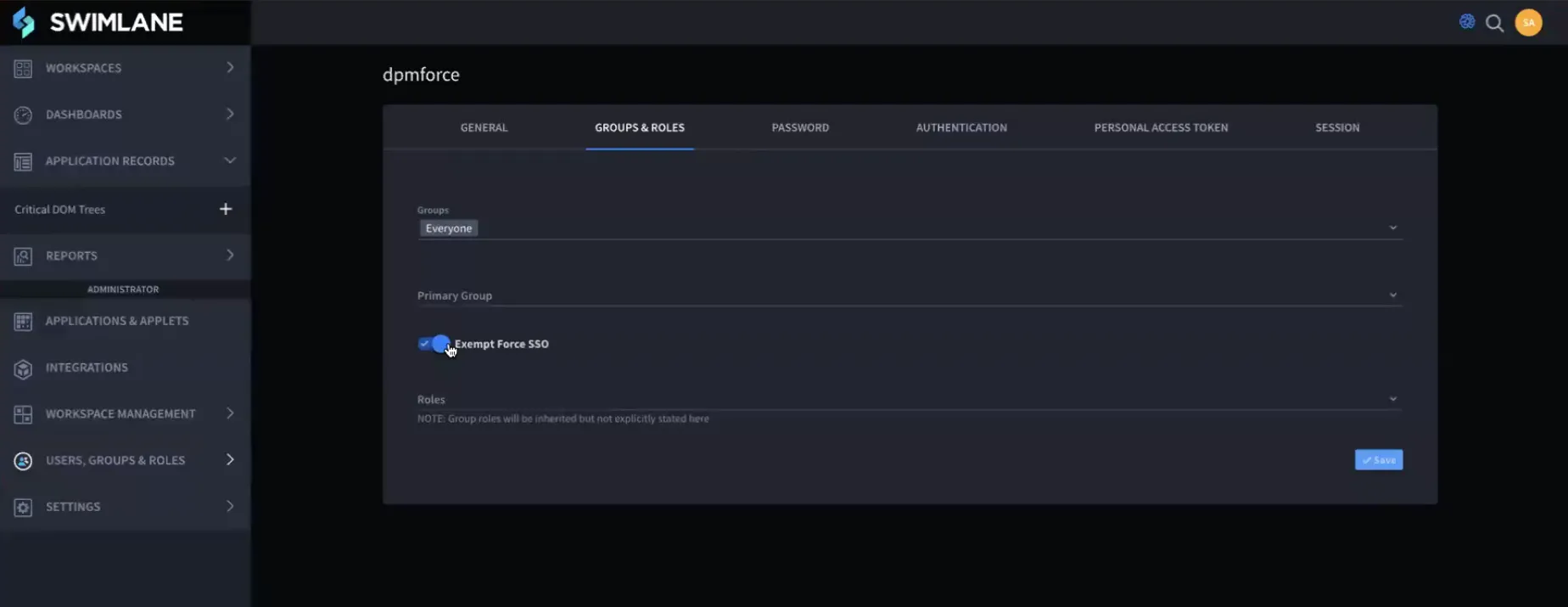
- Navigate to Users, Groups & Roles → Select the desired user.
In the Groups & Roles window, toggle ON the Exempt Force SSO option.
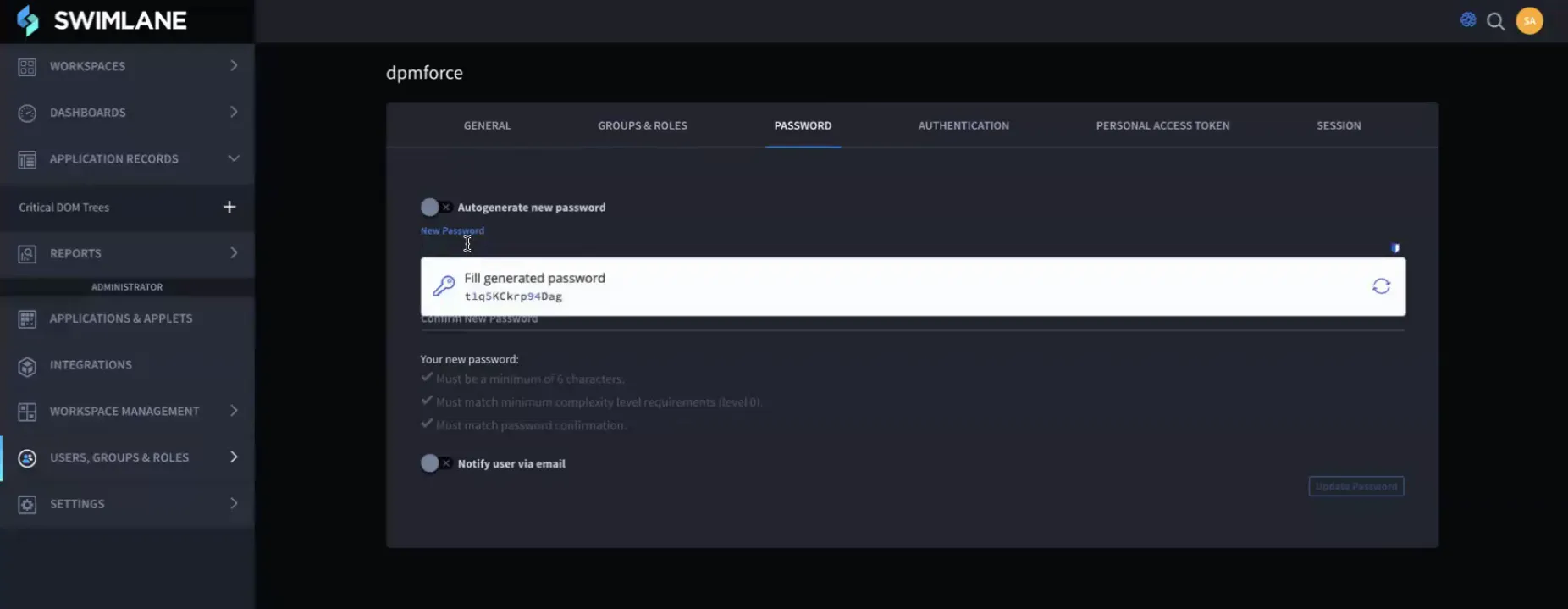
Go to the Password tab and set a password.