Create or Edit the Key Store
Use the Key Store to encrypt sensitive information such as passwords, tokens, etc., and leverage the values in your actions.
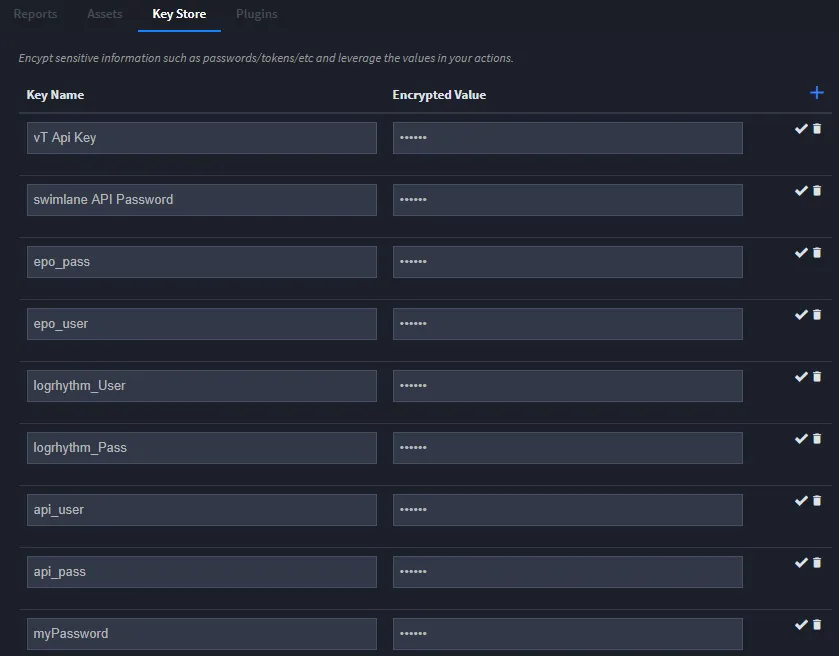
From Integrations, click the Key Store tab. To add a key, click + on the tab. New fields appear at the bottom of your list of keys. Complete the Key Name and Encrypted Value fields and then click the checkmark to save the key record.
Enter as many key and value pairs as needed.
The values are encrypted in Swimlane's database.
Store API Tokens and Keys for Integration Scripts
Swimlane provides a Key Store that may be used for integration API tokens and keys. Even custom keys for custom integration scripts may be stored in the Key Store.
- Base64-encode the token/key as a JSON string.
On the Key Store page in the Integrations UI, give the key a name in the Key Name field (Key in the example below), and insert the base64-encoded JSON string in the Encrypted Value field.
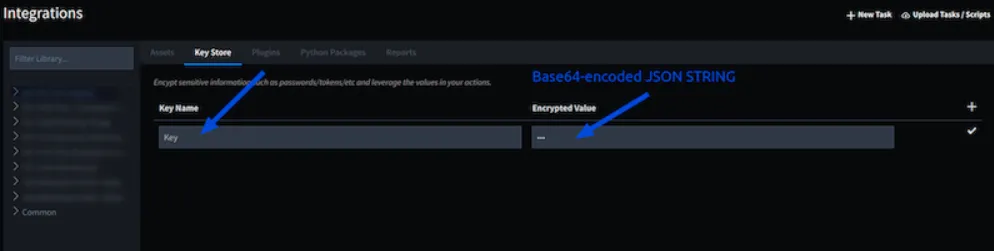
- In your integration scripts, refer to the key by the name you gave it like this:key = sw_context.inputs['Key']