Converting Date/Time Fields with Regex
If you’ve run into the following error: "Job aE1wGXmYfXDD274zV failed: Value Mon, 3 Aug 2020 18:43:58 +0700 (+07) cannot be converted to standard date or time for field Date & Time" You’re seeing this error because the string being passed to a field of type Date & Time does not match the expected format. The format for fields is set in following location in the Swimlane UI:
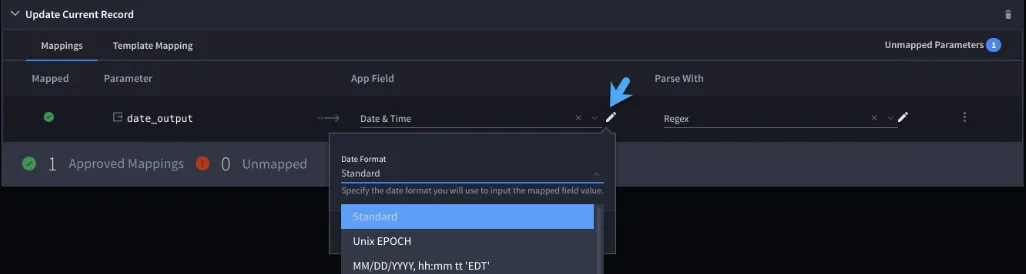
By default, Swimlane uses the Standard option, which follows the ISO 8601 standard. To work around the error, a Regex must be used to parse the string (Please refer to this site for help with creating a regular expression). In this example, the following strings will be used:
- Mon, 03 Aug 2020 14:39:07 +0300 (Works with standard format)
- Mon, 3 Aug 2020 18:43:58 +0700 (+07) (Does not work - includes time zone)
To resolve the error:
- Find the field option that sets the Date & Time field in question.
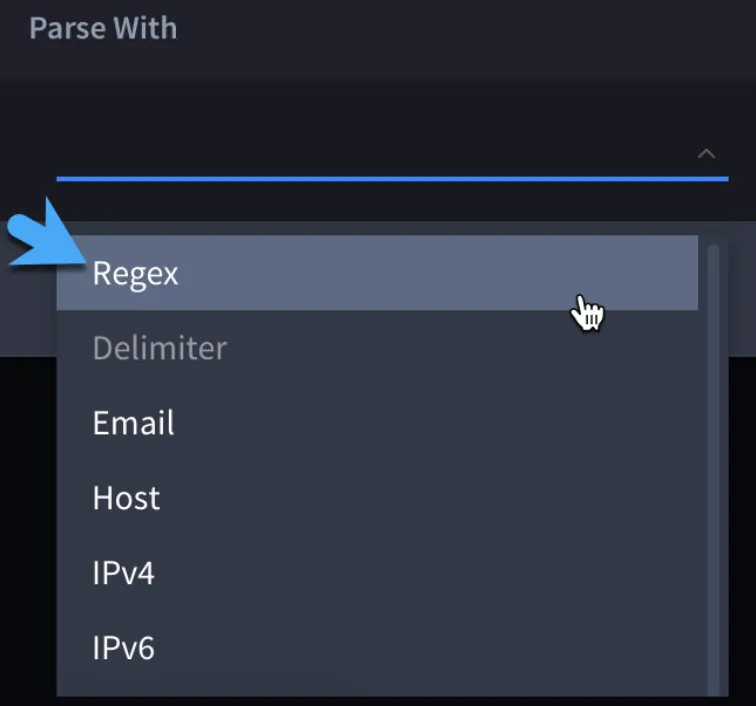
- Select “Parse With”:

- Choose the “Regex” option:
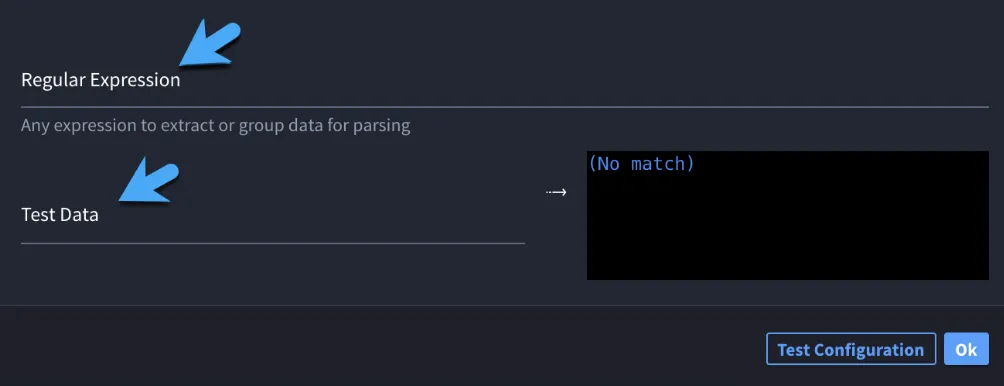
- Edit the Regex parse:

- Fill out the Regular Expression and Test Data fields:
- Test the configuration:
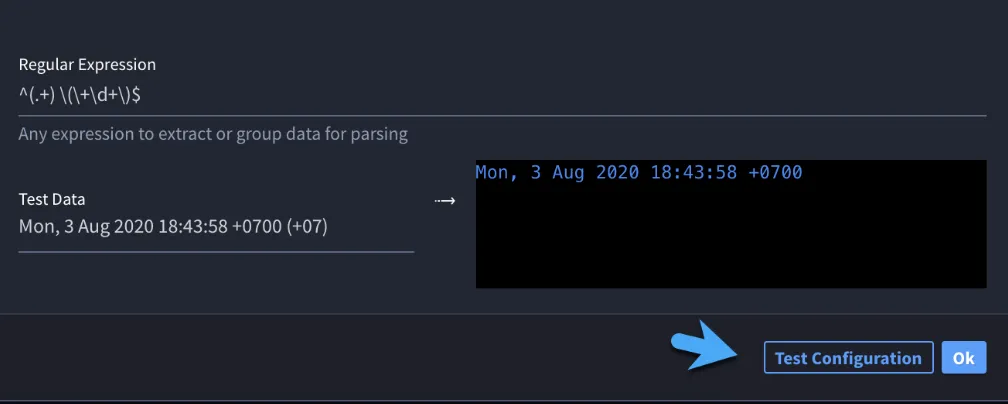
In this case, the regular expression removes the timezone specific values at the end of the string to match the Standard format.