How to upload a Python script via the POST /task/upload-script endpoint
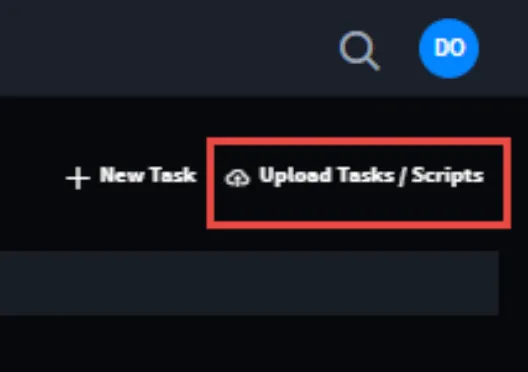
Many of the Swimlane RESTful API endpoints require JSON payloads. However, the POST /task/upload-script endpoint requires multipart/form-data. To learn how to interact with this endpoint, or any other, it’s best to inspect the Swimlane UI’s manner of interacting with the endpoint:
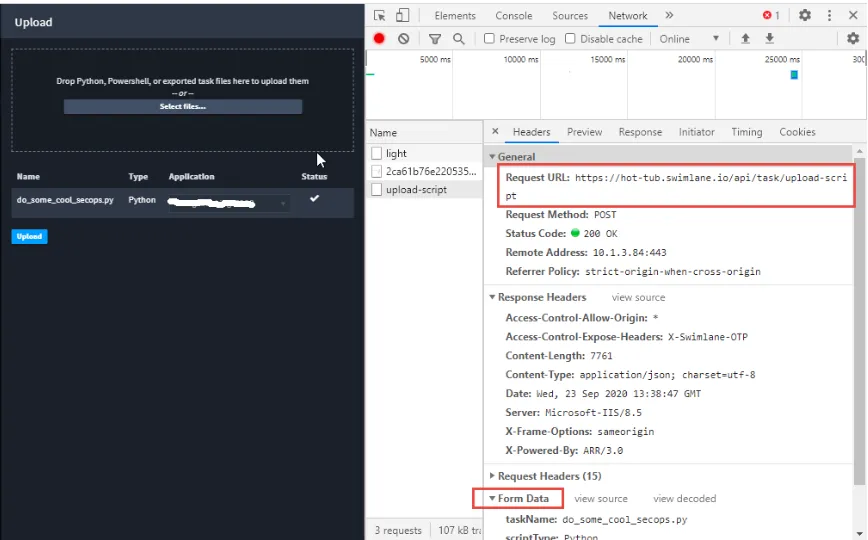
Here is the successful POST:
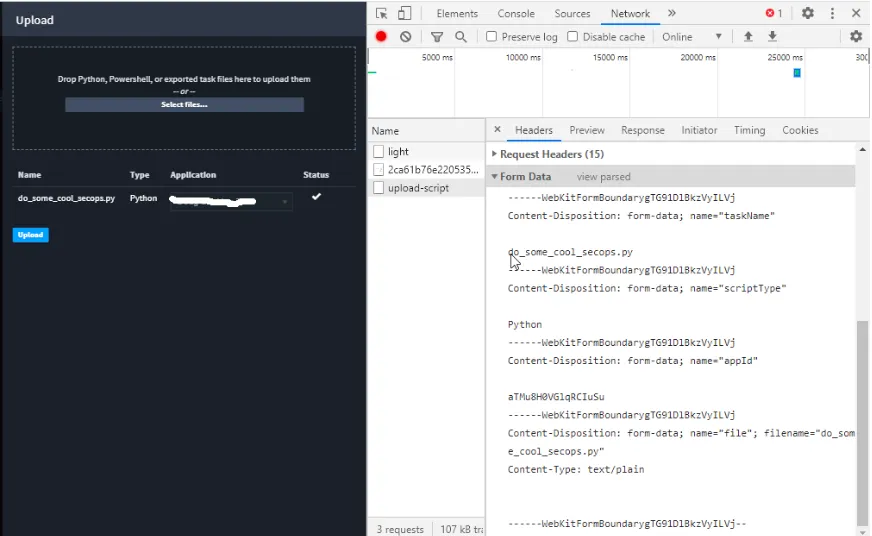
Here is the POST body payload that needs to be replicated in client Python code:
Here is a Python 3.7 code sample, which relies on the Swimlane Driver for authentication and for ease of retrieving the pertinent application’s ID value, illustrating how to make this POST:
The two supported file types are .py (Python scripts) and .ps1 (Powershell scripts). Here are some of the sources consulted in authoring the above:
- https://swimlane-python-driver.readthedocs.io/en/stable/examples/client.html#custom-direct-requests
- https://requests.readthedocs.io/en/master/user/quickstart/#more-complicated-post-requests
- https://requests.readthedocs.io/en/master/user/quickstart/#post-a-multipart-encoded-file
- https://stackoverflow.com/questions/27553082/valueerror-data-must-not-be-a-string
Enjoy uploading scripts using Python code!