How to Fix "Error calculating formula for field 'field-name' on record 'record-id'"
If Swimlane keeps throwing 500 errors when you click on records or when you try to open an application and you pull errors similar to the following from the database:
You probably have calculated fields that are not doing the calculations correctly by taking into account empty fields.
Let’s assume, for example, that you have a Calculated field “Case TT Resolved Min” whose calculations depend on “Case Created On” and “Case Closed On” fields. "Error calculating formula for field "Case TT Resolved Min" on record <record-name>" is likely to happen if the field(s) “Case Created On” and/or “Case Closed On” are/is not populated accordingly.
Chances are these fields are using a formula similar to the following:
You will notice that the above formula is only checking if two fields are equal in order to skip the calculation and return 0. However, it is not checking whether “Case Created On” or “Case Resolved On” fields are empty. This is likely causing the issue.
To confirm if this is the issue, open the problematic record(s) and check if all the fields are populated accordingly. If they are not, you have found the problem! To fix this issue, do the following:
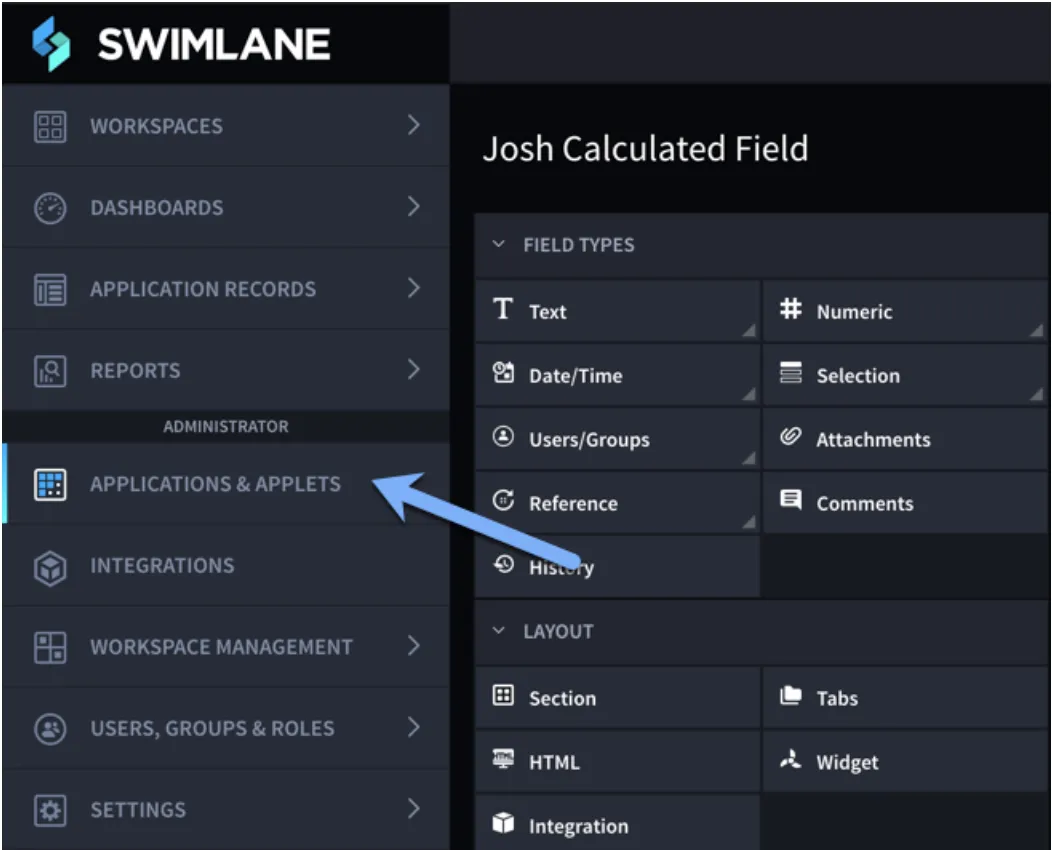
- Click on Applications & Applets on the left Toolbar:
- Select the problematic application.
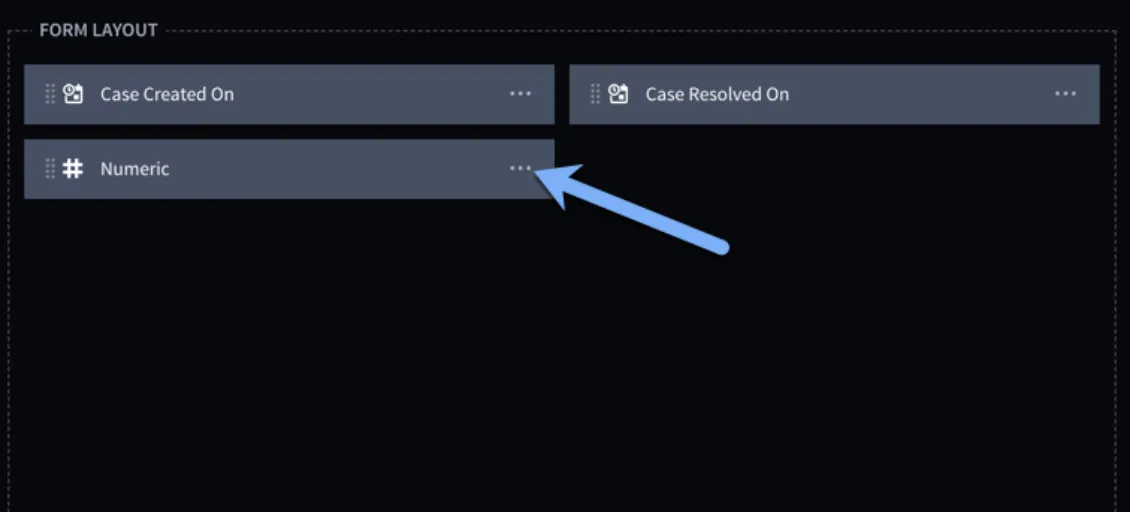
- Locate the fields in the Form Layout and select Edit to open the Calculation Builder:
- Change the formula by adding a “OR” and “IsBlank” in the below manner:
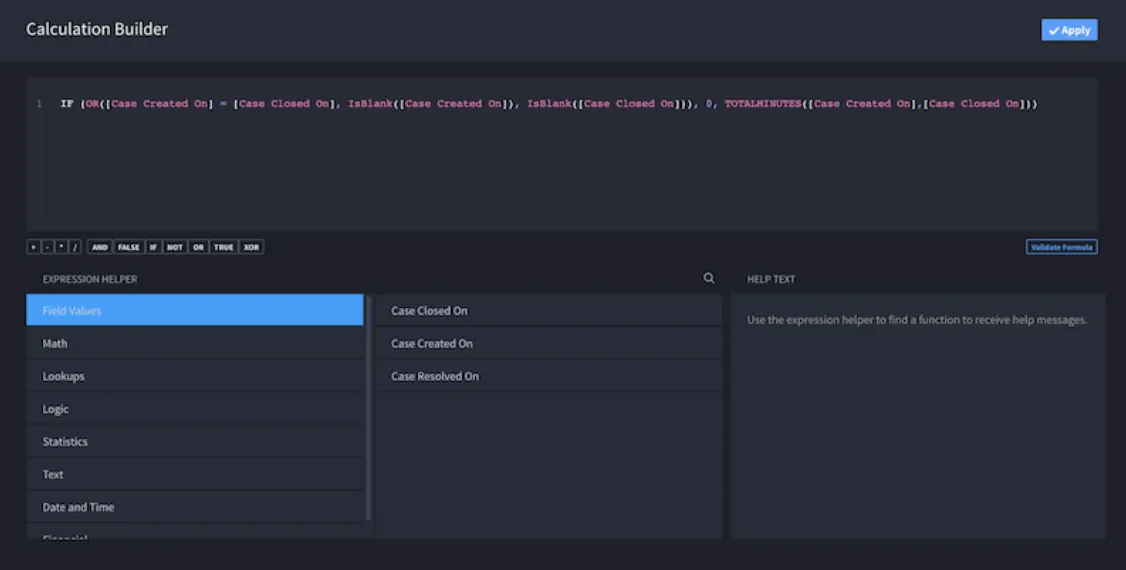
If you cannot see the image clearly, I have edited the formula in the below way in order to check if either field has no value. If any of those conditions are true, it will skip the calculation and not error out: