Zscaler Security
Introduction
This guide explains how to authenticate the Zscaler Security connector in Swimlane using the following authentication methods:
- API Key Authentication
- OAuth 2.0 Client Credentials (Zscaler-native)
You will generate credentials in the Zscaler Admin Portal, collect the required identifiers, and configure the connector inside Swimlane.
Prerequisites
Zscaler Access Requirements
You must have administrative access in the Zscaler Admin Portal to:
- Create API tokens
- Create OAuth clients
- View tenant information
- Assign API permissions
Required Credentials
During setup, you will collect:
- Zscaler API Base URL
- Username
- Password
- API Token
- Client ID (OAuth)
- Client Secret (OAuth)
- Tenant ID
- Scope
Authentication Methods Overview
The Zscaler Security connector supports the following authentication methods:
- API Key Authentication
- OAuth 2.0 Client Credentials (Zscaler-native)
OAuth 2.0 Client Credentials – Scopes
When using OAuth 2.0 Client Credentials authentication, Zscaler requires explicit API scopes to be assigned to the OAuth application.
Scopes determine which Zscaler services and configuration objects the connector can access. Scopes must be provided as an array of strings in the Swimlane asset configuration.
Recommended Scopes
The following scopes are required to support all major actions provided by the Swimlane Zscaler Security connector, including firewall rules, URL categories, IP groups, and activation of changes:
Scope | Required For |
|---|---|
zia.policy | Firewall filtering policy rules (create, update, delete), network services, IP source/destination groups. Supports read and write granular access levels. |
zia.admin | Activating configuration changes, managing tenant-level configuration. Supports read and write granular access levels. |
zia.url | URL lookup, URL categories, blacklist URLs, add/remove URLs from categories. Supports read and write granular access levels. |
zia.sandbox | Sandbox MD5 reports and malware analysis. Supports read granular access levels. |
Read-Only vs Read-Write Considerations
- Most Swimlane actions modify configuration, so read-write access is required.
- If your use case is lookup-only, you may restrict scopes to:
- zia.url
- Zia.sandbox
This will break policy, firewall, and activation actions.
- Missing scopes commonly result in 403 Forbidden or insufficient privilege errors.
- Scopes must be assigned in the Zscaler Admin Portal to the OAuth App.
- After changing scopes, you must re-issue the OAuth token.
- Configuration changes will not take effect until the Activate Changes action is executed.
Sources
- Zscaler OAuth & API Authentication Overview https://help.zscaler.com/zia/api
- Zscaler Internet Access (ZIA) API Documentation https://help.zscaler.com/zia/api/api-overview
- Zscaler Admin Portal – OAuth Apps https://help.zscaler.com/zia/configuring-oauth-20
- Swimlane Zscaler Security Connector Docs https://docs.swimlane.com/connectors/zscaler-security
Zscaler Setup
Take the following steps to generate an API Token:
- Log in to the Zscaler Admin Portal.
- Navigate to Administration > API Keys.
- Click Generate API Token.
- Copy and securely store the generated token.
Take the following steps to create an OAuth Client:
- In the Zscaler Admin Portal, navigate to Administration > OAuth Apps.
- Click Add OAuth App.
- Enter an application name.
- Select Client Credentials as the grant type.
- Assign required scopes.
- Save the application.
- Copy the Client ID, Client Secret, and Tenant ID.
Connector Configuration in Swimlane
- Log in to Turbine.
- From the left-hand navigation pane, click ORCHESTRATION and click Assets. Asset homepage opens.
- Click the plus icon to open the Configure your Connector Asset window.
- Select Zscaler Security from the Asset type list.
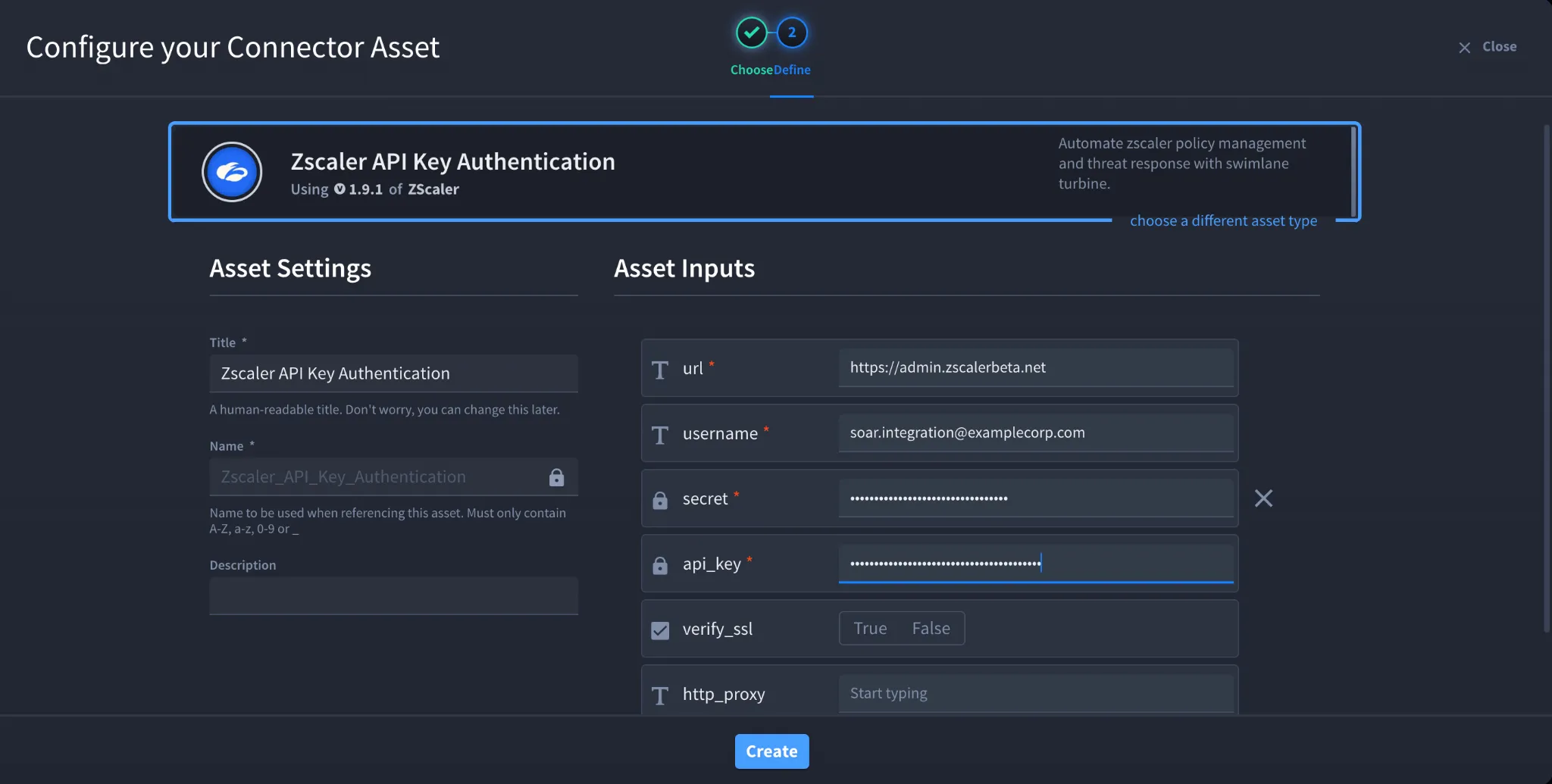
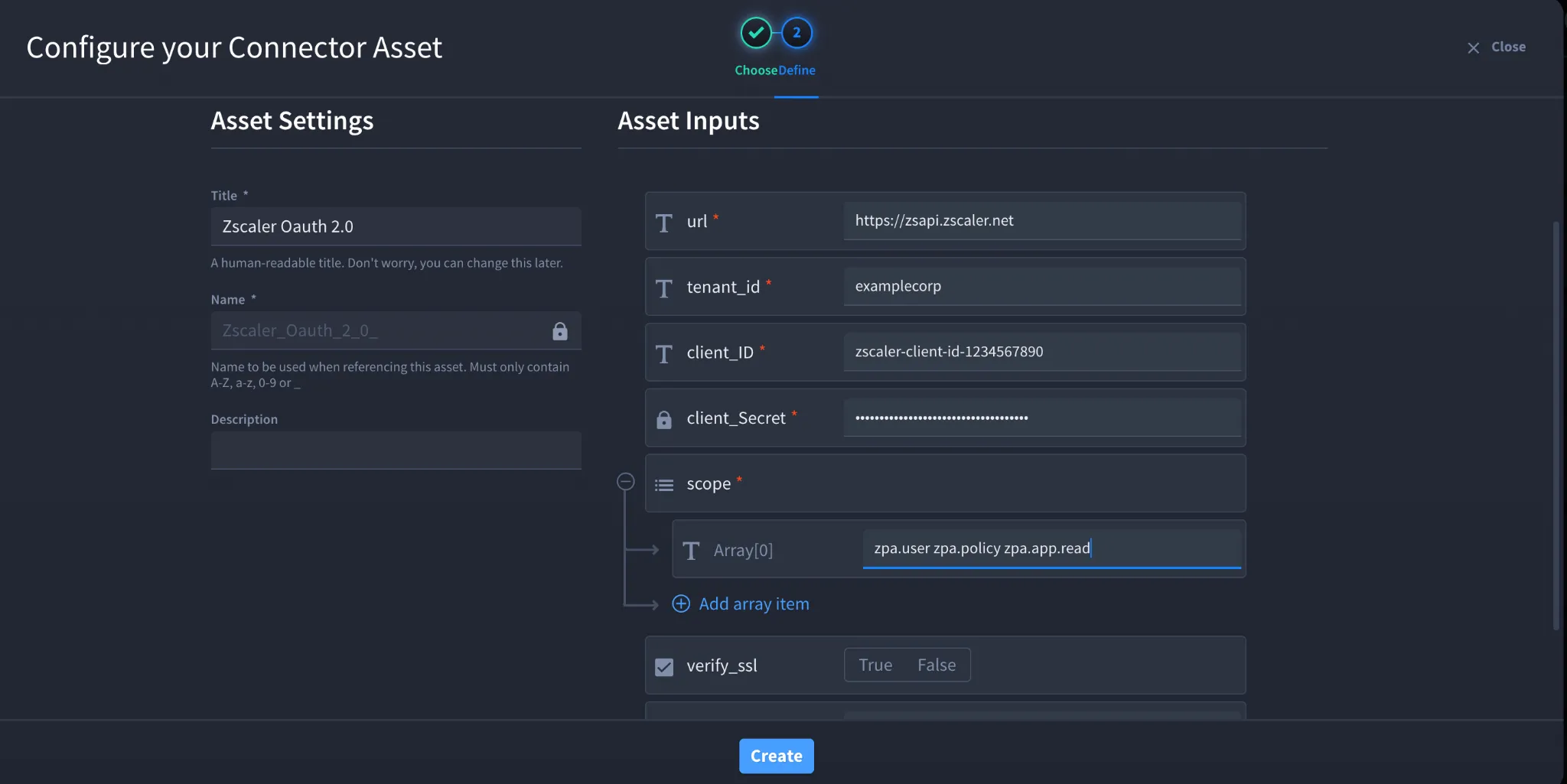
- Fill in the Asset Settings and Asset Input as shown:
Configuration – API Key Authentication
Field | Description | Required |
|---|---|---|
url | Zscaler API base URL | Yes |
username | Zscaler username | Yes |
secret | Zscaler password | Yes |
api_key | Zscaler API token | Yes |
verify_ssl | Enable or disable SSL verification | No |
http_proxy | Proxy configuration | No |
| | |
Configuration – OAuth 2.0 Client Credentials
Field | Description | Required |
|---|---|---|
url | Zscaler API base URL | Yes |
tenant_id | Zscaler tenant ID | Yes |
client_id | OAuth client ID | Yes |
client_secret | OAuth client secret | Yes |
scope | OAuth permission scopes | Yes |
verify_ssl | Enable or disable SSL verification | No |
http_proxy | Proxy configuration | No |
Troubleshooting
- Authentication failures may occur due to:
- Invalid API token or OAuth credentials
- Incorrect base URL
- Insufficient permissions or scopes
- SSL or proxy configuration issues
- Verify credentials and permissions in the Zscaler Admin Portal.
You have successfully authenticated the Zscaler Security connector in Swimlane using Zscaler-native authentication.