Rapid7 InsightIDR β Alert Ingestion Guide
This guide covers two approaches for ingesting Rapid7 InsightIDR investigations and alerts into Swimlane Turbine, normalized to Turbine Schema format:
- Connector β Use the Rapid7 InsightIDR V2 connector actions directly in a playbook for full control over your workflow.
- Component β Use the Rapid7 InsightIDR Alert Ingestion component for a turnkey webhook-based pipeline with investigation enrichment, observable extraction, and Turbine Schema emission.
Both approaches deliver alerts in Swimlane's Turbine Schema format. One downstream playbook handles alerts from any source.
Ingestion Flow

Key Capabilities
- Unified alert format β Every InsightIDR investigation/alert is normalized to Turbine Schema, enabling cross-vendor playbooks and dashboards.
- Investigation enrichment β Fetches investigation details, related alerts, evidence, and actors via the InsightIDR API before ingestion.
- Observables and MITRE ATT&CK β Parses IOCs from enriched alert content and maps MITRE ATT&CK tactics and techniques when available.
- Near real-time webhook ingestion β Investigation webhooks trigger enrichment and emission as investigations are created or updated in InsightIDR (no polling loop required for the primary component flow).
Using the Connector
The Rapid7 InsightIDR V2 connector provides investigation and alert actions you can compose into a custom ingestion playbook: List Investigations, Get Investigation, List Alerts Investigation, Get Product List Alerts by Investigation, and Retrieve Evidence for Alert. Use this approach when you want full control over your playbook logic and custom processing.
How It Works
- Discover investigations β Use List Investigations (or a webhook/sensor that supplies an investigation ID) to identify investigations to process.
- Fetch investigation details β Use Get Investigation to retrieve investigation metadata (title, priority, status, timestamps, assignee).
- List related alerts β Use List Alerts Investigation (and optionally Get Product List Alerts by Investigation) to retrieve alerts tied to the investigation.
- Enrich with evidence β Use Retrieve Evidence for Alert for each alert RRN to pull evidence used for observables and context.
- Normalize β Use playbook logic or a transform block to map fields to Turbine Schema format.
- Process β Create records, emit to an ingest sensor, or route alerts based on your playbook design.
Connector Setup
Prerequisites
- Rapid7 Insight Platform API key with access to InsightIDR investigations and alerts
- Your InsightIDR regional API base URL (for example https://us.api.insight.rapid7.com)
- The Rapid7 InsightIDR V2 connector installed from the Turbine marketplace
Steps
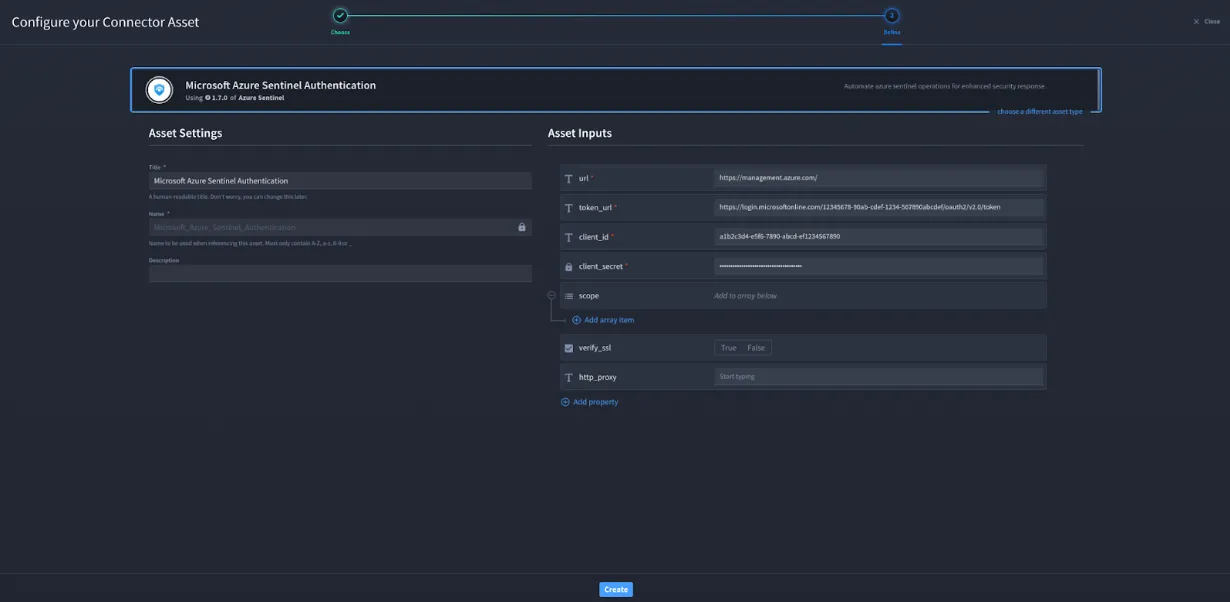
- Create an Asset β In Turbine, create a new Rapid7 InsightIDR V2 asset with your API base URL and X-Api-Key.
- Create a Playbook β Create a new playbook with a scheduled trigger (for polling) or a webhook/sensor trigger (for investigation events).
- Add Investigation Actions β Add List Investigations and/or Get Investigation to retrieve investigation context.
- Add Alert Actions β Add List Alerts Investigation to enumerate alerts for each investigation ID or RRN.
- Add Evidence Enrichment β Add Retrieve Evidence for Alert in a loop over alert RRNs when you need IOC and evidence context.
- Build Processing Logic β Add playbook steps to normalize alerts to Turbine Schema, create records, and handle errors.
Authentication
The connector authenticates with an InsightIDR Platform API key:
Field | Required | Description |
|---|---|---|
url | Yes | Regional InsightIDR API base URL (for example https://us.api.insight.rapid7.com or https://us2.api.insight.rapid7.com) |
X-Api-Key | Yes | Rapid7 Platform API key |
verify_ssl | No | Enable or disable SSL verification |
http_proxy | No | Optional HTTP(S) proxy |
Common regional base URLs:
Region | Base URL |
|---|---|
US | https://us.api.insight.rapid7.com |
US2 | https://us2.api.insight.rapid7.com |
EU | https://eu.api.insight.rapid7.com |
CA | https://ca.api.insight.rapid7.com |
AU | https://au.api.insight.rapid7.com |
Using the Component
The Rapid7 InsightIDR Alert Ingestion component (rapid7_insightidr_alert_ingestion) provides a turnkey pipeline that receives InsightIDR investigation webhooks, enriches related alerts via the InsightIDR API (investigation details, alerts, evidence, and actors), normalizes each alert to Turbine Schema, and emits Turbine Schema alerts to the Swimlane Ingest_Alert sensor. Use this approach when you want near real-time ingestion with enrichment and standardized output out of the box.
What the Component Adds
- Webhook-driven ingestion β Starts from an InsightIDR investigation/alert webhook payload; no lookback or page-limit inputs are required for the primary flow.
- Bulk investigation enrichment β Extracts the investigation ID, then calls InsightIDR for investigation details and related alerts (Get Investigation, List Alerts Investigation).
- Per-alert enrichment β Loops over investigation alerts to retrieve details, evidence (Retrieve Evidence for Alert), and actors when RRNs are present.
- Observables and MITRE mapping β Parses IOCs and maps MITRE ATT&CK techniques where available.
- Turbine Schema emission β Builds a Turbine Schema alert, optionally applies extended field mappings from raw_alert, and emits TEDS_Alert / Extended_Fields to the Ingest_Alert sensor.
Component Setup
Prerequisites
- Rapid7 Insight Platform API key with access to InsightIDR investigations and alerts
- The Rapid7 InsightIDR V2 connector installed from the Turbine marketplace
- The Rapid7 InsightIDR Alert Ingestion component imported from the marketplace
- A Turbine webhook sensor endpoint configured to receive InsightIDR investigation webhooks
- InsightIDR configured to send investigation webhooks to that Turbine webhook URL
Steps
- Create an Asset β In Turbine, create a new Rapid7 InsightIDR V2 asset with your regional API base URL and X-Api-Key.
- Install the Component β Import the Rapid7 InsightIDR Alert Ingestion component from the marketplace.
- Configure the Webhook Sensor β Ensure a Turbine custom webhook sensor is enabled and note its URL.
- Configure InsightIDR Webhooks β In Rapid7 InsightIDR, create or update an investigation webhook (or automation) that posts investigation/alert events to the Turbine webhook URL.
- Assign the Asset β Attach the Rapid7 InsightIDR V2 asset to the component so enrichment actions can call the InsightIDR API.
- Wire Downstream Processing β Connect playbooks or solutions that subscribe to the Ingest_Alert sensor to consume Turbine Schema alerts.
Component Inputs
Variable | Default | Description |
|---|---|---|
Webhook payload (alert) | β | Required. InsightIDR investigation/alert JSON delivered by the webhook sensor |
Rapid7 InsightIDR asset | β | Required. Connector asset with InsightIDR API URL and API key used for enrichment |
Error Handling
Scenario | Behavior |
|---|---|
Webhook / parsing failures | Errors stop the bulk alert parsing path; failed runs are logged in Turbine |
Investigation / alert API failures | Connector errors from InsightIDR enrichment actions are logged; dependent enrichment steps may not complete |
Evidence / actor retrieval failures | Per-alert enrichment may skip or fail for individual RRNs while other alerts continue in the loop |
Emit failures | Failures emitting to Ingest_Alert are logged; successfully built Turbine Schema alerts earlier in the flow are not re-emitted automatically |
Recommended Configuration
Scenario | Trigger | Notes |
|---|---|---|
Production (near real-time) | InsightIDR investigation webhook β Turbine webhook sensor | Primary recommended path for the component |
Backfill / catch-up | Scheduled playbook using connector List Investigations | Use time filters on the connector; normalize manually or feed IDs into enrichment logic |
Testing | Manual webhook POST of a sample investigation payload | Validate asset credentials and Ingest_Alert emission before enabling production webhooks |
Turbine Schema Output
Both the connector (when you normalize in-playbook) and the component produce alerts in this standardized format. The component emits each alert wrapped for the ingest sensor:
Field | Type | Description |
|---|---|---|
alert_uid | string | Investigation or alert identifier |
alert_title | string | Investigation / alert title |
alert_description | string | Investigation / alert description |
alert_severity | string | CRITICAL, HIGH, MEDIUM, LOW, or other mapped values |
alert_provider | string | "Rapid 7 Insight IDR" |
alert_organization | string | Organization name |
alert_categories | array | Categories such as triggering event type |
alert_created_timestamp | string | RFC 3339 creation time |
alert_start_timestamp | string | When activity began |
alert_end_timestamp | string | When activity ended |
alert_ingested_timestamp | string | When the alert was ingested by Turbine |
alert_permalink | string | Direct link to the investigation/alert in InsightIDR |
alert_impacted_hostnames | array | Affected hostnames |
alert_impacted_ip_addresses | array | Affected IP addresses |
alert_impacted_usernames | array | Affected user accounts |
alert_rules | array | Objects with rule_id, rule_name, rule_description, rule_type |
alert_mitre_attack_tactic_technique | array | Tactics and techniques with UIDs and names |
observables | array | Objects with observable_type, observable_value, provider, and optional enrichments |
signal_source | string | Source signal type (for example "Alert") |
raw_alert | object | Complete original InsightIDR investigation/alert context |
Sample Output
{
"TEDS_Alert": {
"alert_uid": "investigation_id",
"alert_title": "Investigation / alert title",
"alert_description": "Investigation / alert title",
"alert_severity": "HIGH",
"alert_created_timestamp": "2026-07-20T15:09:17.516Z",
"alert_start_timestamp": "2026-07-20T15:00:00.000Z",
"alert_end_timestamp": "2026-07-20T15:08:00.000Z",
"alert_ingested_timestamp": "2026-07-20T15:09:38.367Z",
"alert_provider": "Rapid 7 Insight IDR",
"alert_organization": "Organization name",
"alert_categories": ["triggering_event_type"],
"alert_impacted_hostnames": ["host1"],
"alert_impacted_ip_addresses": [],
"alert_impacted_usernames": ["user1"],
"alert_permalink": "https://insight.rapid7.com/...",
"alert_rules": [
{
"rule_id": "...",
"rule_name": "...",
"rule_description": "...",
"rule_type": "..."
}
],
"alert_mitre_attack_tactic_technique": [
{
"tactics": [{"uid": "TA0001", "name": "..."}],
"technique": {"uid": "T1234", "name": "..."},
"version": ""
}
],
"observables": [
{
"observable_type": "ipv4 public",
"observable_value": "...",
"observable_primary_provider": "Rapid 7 Insight IDR",
"observable_primary_verdict": "...",
"observable_primary_timestamp": "2026-07-20T15:09:17.516Z",
"observable_enrichments": []
}
],
"signal_source": "Alert",
"raw_alert": {}
},
"Extended_Fields": {}
}Connector Reference
For the full list of actions, input/output schemas, and authentication setup, see the Rapid7 InsightIDR V2 connector documentation.