xMATTERS
Introduction
This guide tells you how to authenticate the xMatters connector in Swimlane using:
- HTTP Basic Authentication
- OAuth 2.0 Password Credentials
You will obtain xMatters credentials, configure OAuth (if applicable), collect required identifiers, and configure the connector in Swimlane.
Prerequisites
Requirement | Description |
|---|---|
Platform Access | Access the xMatters platform |
User Management | View and manage users and devices |
Workflow Management | Create and manage workflows |
OAuth Configuration | Configure OAuth clients (for OAuth authentication) |
API Access | Access API endpoints |
Required Credentials
During setup, you will collect:
For HTTP Basic Authentication:
- URL
- Username
- Password
For OAuth 2.0 Password Credentials:
- URL
- Username
- Password
- Client ID
xMatters Setup
Take the following steps to retrieve API endpoint URL:
- Log in to your xMatters instance.
- Identify your base API URL in the following format: https://<company>.xmatters.com/api/xm/1
- Verify access to the API endpoint.
OAuth 2.0 Setup (Optional)
Take the following steps to obtain Client ID:
- Log in to the xMatters web interface.
- Navigate to: Workflows → OAuth Clients
- Locate or create an OAuth client.
- Copy the Client ID.
Take the following steps to verify user credentials:
- Ensure the user account has sufficient permissions.
- Confirm username and password are active.
- Verify access to incidents, events, and devices.
Connector configuration in Swimlane
- Log in to Turbine.
- From the left-hand navigation pane, click ORCHESTRATION and click Assets.
- Asset homepage opens.
- Click the plus icon to open the Configure your Connector Asset window.
- Select xMatters from the Asset type list.
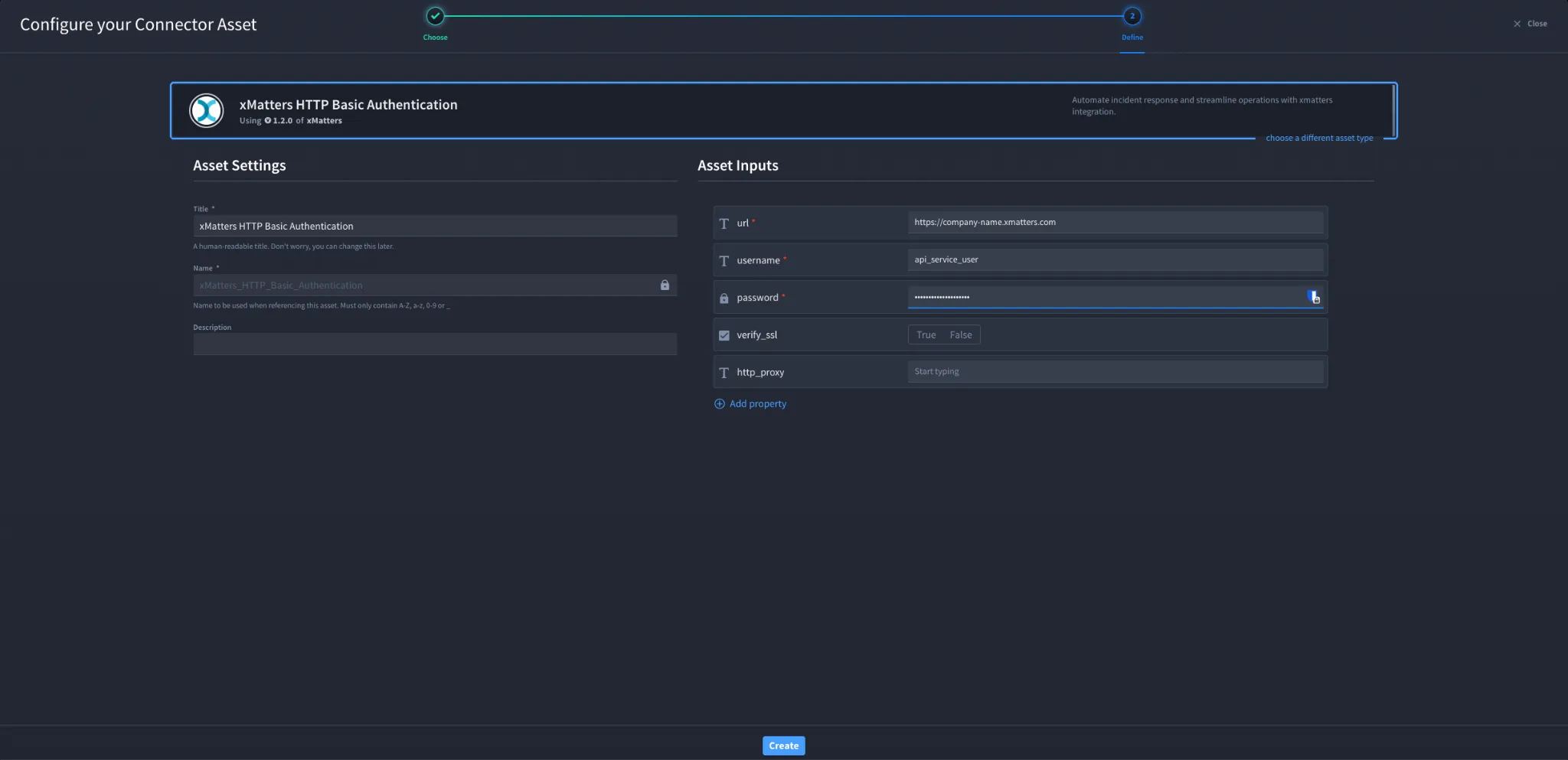
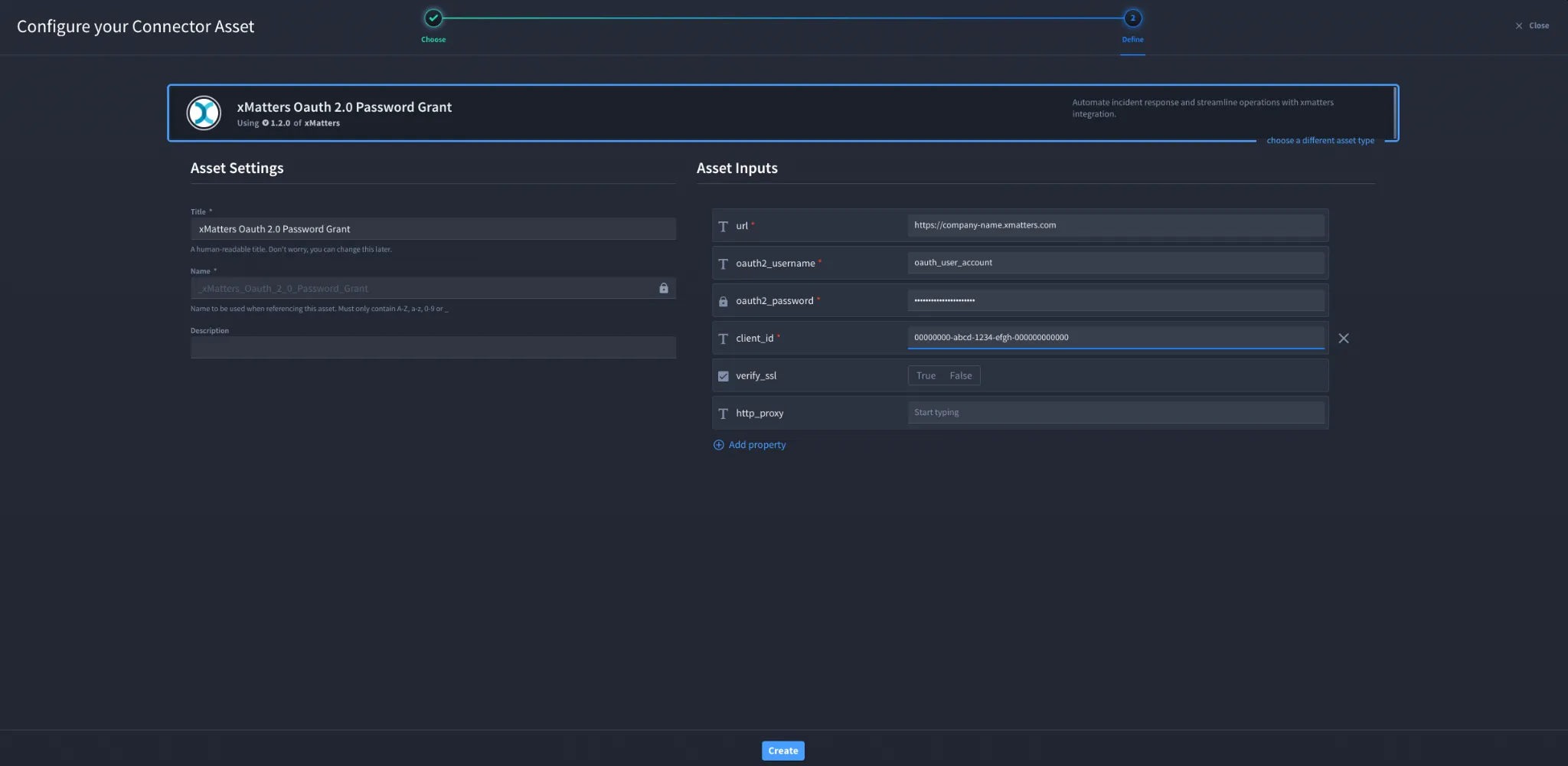
- Fill in the Asset Settings and Asset Input as shown:
Configuration – HTTP Basic Authentication
Field | Description | Required/Optional |
|---|---|---|
url | xMatters API base URL | Required |
username | xMatters username | Required |
password | xMatters password | Required |
verify_ssl | Enable/Disable SSL Verification | Optional |
http_proxy | Optional proxy configuration | Optional |
Configuration – OAuth 2.0 Password Credentials
Field | Description | Required/Optional |
|---|---|---|
url | xMatters API base URL | Required |
oauth2_username | xMatters username | Required |
oauth2_password | xMatters password | Required |
client_id | OAuth client ID | Required |
verify_ssl | Enable/Disable SSL Verification | Optional |
http_proxy | Optional proxy configuration | Optional |
Fields with * marks are required.
Troubleshooting
If authentication fails:
- Ensure the URL is correct and accessible
- Verify username and password are correct
- Confirm the user has sufficient permissions
- Ensure the Client ID is valid (for OAuth)
- Check if the OAuth client is properly configured
- Verify API access is enabled in xMatters
- Check network or proxy restrictions
You have successfully authenticated the xMatters Connector in Swimlane.
Sources
- xMatters API Documentation (Official): https://help.xmatters.com
- xMatters OAuth Documentation: https://help.xmatters.com/xmapi/