Repeats
Repeats iterate over a Text List, Numeric List, Grid, or Multi-select Reference field and perform an action for each value in the list or array of data. You can adjust the Repeat to filter the values within the list field.
Repeat workflow only works with Text List, Numeric List, and Grid or Multi-select Reference fields.
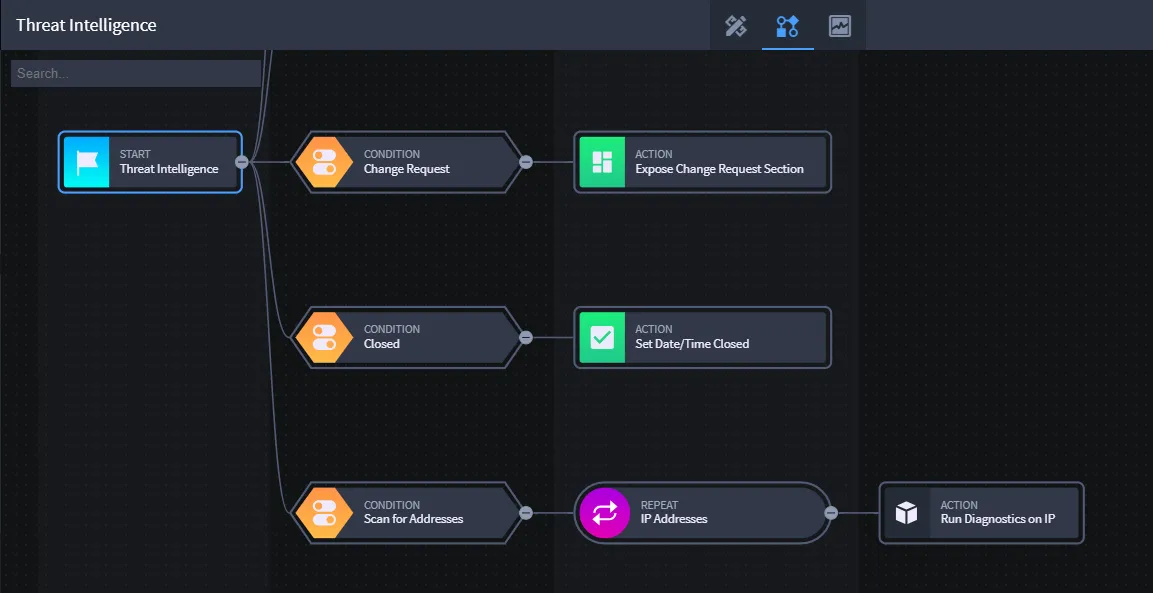
Including a Repeat workflow requires that you've also set up an integration task that uses the list or reference field as an input value. The input value is the action that is run against the record using each value in the List field.
For more information about setting up integration tasks, see Create or Edit a TaskCreate or Edit a Task.
A branch of workflow that includes repeat will first begin with a condition, then a repeat, and then an action which must trigger an integration.
Take the following scenario as an example of how you can utilize repeat workflow functionality:
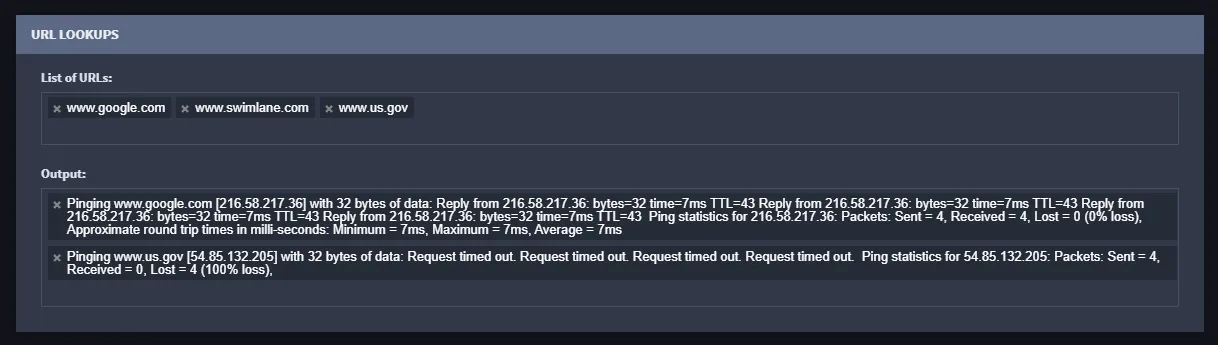
- Your application has a Text List field set up that contains multiple URLs as values.
- When saving a new record, you want to be able to ping each of the URLs and receive information back about them.
- You want the record to store the information that comes back about each of the URLs.
Here is one way you can realize this scenario:
Create a Powershell integration task. From the Configuration tab, include the script and input parameter variable seen here:
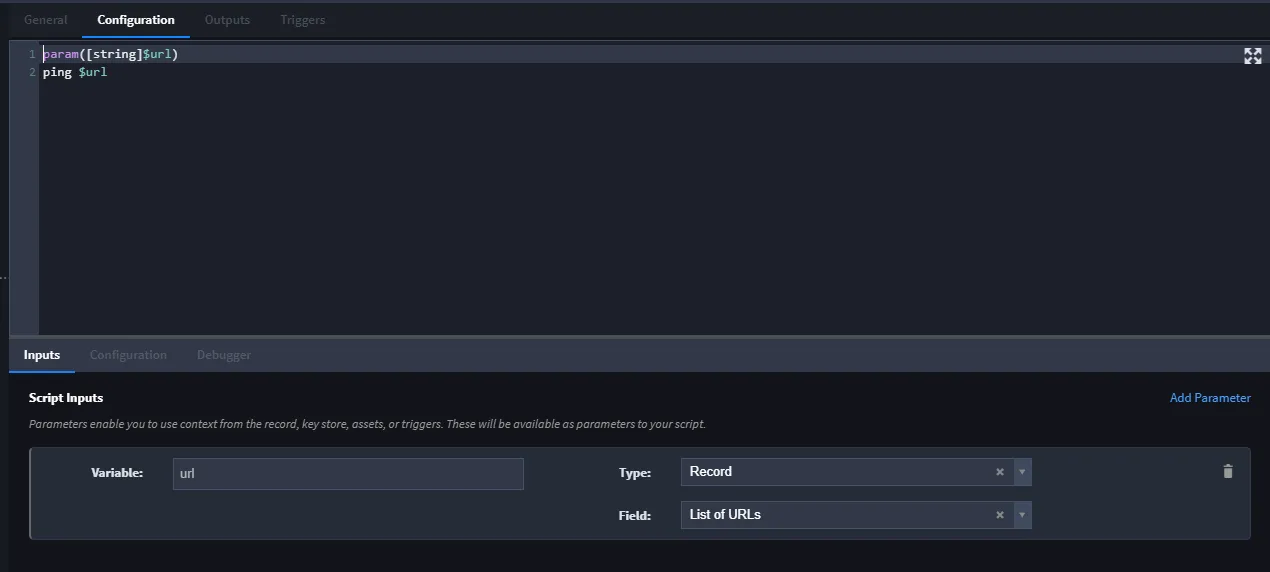
In this application, the List of URLs field is a Text List field.
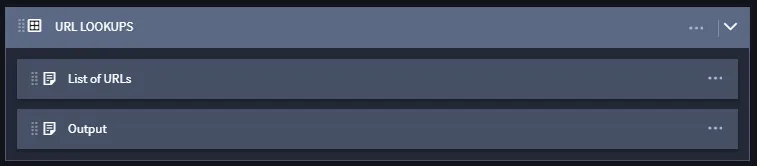
- Access your application and ensure that you have the Text List field set up and that it contains, or is set up to receive, the list of values you need (for this scenario, the values are URLs).You can manually enter the values, or setup a task and output mapping to produce the values in the Text List field.
Create another Text list field, Output, to serve as a container for the information you receive back from pinging the URLs.
Access workflow within Application Builder and create a new Condition, Repeat, and Trigger Integration Action.

Configure the workflow properties for each stage.
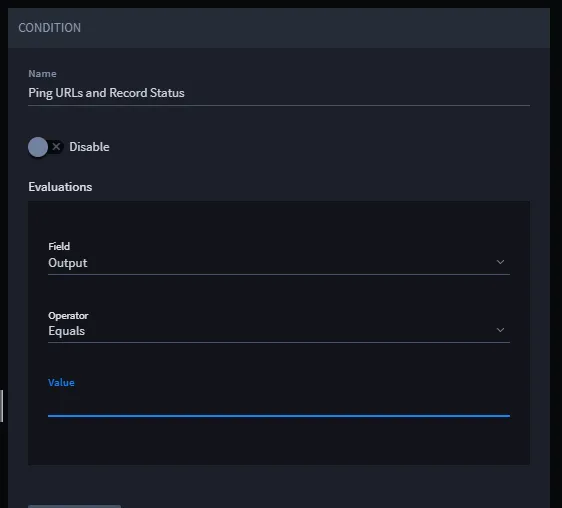
Condition properties for this scenario:
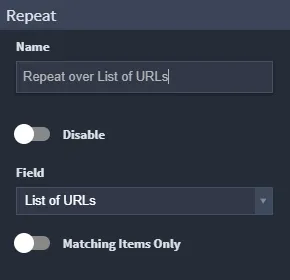
Repeat properties for this scenario:
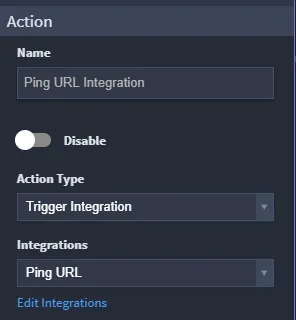
Action (Integration Task) properties for this scenario:
Make sure that you have set up the integration task output mappings to handle the data coming in and out of the task (output mapping to the Output field). See Configure Task InputConfigure Task Input and Configure Task OutputConfigure Task Output for more information.
Output mapping for this scenario:
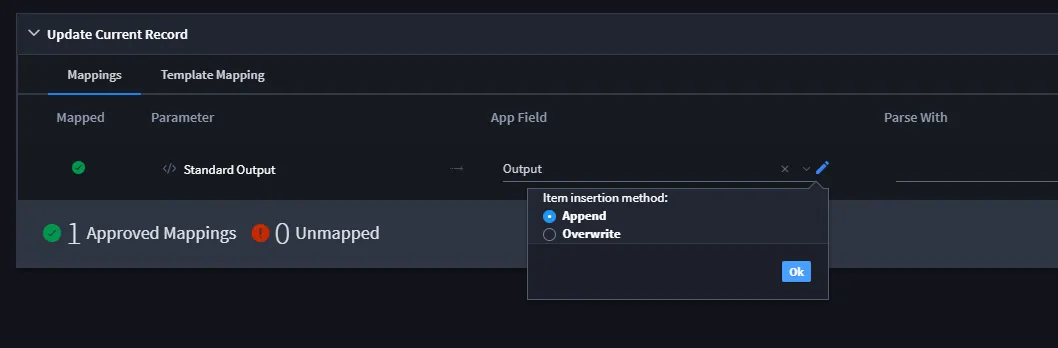
Note: Select Append as an insertion method if you want to retain the list in the Output field and append to it with new data as the repeat actions are run.
- Now, when you access a record for this application, you will trigger the repeat and the integration by the initial save of the record.
-