Map Other Types of Output
You can also map the output of a task to update a record in process, send an email, save data to file, or to execute another task.
Map Output to Update Current Record
Select Update Current Record when you want a task to update a record in process, while the task runs.
The process for mapping output to update a record in process is the same as mapping output for creating or updating records. See Map Output for Creating or Updating RecordsMap Output for Creating or Updating Records for details.
Map Output to Send in an Email
To map output for Send an Email:
From the Outputs tab, click Send an Email.
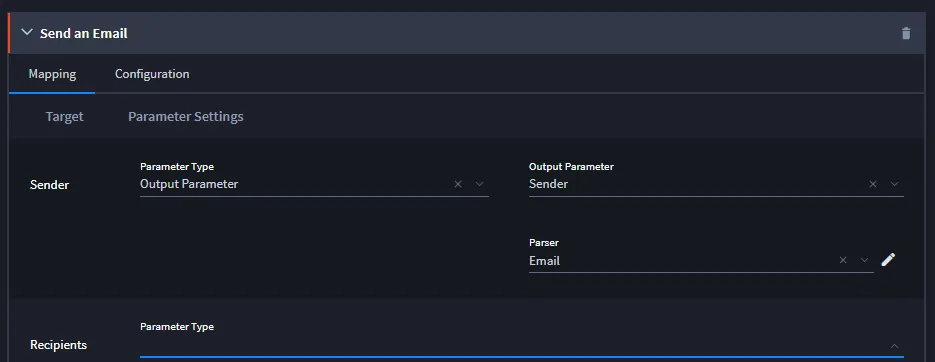
- Review the Email Target fields, and specify the parameters from these options. The available parameters depend upon the email asset you select.
- If applicable, indicate what you will use to parse the output data.
- Continue with all email target fields and parameters, then click Save.
Map Output to Save to File
To map output for Save to File:
From the Outputs tab, click Save to File.

- Specify the location where you want Swimlane to save the data, then click Save.Note: Swimlane strips invalid characters from Save to File output. Invalid characters include / * ? < > " |.
Map Output to Execute Another Task
To map output for Execute Another Task:
From the Outputs tab, click Execute Another Task.
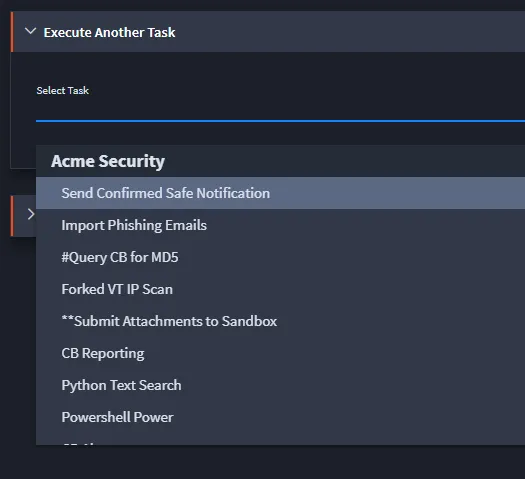
- From the Select Task drop-down, select the task that will receive the current task's output as input, then click Save.
Note:- The outputs from one task are not automatically passed as inputs to the triggered task. However, record field inputs or other inputs can be defined on the triggered task to ensure that the necessary data is available for the task to execute correctly.