Licensing
Refer to Licensing to review your Swimlane license details. These details include:
- License type
- Expiration date
- Licensed users and applications
Note: Once you reach the limits of licensed users or applications, you will no longer be able to add new users or applications, but existing users and applications will continue to function. Be aware that disabled users do not count toward your license, so disabling users in order to add additional active users can occur.
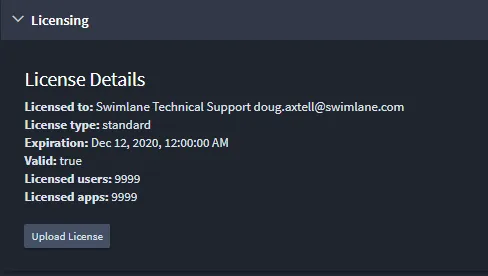
When it's time for your organization to update your license, work with your Swimlane representative. Once your new license is determined, click Choose file under Upload license to replace the current Swimlane license with the new license.
When a Swimlane platform license expires:
- Users can not login.
- Scheduled jobs/tasks/integrations do not run.
- API requests fail.
- No data is deleted (i.e. apps/applets/key store/Resources/Images, etc).
- No credentials are removed.
- The Swimlane Platform Installer (SPI) dashboard continues to function, but will no longer receive updates.
No data is deleted or changed when a license expires, but the system stops working from that point forward. Users will not be able to log in, so no new records can be created or modified via the API.