How to find all tasks that output to a specific field
When troubleshooting an error, it might be necessary to find a list of all tasks that output to a specific field.
What you’ll need:
- An application in Swimlane with a field
- The name of the field in Swimlane
- Google Chrome
- Access to MongoDB (or this link for how to access Mongo via CLI)
Follow the steps below:
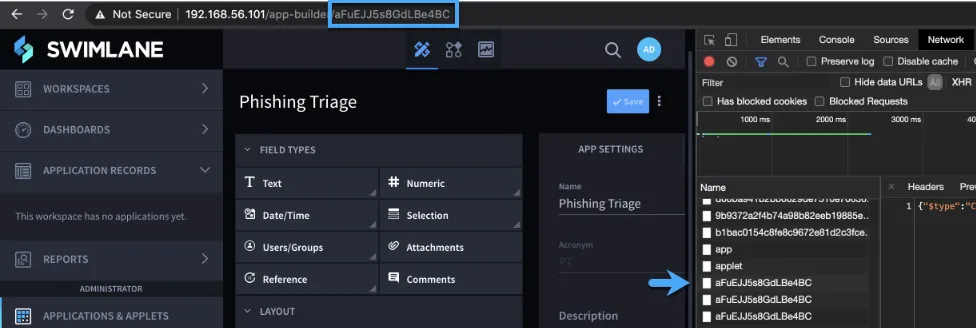
- Load the Application Builder page
- Open Chrome Developer Tools
- Select Network and find the Application ID from the URL of your current page:
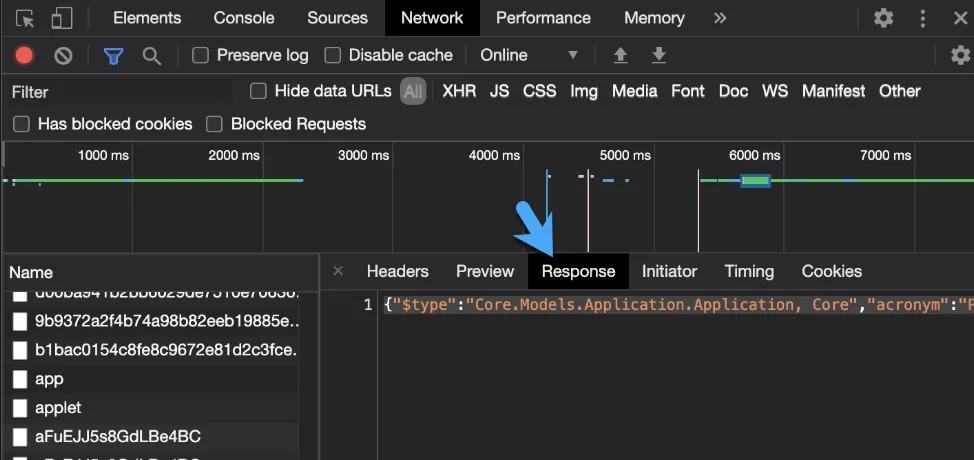
- Select Response, copy the text , and paste it into a JSON document viewer.
- Search the document for the field name:
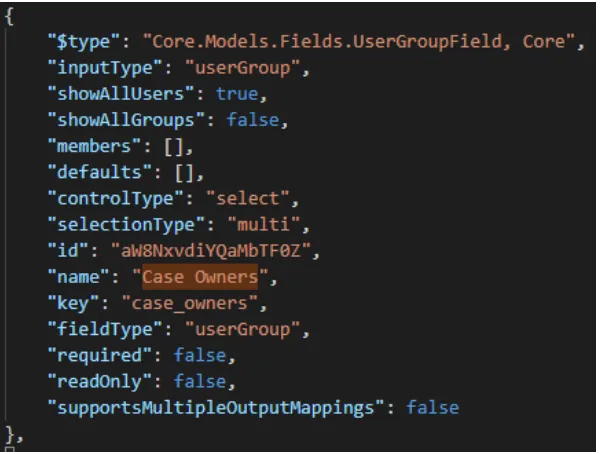
- Copy the ‘id’ field
- Connect to MongoDB
- Paste the field id into the following query and run it:
db.getCollection('Tasks').find({'Outputs.Mappings.Value': 'xxxxxx'}).pretty()
- The following is an example of what’s returned:
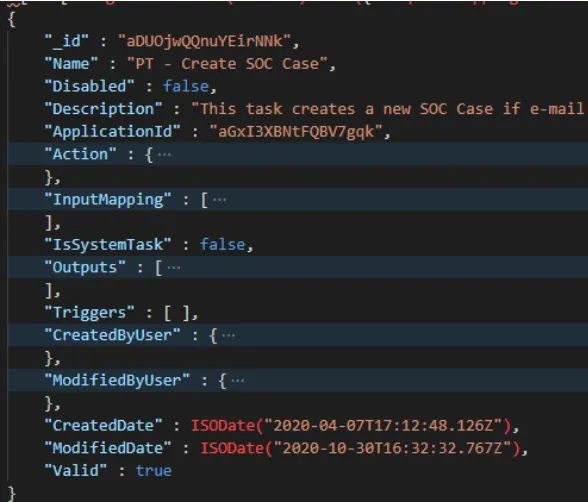
- The important fields are:

- These can be used to track down the Tasks in Swimlane