Add More Workflow Detail
Now you are ready to add additional detail to your application's workflow.
Before You Begin: From the global navigation menu, select Applications and Applets and select your application again. Select the workflow icon from the application toolbar.
To add more workflow details:
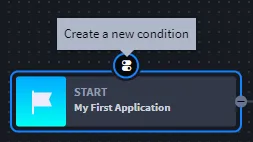
From within your application's workflow, select Start, or the beginning of your app's workflow, then click the icon to create a new condition.
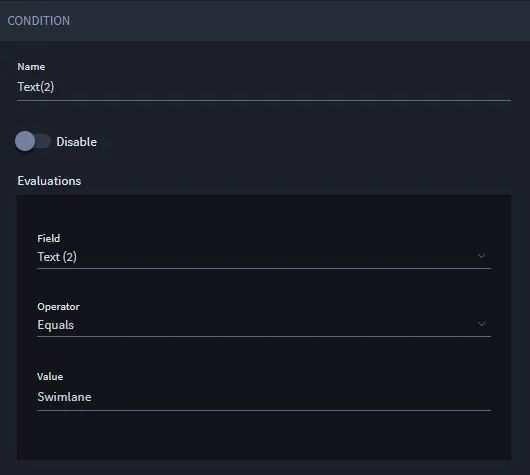
Edit the Condition properties as shown in the following screen, then click Save.
- Next, select your new condition and click the icon for Create a new action.
On Action, specify Set Field Read/Write in the Action Type pull-down field, then click Select Fields.
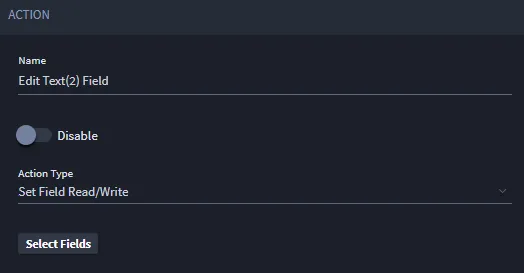
Select the field that you want to set the read/write action on. Select it once to lock the field, then select it again to make it editable.
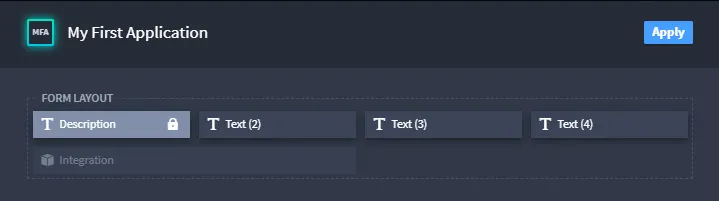
For example, the Description field above is locked. Note the lock icon.
The Text (2) field above is editable. Note the pencil icon.
Next, create another action on this condition and, on Action Type, select Modify Layout.
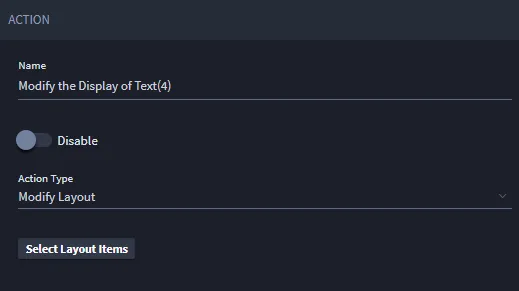
Click Select Layout Items to specify which application items you want to modify.
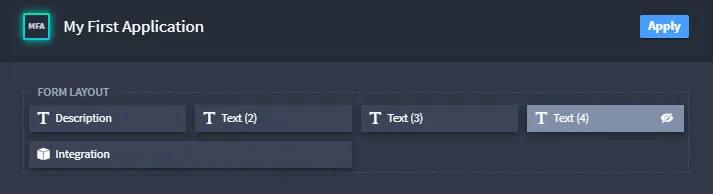
On the Layout window, select Text(4) to make it a hidden field.
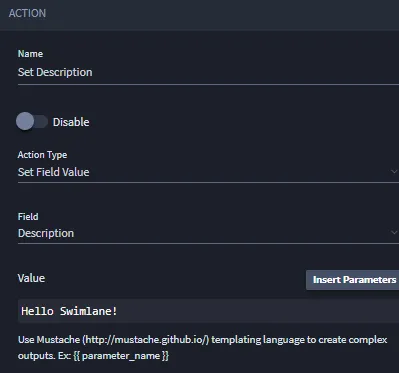
Add one more action to this condition, and edit the action properties as shown in the following screen:
Click Save on the application builder taskbar.

Related Links
Applications and AppletsApplications and Applets
WorkflowWorkflow