Turbine - Restarting Services in Swimlane Using Kubernetes Rollout Restart Commands
For restarting different services in Swimlane, use the Kubernetes commands as listed below. This guide will demonstrate how to restart the following services:
- Turbine-engine
- Turbine-api
- Turbine-agent
- Swimlane-api
- Swimlane-tasks
- Coredns (In case your DNS server has been modified and playbooks doesn't get these DNS modifications)
- Rabbitmq-server (STS)
Step-by-Step Instructions
Restarting Deployments
The first five services (turbine-engine, turbine-API, turbine-agent, Swimlane-API, and swimlane-tasks) are managed as Kubernetes deployments. To restart these services, follow these steps:
- List All Deployments in the Namespace First, list all the deployments in the swimlane namespace to ensure they are correctly mapped:
The above Command will display the following output:
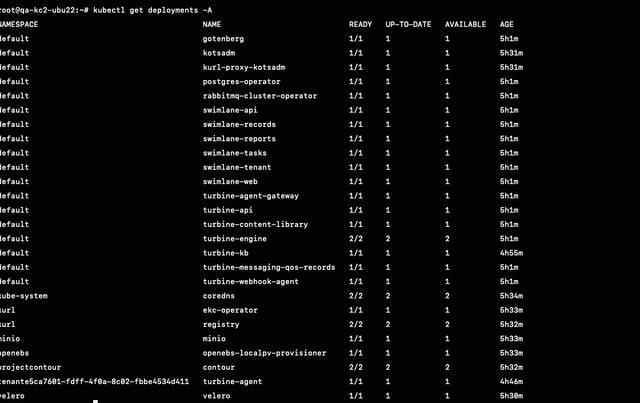
- Restart Each Deployment Restart each deployment using the following commands, replacing <namespace> with the actual namespace (usually swimlane):
- Restarting StatefulSets
The rabbitmq-server is managed as a Kubernetes StatefulSet. To restart the RabbitMQ server pods, follow the steps below:
Restart the StatefulSet Restart the StatefulSet using the following command, replacing<namespace>with the actual namespace (typicallyswimlane):
For restarting the STS use the. below command:
By following these commands, you will restart the specified services in the Swimlane environment. This ensures that all pods associated with these deployments and StatefulSets are restarted, This would help us to apply updates and recover from any issues.