Install Connectors, Components, and AI Agents to a Playbook
You can discover, install, and use connectors, components, and AI agents directly from the Canvas while building a playbook.
- Click Toggle Add Panel (or use the shortcut ⌘ ⇧ A). The Add panel opens.
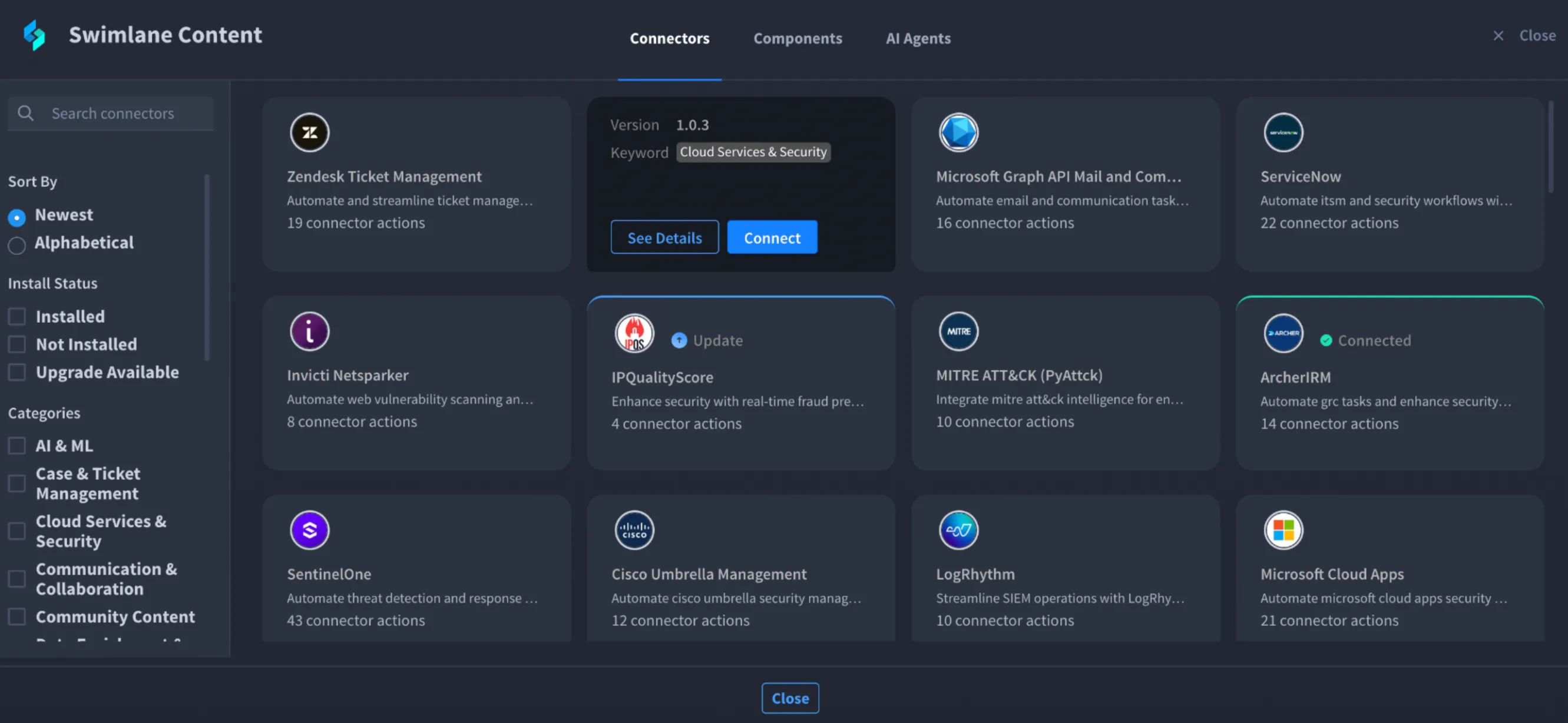
- Click the open book icon next to the search bar. The Swimlane Content window opens.
- This window includes three switchable tabs:
- Connectors
- Components
- AI Agents
- Use the Search bar to find specific connectors, components, or actions.
- Use Sort By to organise results (for example, by vendor or source);
- Use filters such as:
- Install Status (Installed, Not Installed, Upgrade Available)
- Categories (AI & ML, Security, Communication, etc.)
- Hover over the listed connectors, components, and AI Agents to see the following options:
- Connect: Click this to install the connector.
- Install: Click this to install the component and AI Agent.
- See Details: Click this to review information before installing.
- A confirmation message is shown after installation.
- After installation, use installed connectors:
- Connected connectors appear in the Actions tab of the Add panel.
- Expand a connector to view its available actions.
- Drag and drop actions directly into your flow.
- For components and AI agents:
- Installed items appear in their respective tabs of Add Panel – Components or AI Agents.
- Drag and drop them into the Canvas to use in your flow.
- Only installed items can be added to a playbook.
- Connector actions become available immediately after connecting the connector.
- You must have appropriate permissions to install content.
- If installation fails, retry from the Swimlane Marketplace directly.