Sumo Logic
Introduction
This guide explains how to authenticate the Sumo Logic connector in Swimlane using HTTP Basic Authentication. You will generate Sumo Logic API credentials, collect the required endpoint details, and configure the connector inside Swimlane Turbine.
Prerequisites
Sumo Logic Access Requirements
You must have permissions to:
- Access the Sumo Logic account
- Create and manage API access keys
- Access Sumo Logic REST APIs
Required Credentials
During setup, you will collect:
- Sumo Logic API Endpoint URL
- Access ID
- Access Key
Authentication Method Overview
The Sumo Logic connector supports HTTP Basic Authentication using an Access ID and Access Key. These credentials are generated within the Sumo Logic console and are required for all API requests.
Sumo Logic Setup
Take the following steps to generate Sumo Logic API credentials:
- Log in to the Sumo Logic console.
- Navigate to Administration > Security > Access Keys.
- Click Add Access Key.
- Enter a name and optional IP restrictions.
- Click Create.
- Copy and securely store the Access ID and Access Key.
The Access Key value is shown only once and cannot be retrieved again.
Connector Configuration in Swimlane
Take the following steps to configure the connector:
- Log in to Turbine.
- From the left-hand navigation pane, click ORCHESTRATION and click Assets. Asset homepage opens.
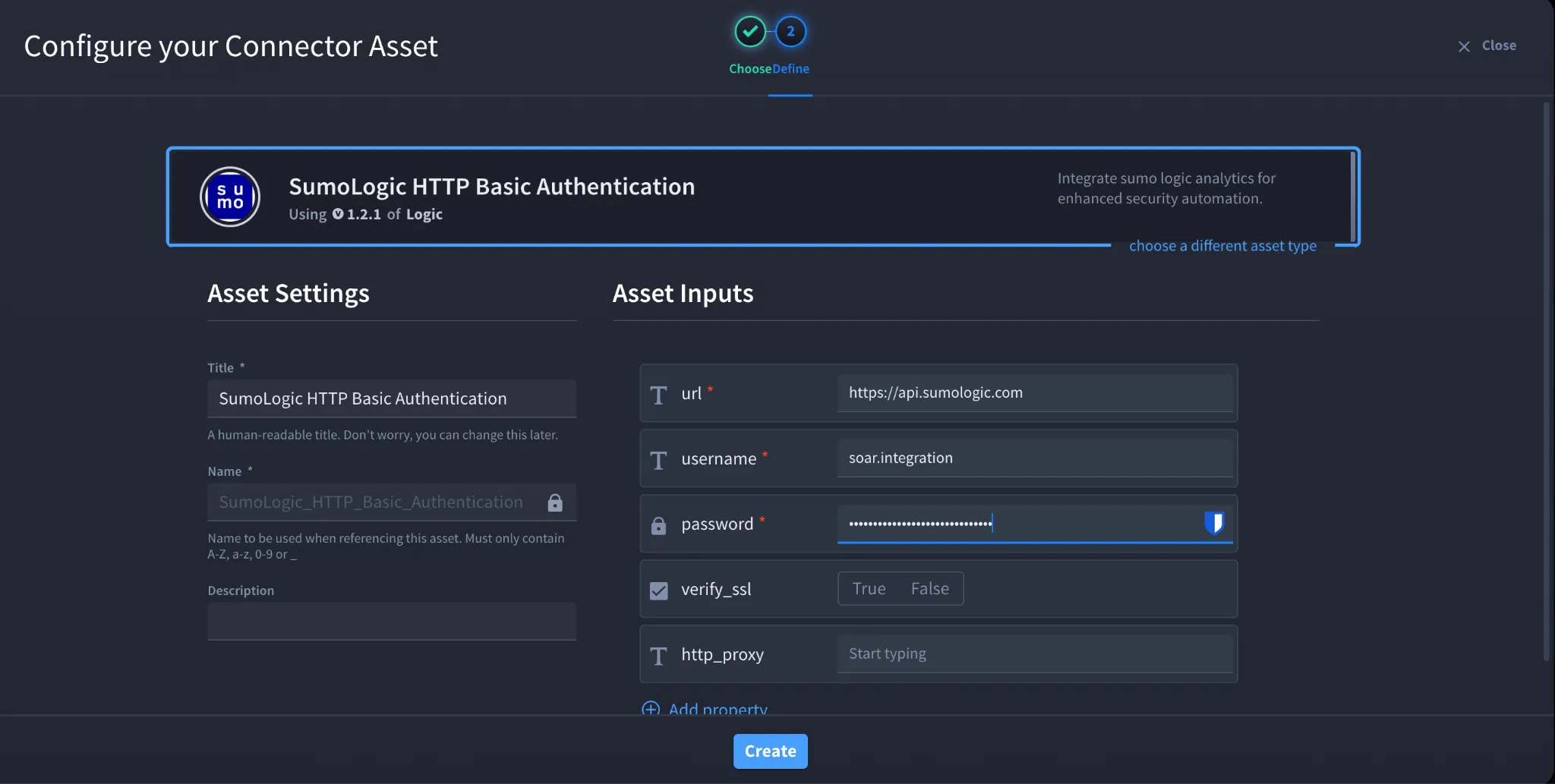
- Click the plus icon to open the Configure your Connector Asset window.
- Select Sumologic from the Asset type list.
- Fill in the Asset Settings and Asset Input as shown:
Configuration – HTTP Basic Authentication
Field | Description | Required |
|---|---|---|
url | Sumo Logic API endpoint URL | Yes |
username | Access ID | Yes |
password | Access Key | Yes |
verify_ssl | Verify SSL certificate | No |
http_proxy | Proxy configuration | No |
Troubleshooting
401 Unauthorized
- Invalid Access ID or Access Key
- Access key has been deleted or rotated
403 Forbidden
- Insufficient permissions for the API endpoint
- Access restricted by IP allowlist
Connection or SSL Errors
- Verify correct regional API endpoint
- Adjust verify_ssl if required
- Validate proxy configuration if used
You have successfully authenticated the Sumo Logic connector in Swimlane.