Recorded Future Sandbox
Introduction
This guide tells you how to authenticate the Recorded Future Sandbox connector in Swimlane using:
- HTTP Bearer Token Authentication
- OAuth 2.0 Client Credentials
You will generate an API token or OAuth client credentials in Recorded Future, collect the required identifiers, and configure the connector in Swimlane.
Prerequisites
Recorded Future Access Requirements
You must have Recorded Future permissions to:
- Access the Recorded Future platform
- Generate API tokens
- Create OAuth clients (if applicable)
- Access API services
Required Credentials
During setup, you will collect:
- API Base URL
- API Token (Bearer Token)
- Client ID (OAuth)
- Client Secret (OAuth)
- Token URL (OAuth)
Authentication Methods Overview
The Recorded Future Sandbox connector supports:
- HTTP Bearer Token Authentication
- OAuth 2.0 Client Credentials
Recorded Future Setup
Take the following steps to generate an API Token (Bearer Authentication):
- Log in to the Recorded Future Platform.
- Click your profile icon (top-right corner).
- Select Settings.
- Navigate to API Access.
- Click Generate New Token.
- Enter a name for the token.
- Click Generate.
- Copy and securely store the token.
This token will not be shown again. Store it securely.
Take the following steps to configure OAuth Client Credentials (if applicable):
- Log in to the Recorded Future Platform.
- Navigate to API / Integrations settings.
- Create a new OAuth application/client.
- Select Client Credentials as the grant type.
- Assign required permissions/scopes.
- Save the application.
- Copy:
- Client ID
- Client Secret
- Token URL
Connector Configuration in Swimlane
- Log in to Turbine.
- From the left-hand navigation pane, click ORCHESTRATION → Assets.
- Click the plus icon.
- Select Recorded Future Sandbox from the Asset type list.
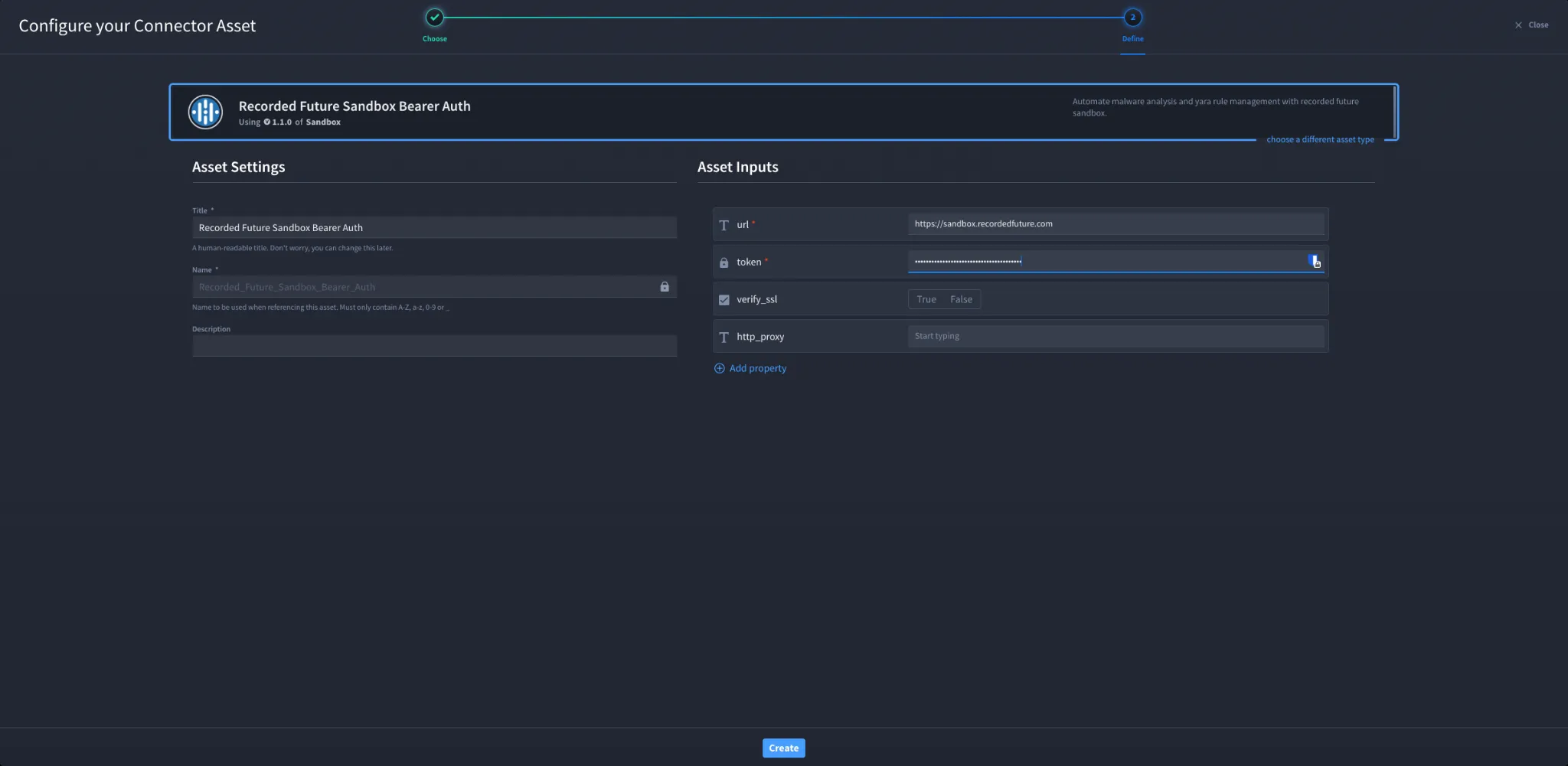
Configuration – HTTP Bearer Authentication
Field | Description | Required |
|---|---|---|
url | Recorded Future Sandbox API base URL | Yes |
token | API Token (Bearer Token) | Yes |
verify_ssl | Enable or disable SSL verification | No |
http_proxy | Proxy configuration | No |
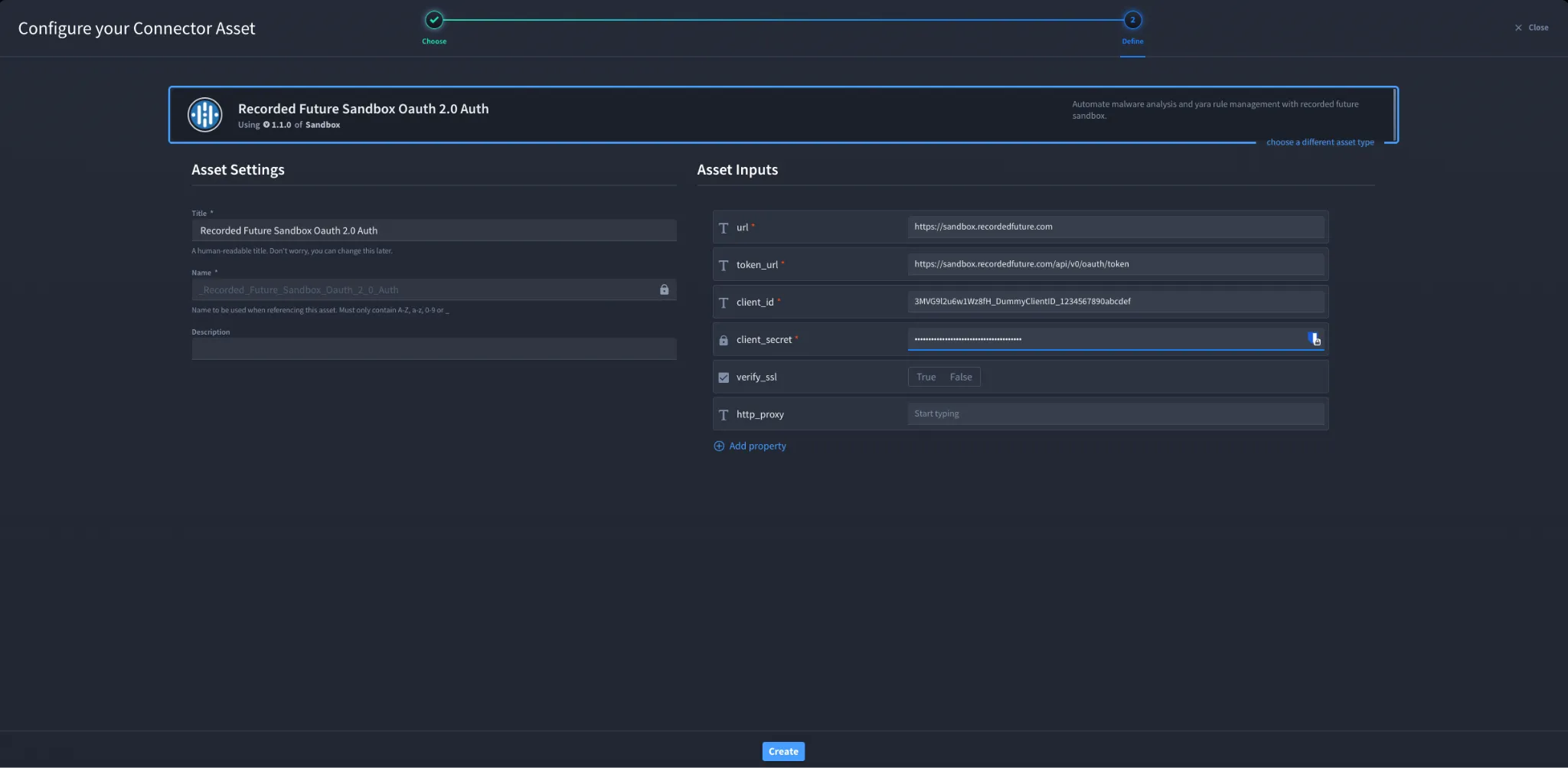
Configuration – OAuth 2.0 Client Credentials
Field | Description | Required |
|---|---|---|
url | Recorded Future Sandbox API base URL | Yes |
token_url | OAuth token endpoint | Yes |
client_id | OAuth client ID | Yes |
client_secret | OAuth client secret | Yes |
verify_ssl | Enable or disable SSL verification | No |
http_proxy | Proxy configuration | No |
Troubleshooting
Authentication failures may occur due to:
- Invalid API token or OAuth credentials
- Incorrect API base URL
- Missing permissions or scopes
- Expired or revoked token
Fix:
- Regenerate API token if needed
- Verify credentials in Recorded Future
- Ensure correct API endpoint
- Confirm permissions and access level
You have successfully authenticated the Recorded Future Sandbox connector in Swimlane.
Sources
- Recorded Future API Documentation: https://api.recordedfuture.com/
- Recorded Future Support: https://support.recordedfuture.com/