IPINFO
Introduction
This guide tells you how to authenticate the IPInfo connector in Swimlane using an API token.
You will copy your IPInfo API token, confirm your subscription access, and configure the connector in Swimlane.
Prerequisites
IPInfo Access Requirements
You must have:
- An active IPInfo account.
- A valid IPInfo API token.
- An active subscription to use IPInfo API services.
- Business or Enterprise plan access if you need all available outputs or the Hosted Domains action.
Required Credentials
During setup, you will collect:
- API Token
IPInfo Setup
Take the following steps to get an API Token:
- Log in to IPInfo or create an account at https://ipinfo.io.
- From your account dashboard, click Token.
- Click Copy to Clipboard.
- Securely save the copied token.
Connector configuration in Swimlane
- Log in to Turbine.
- From the left-hand navigation pane, click ORCHESTRATION and click Assets.
- Asset homepage opens.
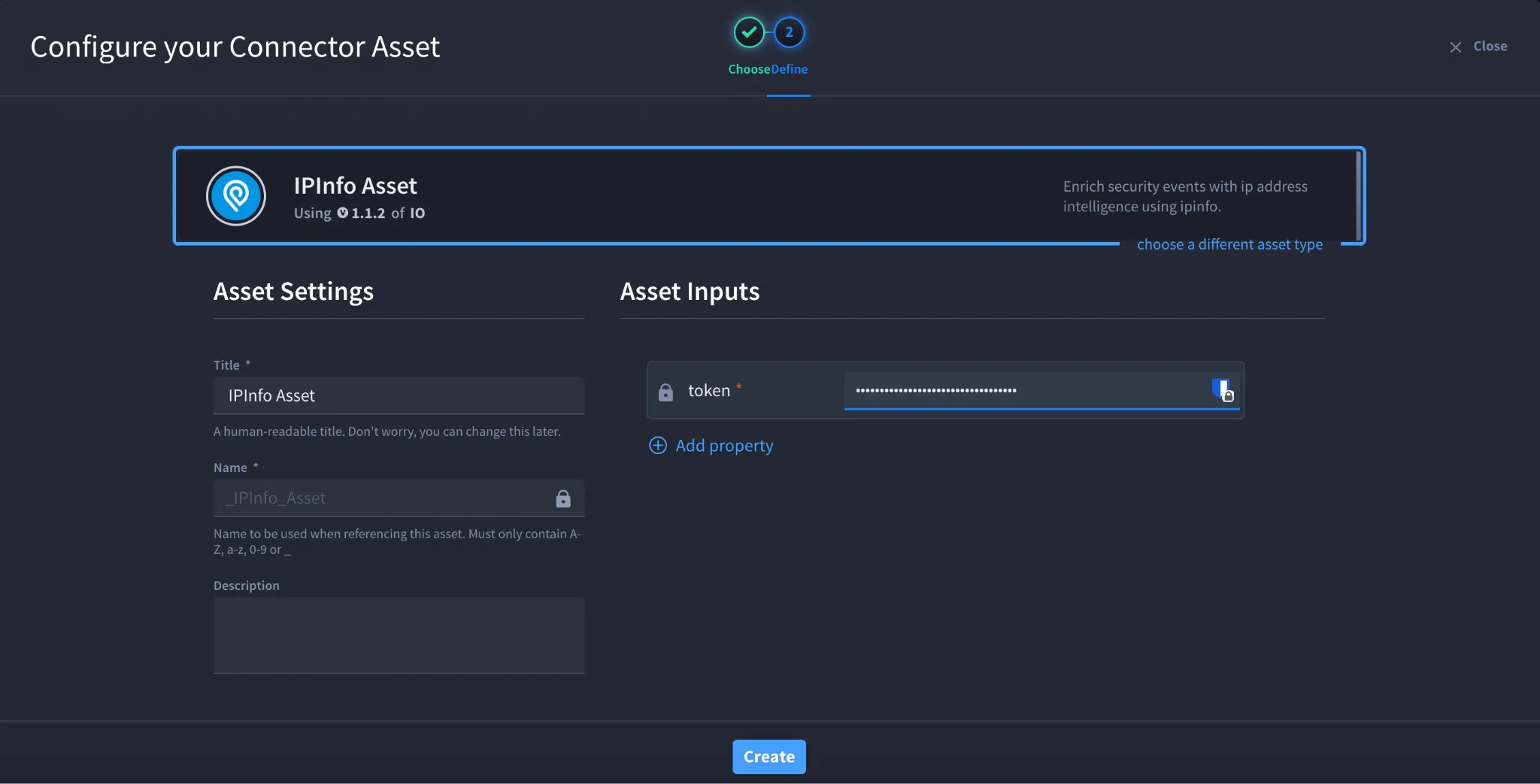
- Click the plus icon to open the Configure your Connector Asset window.
- Select IPInfo from the Asset type list.
- Fill in the Asset Settings and Asset Input as shown:
Field | Description | Required/Optional |
|---|---|---|
token | IPInfo API token | Required |
Fields with * marks are required.
- Click Create.
Troubleshooting
If authentication fails:
- Ensure the token is copied correctly.
- Confirm the token is active in your IPInfo account.
- Verify your subscription supports the action you are using.
- Use an Enterprise plan token for the Hosted Domains action.
- Check whether API limits have been reached.
Result
You have successfully authenticated the IPInfo connector in Swimlane.
Sources
- IPInfo API documentation: https://ipinfo.io/developers
- IPInfo hosted domains API documentation: https://ipinfo.io/developers/hosted-domains