Elasticsearch
Introduction
This guide explains how to authenticate the Elasticsearch connector in Swimlane for both Elasticsearch version 7 and Elasticsearch version 8.
The authentication process remains the same for both versions, as both connectors use HTTP Basic Authentication.
Prerequisites
Elasticsearch Access Requirements
- Access to an Elasticsearch cluster .
- Elasticsearch security features enabled, if authentication is required.
- Network access to the Elasticsearch REST API endpoint.
Required Credentials
- URL
- Username
- Password
Authentication Method Overview
HTTP Basic Authentication
- Used to authenticate requests to the Elasticsearch REST API.
- Authentication is performed using a username and password.
- This method is supported by both Elasticsearch version 7 and version 8.
You will need:
- URL
- Username
- Password
Elasticsearch Setup
Take the following steps to prepare Elasticsearch credentials:
- Log in to your Elasticsearch environment.
- Identify the base URL for the Elasticsearch cluster.
- Confirm the username and password used for Elasticsearch authentication.
- Ensure the user account has appropriate index privileges for the intended actions.
Index Privileges and Permissions
- If Elasticsearch security features are enabled, the authenticated user must have appropriate index privileges.
- Search actions require read index privileges for the target index, data stream, or alias.
- Create or add document actions require create_doc, create, index, or write index privileges.
- Point in Time searches require read privileges on the target alias or indices.
Connector Configuration in Swimlane
- Log in to Turbine.
- From the left-hand navigation pane, click ORCHESTRATION and click Assets. Asset homepage opens.
- Click the plus icon to open the Configure your Connector Asset window.
- Select Elasticsearch from the Asset type list.
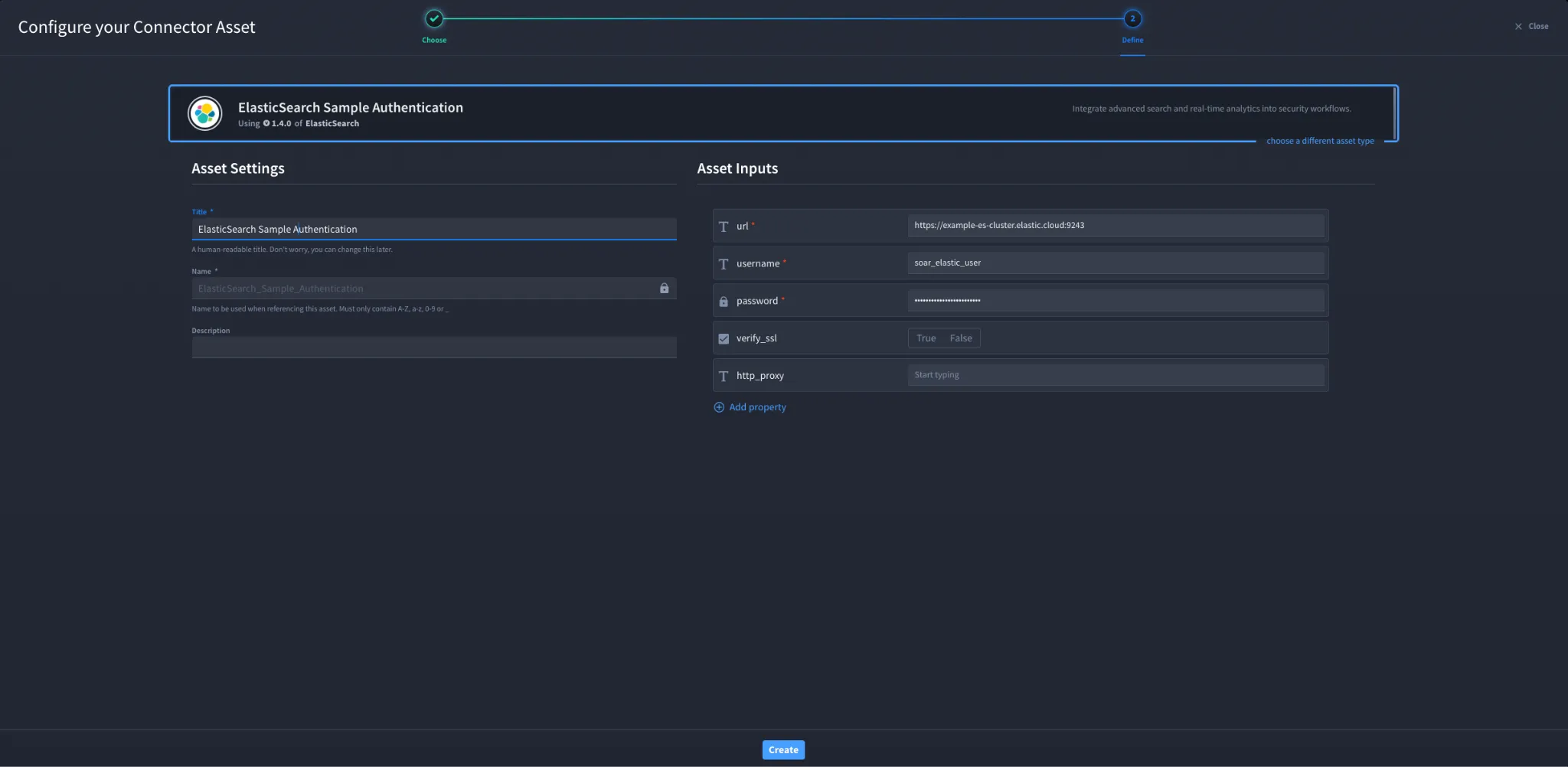
- Fill in the Asset Settings and Asset Input as shown:
Configuration - HTTP Basic Authentication
Field | Description | Required |
|---|---|---|
url | A URL to the target host. | Required |
username | Username | Required |
password | Password | Required |
verify_ssl | Verify SSL certificate. | Optional |
http_proxy | A proxy to route requests through. | Optional |
Troubleshooting
- Incorrect URL – ensure the Elasticsearch REST API endpoint is correct.
- Invalid credentials – verify the username and password.
- Insufficient privileges – ensure the user has required index permissions.
- SSL errors – adjust verify_ssl if SSL inspection is present.
- Proxy issues – verify http_proxy configuration if required.
The authentication process described in this guide applies to both ElasticSearch version 7 and ElasticSearch version 8 connectors.
For version-specific capabilities and actions, refer to the ElasticSearch V7 connector documentation.
You have successfully authenticated the ElasticSearch connector in Swimlane.