Upload a Python Script with the POST Script Endpoint
Many of the Swimlane RESTful API endpoints require JSON payloads. However, the POST /task/upload-script endpoint requires multipart/form-data.
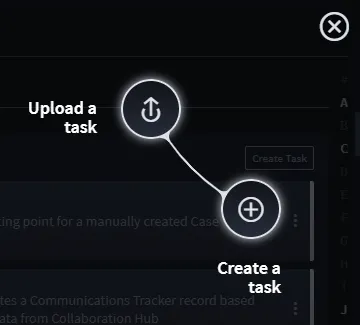
You upload JSON files from accessing Upload a task on the Integrations/Tasks tab.
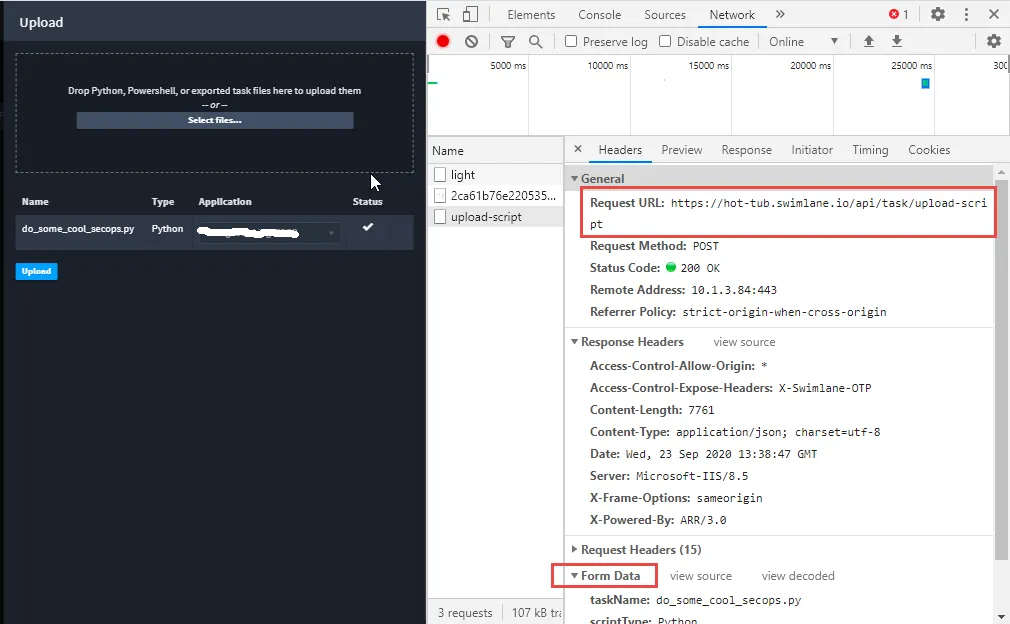
Here is an example of a successful POST:
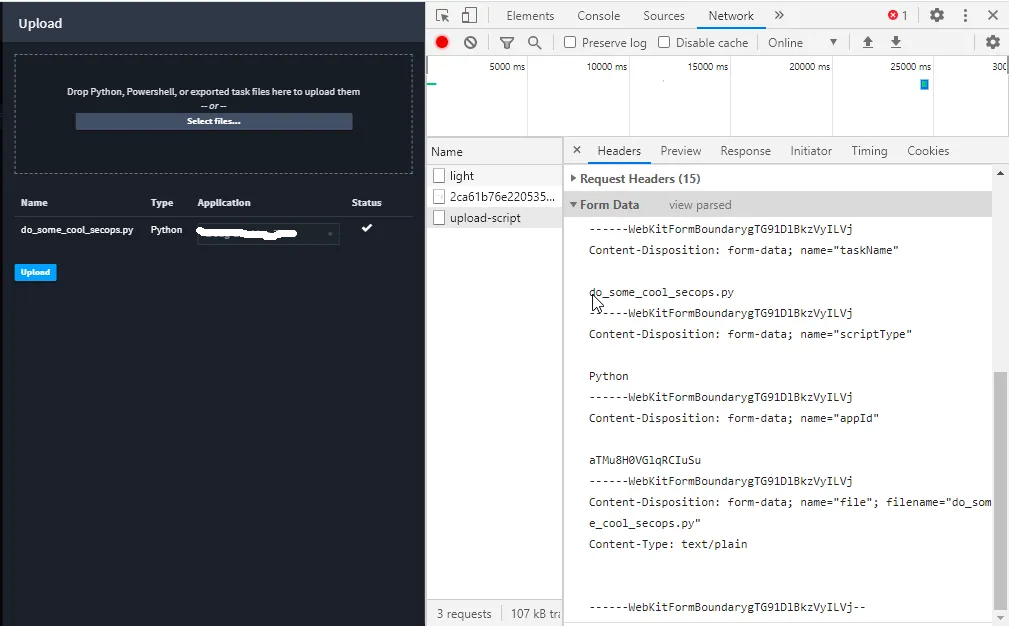
Here is the POST body payload that needs to be replicated in client Python code:
This Python 2.7 code sample, which relies on the Swimlane Driver for authentication and for ease of retrieving the pertinent application’s ID value, illustrates how to make this POST:
from swimlane import Swimlane host = 'https://SWIMLANE-HOST' swimlane = Swimlane(host, 'USER', 'PASSWORD', verify_ssl=False) app = swimlane.apps.get(name='APPLICATION-NAME') resp = swimlane.request( 'post', '/task/upload-script', data=[ ("taskName", "do_some_cool_secops.py"), ("scriptType", "Python"), ("appId", app.id) ], files={ "file": open(r'C:\Swimlane\shared\do_some_cool_secops', 'rb'), "contentType": "text/plain" } ) print str(resp.status_code) print resp.text
Swimlane supports Python scripts and Powershell scripts.