Swimlane Hero AI Help Chatbot
When you open Swimlane Application, notice the icon in the top right of your browser window. That is the Swimlane Hero AI Help ChatBot icon.
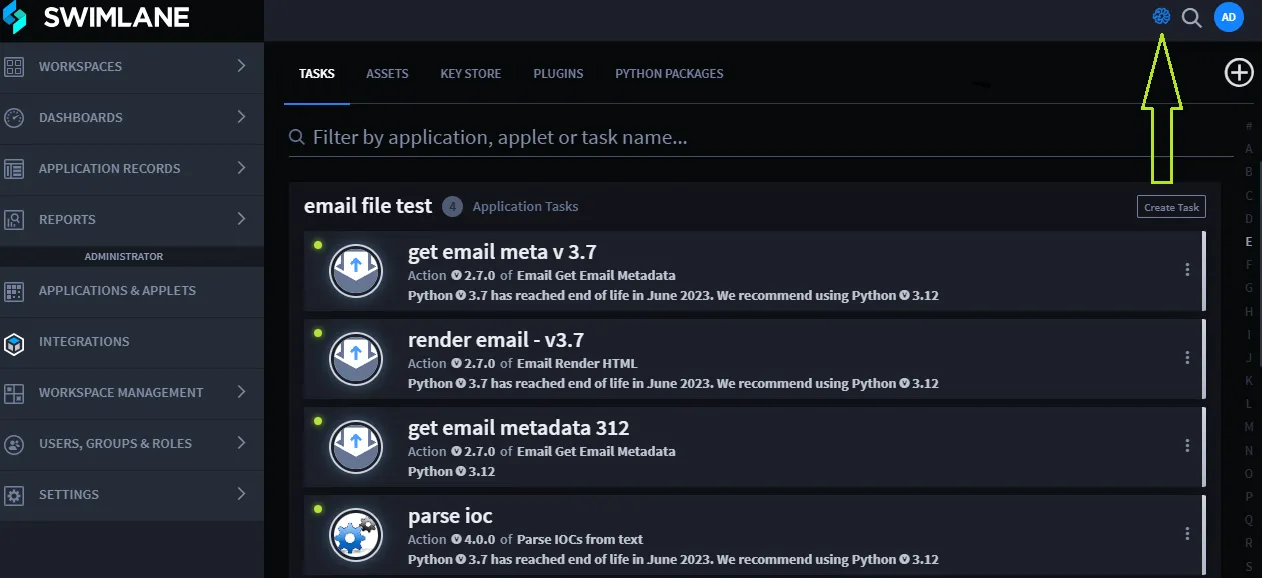
Click the icon to open a new chat.
Now you can begin asking questions!
The Swimlane Hero AI Help Chatbot is loaded with Swimlane technical content - both the Swimlane User Guide and the Swimlane Platform Installer Guide. The chatbot answers each of your questions individually. Also, be sure not to enter any Personal Identifiable Information (PII) or confidential information in your questions.
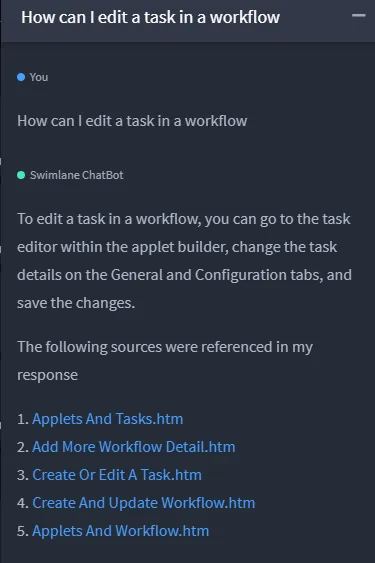
The chatbot will answer your questions, when possible, with links to relevant topics in the Swimlane content. You can see up to 5 links so that you can select the topic most suited to answer your question. Clicking a link opens a new tab in your browser that loads the content. If the chatbot cannot find an answer to your question, it will respond, "I don't know."
Help Chatbot Query Examples
Here are some examples of what you can ask the Swimlane Help Chatbot.
When you ask, "How can I edit a task in a workflow?" the chatbot responds:
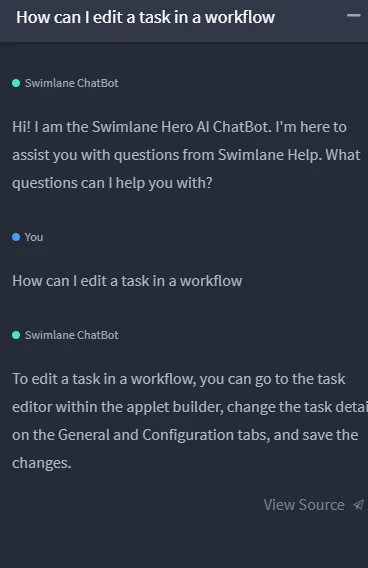
Click View Source to see where the Chatbot has pulled the answer, as well as topics that are potentially related to your question.
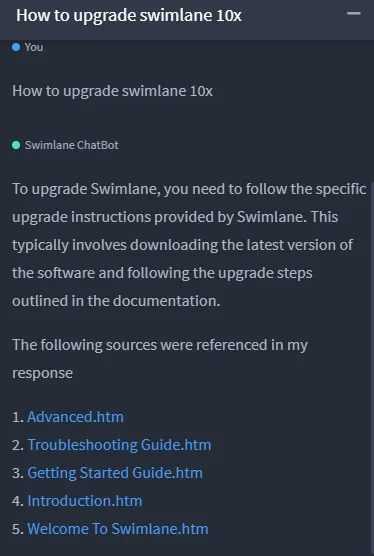
Keep in mind that you can also ask questions related to the Swimlane Platform Installer. So, when you ask, "How to upgrade Swimlane 10x?" the chat bot responds: