Data Retention
The data retention configuration allows you to manage how long the records and record history data are stored in your application. It includes options for setting custom retention periods, preserving parent records, and specifying batch sizes for efficient data cleanup. This functionality supports the retention of various data types, including records, record history, and logs.
Note: The Data Retention feature is behind a feature flag. To enable Data Retention for your account, contact Swimlane support.
Roles and Permissions
Only users with administrative privileges can configure data retention settings. Ensure you have the appropriate permissions to access the DATA RETENTION and Advanced Configuration sections.
Deleting Records and Record History
To delete records and record history:
- Navigate to Applications and Applets.
- Go to the Settings tab.
- The Edit Application Settings window will appear.
- Click the DATA RETENTION tab.
Toggle Delete Records Data and Delete Record History Data to ON.
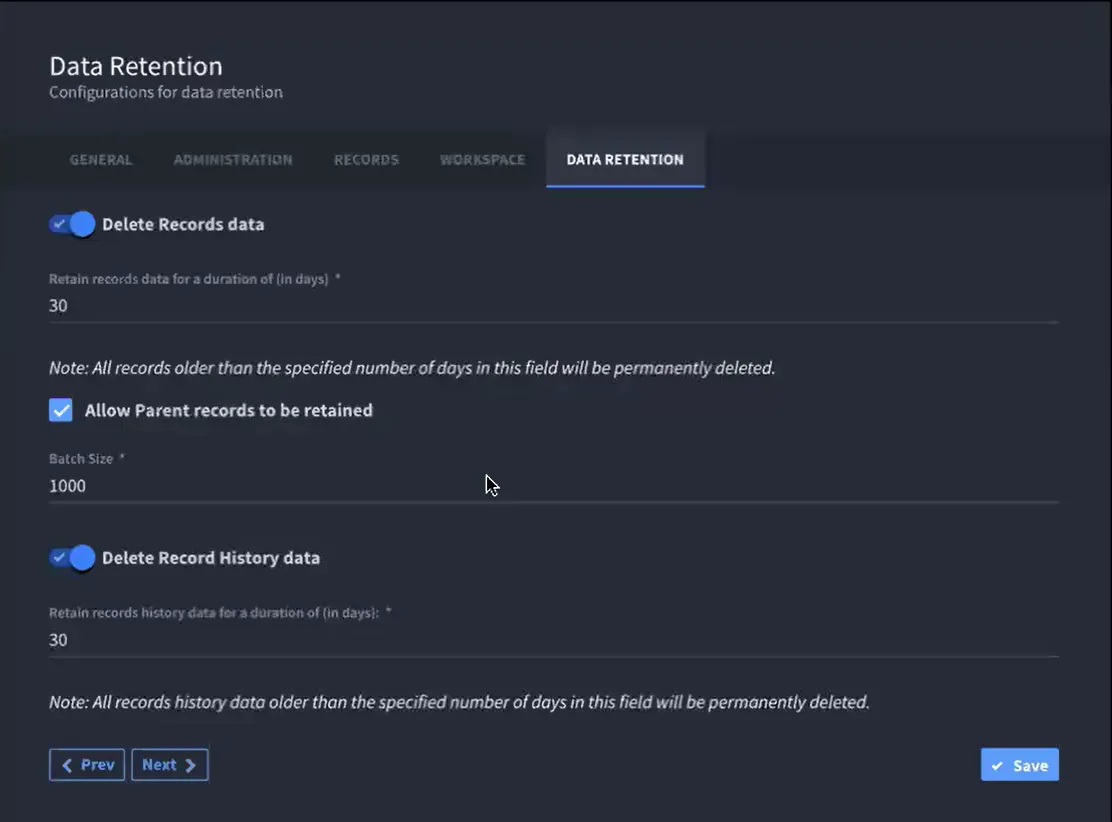
- Delete Records Data
- Parent Records Retention: Select the "Allow Parent Records to be Retained" option to exclude parent records from deletion. When parent records are deleted, the oldest remaining record will automatically become the parent record.
- Batch Size: Specify the batch size for data deletion.
- SettingDescriptionDefault ValueRangeRetention PeriodNumber of days records are retained365 days1 - 5,000 daysBatch SizeNumber of records processed per deletion batch1,0001,000 - 15,000
- Delete Record History Data
Note:If there are four applications, data retention will occur as follows: Application 1 at 12 PM, Application 2 at 12 AM, Application 3 at 8 AM, and Application 4 at 4 PM.
Deleting Logs
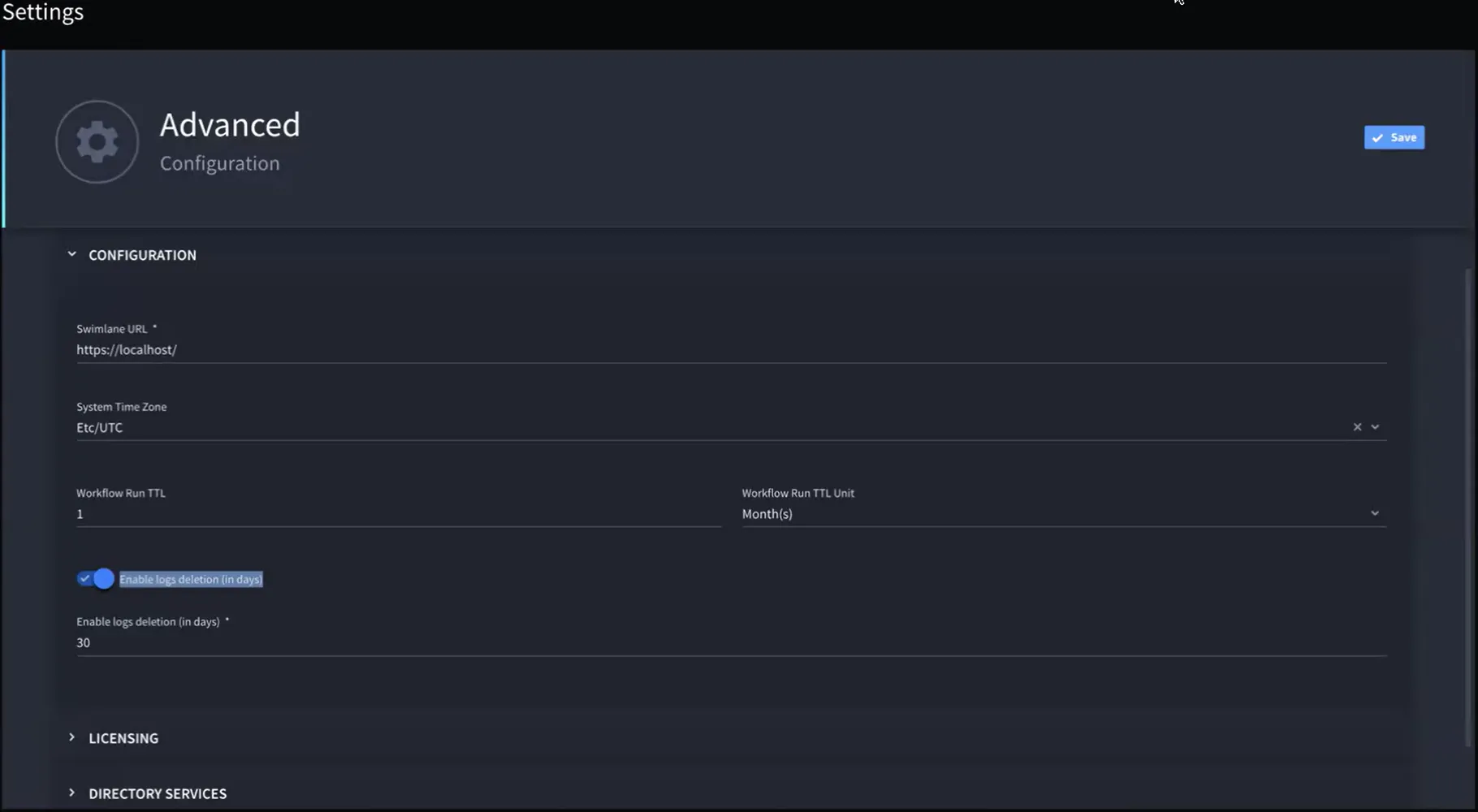
To configure Swimlane log retention in the Advanced Settings:
- Navigate to SETTINGS > Advanced.
- The Advanced Configuration window will appear.
- Turn on the Enable Logs Deletion toggle.
Specify the number of days to retain logs before deletion. The retention period can range from 1 to 5,000 days, with a default of 90 days.