Triggers
A trigger starts a playbook run. A playbook can define more than one trigger; each flow uses one trigger at a time. Add most triggers from the Playbook Canvas Add panel, then drag the trigger onto the canvas.
Turbine has the following trigger types:
Trigger type | Typical use |
|---|---|
External systems POST or GET to a Turbine URL to start or supply payload data. | |
Create, update, or delete on selected applications or records. | |
Time-based or cron-style runs. | |
Users start a run from the Canvas or from an application. | |
Another flow or playbook activity drives execution (orchestration between flows). | |
Runs a flow when a record Date/Time field value (± offset) is reached. Added from Application Builder field settings, not from the canvas Add panel. |
The Playbook Button Triggers type is also available via applications.
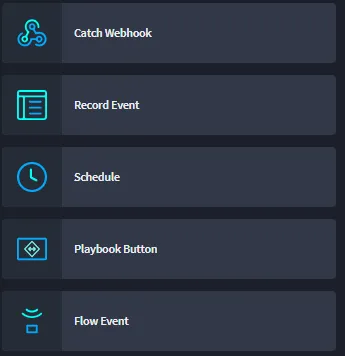
Continue to the following sections for details and configuration of each type of trigger. For DateTime field triggers, start in Application Builder — see Select Fields and Assign Field Properties#datetime-field-triggers.
DateTime Field Trigger
Starting in Turbine 26.3.0, a DateTime field trigger starts a playbook flow when a record's Date/Time field reaches the configured fire time (field value plus optional offset).
How You Add It
- Configure Trigger Playbook on a Date/Time field in Application Builder (Advanced → Configure).
- Saving the application adds the DateTime field trigger to the selected flow automatically.
- The DateTime field trigger is not listed in the canvas Add panel. You cannot create one by dragging a trigger onto the canvas.
How It Appears on the Canvas
When a flow has a DateTime field trigger, the trigger details panel shows read-only values:
Field | Description |
|---|---|
Application | Application that owns the Date/Time field. |
Date/Time Field | Field that drives the schedule. |
Offset | Configured offset and unit relative to the field value. |
Notice tip in the UI: Configured via the Application's field settings.
Playbook run history currently labels these runs as Delay Trigger (canvas label is DateTime field trigger).
Record Data Passed to the Playbook
When a DateTime field trigger fires, the playbook receives the full record for that application—field schema and values—not only the tracking ID.
Downstream actions can map record fields from the DateTime field trigger output the same way they do for a record event trigger. You do not need a separate lookup that starts from tracking ID alone to read other field values.
The tracking ID remains available as part of the record data.
Scheduling Behavior
- Record create with a Date/Time value schedules a run.
- Record update that changes the Date/Time value reschedules the pending run.
- Clearing the Date/Time value or deleting the record cancels the pending run.
- Deleting the field, clearing the field configuration, or deleting the linked playbook or flow removes or clears the DateTime field trigger and cancels outstanding schedules. Solution Builder warns when delete or disable actions would clear DateTime field trigger configuration from linked applications.
Flow Sharing Rules
Starting in Turbine 26.3.3, Application Builder save validation uses these rules:
Assignment | Can share one flow? |
|---|---|
Two or more playbook buttons | Yes |
A playbook button and correlation | Yes |
A DateTime field trigger and a playbook button, correlation, or another DateTime field trigger | No. Assign the DateTime field trigger to a flow that no other trigger uses. |
If you save an application and see Duplicate flow assignments across triggers, the DateTime field trigger is sharing a flow. Point the DateTime field trigger at an unused flow, then save again.
Limits and Scope (Phase 1)
- Offset units: Minutes or Hours.
- Maximum absolute offset: 7 days.
- Phase 1 covers time-based field triggering only. Dedicated SLA field types are planned for later releases.
See Also
- Select Fields and Assign Field Properties#datetime-field-triggers — configure offset, playbook, and flow
- Configuring Playbooks — playbook configuration overview
- Application Builder — save validation for shared flows
- Schedule Triggers — recurring or cron schedules (different from DateTime field trigger)