Vulnerability Response Management (VRM)
Swimlane Vulnerability Response Management (VRM) centralizes vulnerability ingestion, enrichment, prioritization, case management, remediation, and reporting.
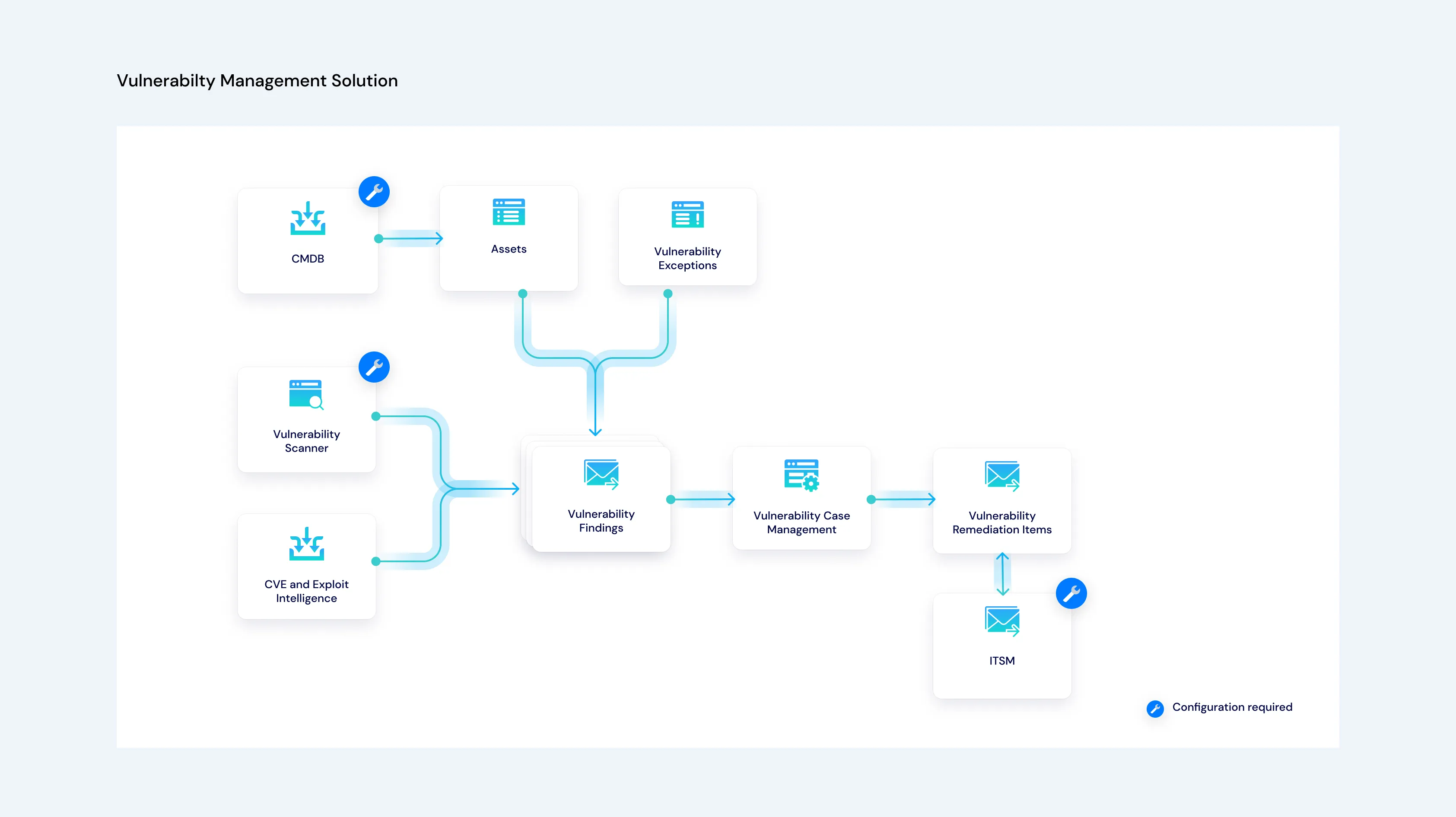
Choose Your Path
Goal | Go To |
|---|---|
Understand the end-to-end automation | Vulnerability Response Management WorkflowsVulnerability Response Management Workflows |
Learn what each application and dashboard provides | VRM Applications and DashboardsVRM Applications and Dashboards |
Identify playbooks, flows, and reusable components | VRM Playbooks and ComponentsVRM Playbooks and Components |
Work with findings, assets, cases, and metrics | Using Vulnerability Response ManagementUsing Vulnerability Response Management |
Install and configure the solution | Installing and ConfiguringInstalling and Configuring |
Configure a managed service provider deployment | Using VRM for MSSPsUsing VRM for MSSPs |
How VRM Works
Stage | Capability | Result |
|---|---|---|
1 | Ingest | Accept vulnerability and asset data from CSV files, a webhook, or integration logic. |
2 | Page and filter | Divide large inputs into ingestion pages and remove known or excluded findings. |
3 | Normalize | Map source data to the Turbine Schema vulnerability finding format. |
4 | Enrich and score | Add vulnerability intelligence, associate assets, and calculate the Turbine Risk Score. |
5 | Manage exceptions | Apply active exceptions before findings proceed through grouping and remediation. |
6 | Group and create cases | Group related findings manually or automatically and associate them with vulnerability cases. |
7 | Remediate | Create remediation items, submit work to the configured IT service management channel, and synchronize status. |
8 | Report | Generate reporting records and dashboards for findings, assets, exceptions, remediation items, and attention states. |
Core Applications
VRM uses five primary applications for findings, assets, cases, remediation items, and exceptions. See VRM Applications and DashboardsVRM Applications and Dashboards for application relationships, automation ownership, and monitoring views.
Next Steps
- Review Vulnerability Response Management WorkflowsVulnerability Response Management Workflows.
- Use VRM Applications and DashboardsVRM Applications and Dashboards to identify where each record type appears.
- Use VRM Playbooks and ComponentsVRM Playbooks and Components to trace the automation responsible for each stage.