Dashboards
Dashboards provide real-time visibility into SOC operations through interactive widgets. Use dashboards to monitor current state, identify trends, and quickly access records requiring attention.
Choose Your Path
If You Want To... | Go To |
|---|---|
Run day-to-day analyst triage and SOC overview dashboards | |
Open leadership and operational SOC reporting views | |
Review return-on-investment metrics | |
Configure tenant credentials before using dashboards |
AI SOC Workspaces Overview
Current AI SOC Core Solution packages include these workspaces for dashboards and reporting:
Workspace | Primary audience | Purpose |
|---|---|---|
AI SOC (or AI SOC Workspace) | Analysts and SOC leads | Triage, investigation throughput, MITRE coverage, threat intelligence, routing rules |
SOC Reporting Workspace | SOC and security leadership | Operational and program reporting views |
ROI Calculator Workspace | Leadership and program owners | Return-on-investment metrics for automation and AI SOC value |
If your environment lists different workspace titles, open Workspaces and select the view that matches your role.
AI SOC Workspace Dashboards
The AI SOC workspace includes these dashboards: Routing Rule Management, Analyst Triage Queue, Security Operations Overview, MITRE ATT&CK Techniques, and Threat Intelligence Overview. If your workspace lists different dashboard titles, open Dashboards under the AI SOC workspace and use the view that matches your need (queue, overview, MITRE, or threat intelligence).
Analyst Triage Queue
The Analyst Triage Queue dashboard supports daily operations on Case Management workload: active queue, ownership, blocked work, and priority or severity views.
Location: Navigate to Dashboards → Analyst Triage Queue
Cards included (package default):
- Active Triage Queue
- Requires Attention by Current Owner
- Cases Created Over Time
- Assigned per Analyst
- Blocked Cases
- Blocked Cases by Current Owner
- Ongoing Cases by Priority
- Ongoing Case Severity
- Incident Count
- Ongoing Incident List
- Ongoing Incidents and Cases by Priority Chart
Security Operations Overview
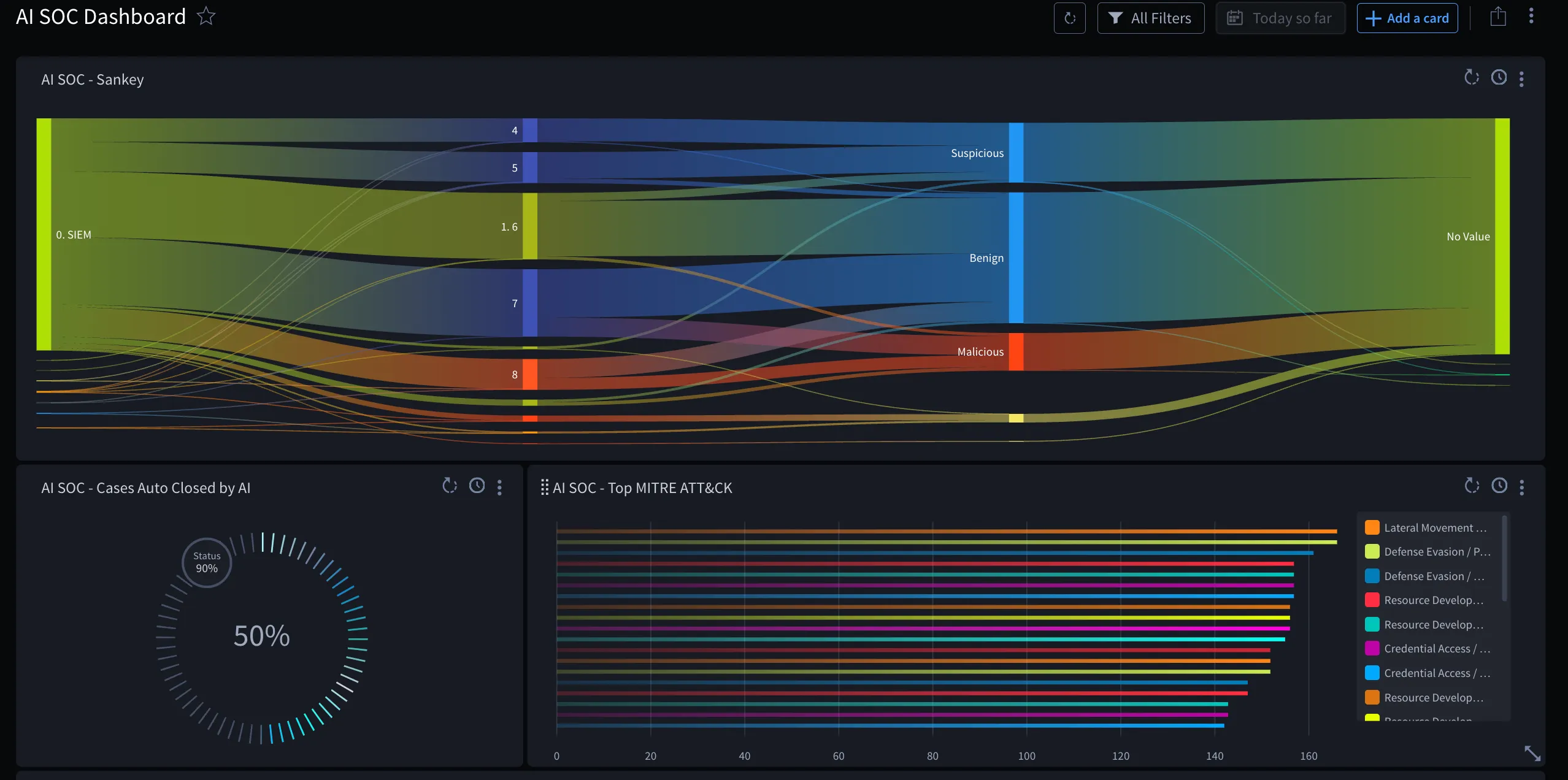
The Security Operations Overview dashboard gives leadership-style visibility: AI outcomes, throughput, dwell and response times, and case criticality.
Location: Navigate to Dashboards → Security Operations Overview
Cards included (package default):
- Auto Closed by Hero AI
- Security Manager Sankey
- Case Average Dwell Time by Type
- MTTR by Source
- AI Verdicts
- Analyst Cases per Week Heatmap
- MTTD by Source
- CASE - Cases by Criticality
MITRE ATT&CK Techniques
The MITRE ATT&CK Techniques dashboard focuses on technique coverage.
Location: Navigate to Dashboards → MITRE ATT&CK Techniques
Cards included (package default):
- MITRE ATT&K Heatmap
Threat Intelligence Overview
The Threat Intelligence Overview dashboard summarizes observable volume and enrichment activity.
Location: Navigate to Dashboards → Threat Intelligence Overview
Cards included (package default):
- Observables by Type
- Observables Enriched Over Time
Routing Rule Management Dashboard
The Routing Rule Management dashboard helps administrators monitor and optimize signal routing rules.
Location: Navigate to Dashboards → Routing Rule Management
Widgets Included:
- Routing Rule Mgmt Widget
- Purpose: Provides overview of routing rule performance and matches
- When to Use: Monitor rule effectiveness and identify rules needing adjustment
- Action: Review rule match counts and adjust rules as needed
- Add New Rule: Use Add New Rule to create a new routing rule from the widget
- Reordering: Use the drag handle in the Order column to reorder rules by drag and drop and change evaluation order
- Open rule or playbook: Use the icon next to the associated playbook name to open the playbook, or the edit icon on a row to open the triage rule for editing
- Manual Run: Use Run Rule Against Pending Signals to run the selected rule against signals that are pending routing. Expand Records Matched to see which signals were matched by the rule.
- Best Practice: Review weekly to optimize routing logic
Key Metrics to Monitor:
- Number of rules enabled vs. disabled
- Rules with highest match counts
- Rules with no recent matches (may need updating or removal)
- Rule execution errors or failures
SOC Reporting Workspace
The SOC Reporting application and SOC Reporting Workspace provide leadership-oriented views of SOC program health, workload, and outcomes. Use this workspace when you need reporting beyond real-time analyst dashboards in the AI SOC workspace.
- Navigate to Workspaces → SOC Reporting Workspace.
- Open the default dashboards and reports installed with AI SOC Core Solution.
- Confirm your role can access the workspace after install.
For report definitions and scheduled usage patterns, see ReportsReports and Using Dashboards and Reports EffectivelyUsing Dashboards and Reports Effectively.
ROI Calculator Workspace
The ROI Calculator application and ROI Calculator Workspace help you quantify value from AI SOC automation (for example time saved, cases auto-closed by Hero AI, and analyst efficiency). Use this workspace for executive or program reviews.
- Navigate to Workspaces → ROI Calculator Workspace.
- Review default ROI views and inputs shipped with the solution.
- Adjust inputs to match your organization’s assumptions where the workspace allows customization.
ROI views depend on data from Case Management and related AI SOC workflows. Ensure ingestion, enrichment, and case updates are flowing before you rely on ROI metrics for leadership reporting.
Related Configuration Guides
Dashboards and reports reflect data from configured applications, assets, and sync. Complete these guides before you expect accurate widgets:
Configuration topic | Guide |
|---|---|
Install and verify AI SOC Core Solution (applications, workspaces, playbooks) | Installing and Configuring AI SOC SolutionInstalling and Configuring AI SOC Solution |
Turbine Tenant Credentials (personal access token for core playbooks) and AI SOC Tenant Configuration (personal access token for internal APIs and agents) | Configure Custom AssetsConfigure Custom Assets |
AI SOC solution overview | AI SOC SolutionAI SOC Solution |