Architecture and Data Flow
This topic summarizes how data moves through the AI SOC solution: ingestion, normalization, enrichment, Hero AI, routing, and case handling. Diagrams are conceptual; playbook names, component counts, and automatic escalation or closure depend on your installed package and configuration.
For procedures and UI steps, use AI SOC SolutionAI SOC Solution, Getting StartedGetting Started, and AI SOC IngestionAI SOC Ingestion. For playbook categories and when to use each playbook type, see Playbook Types and UsagePlaybook Types and Usage. For a tabular map of playbook flows, triggers, and handoffs, see Playbook Flow ReferencePlaybook Flow Reference (includes a Playbook Handoffs at a Glance diagram).
End-to-End Workflow
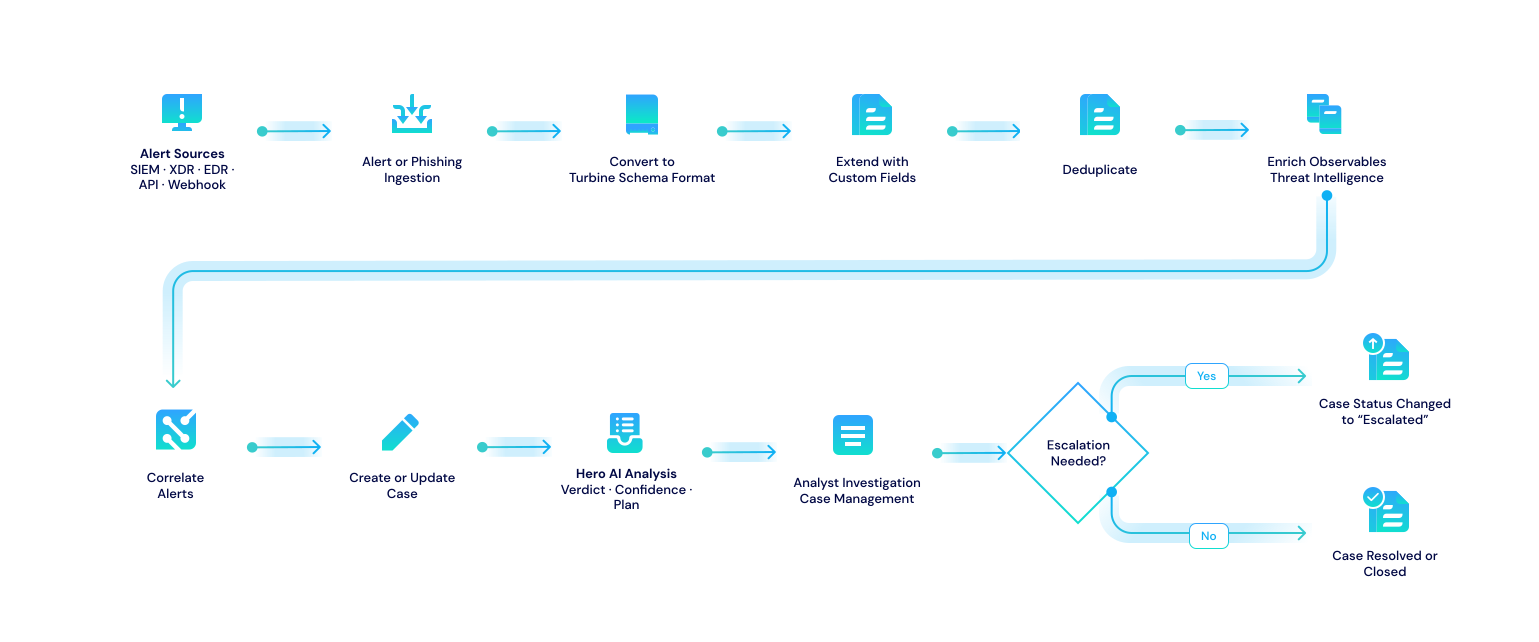
High-level path from alert sources through triage to closure. Primary triage and investigation use Case Management (tracking prefix CASE-).
Ingestion Channels and CASE Entry
AI SOC uses two internal event channels to separate alert-shaped and email-shaped traffic before both converge on Case Management:
- Ingest_Alert: Alert-shaped payloads from webhook and bulk-alert cron Flows.
- Ingest_Email: Email-shaped payloads from phishing cron and test email Flows.
Template and production Flows emit onto these channels (for example Ingest Webhook Alert, Ingest Bulk Alerts, AI SOC – Phishing Ingestion (Cron) – Template, and AI SOC – Test Email Ingestion (Webhook)). The entry Flows Ingest Alert to CASE Record (Event) and Ingest Email to CASE Record (Event) normalize payloads and create or update CASE records.
Alert Ingestion Pipeline
Typical path for SIEM and similar alerts: ingest, map to a Turbine Schema alert, enrich, correlate, then Case Management.
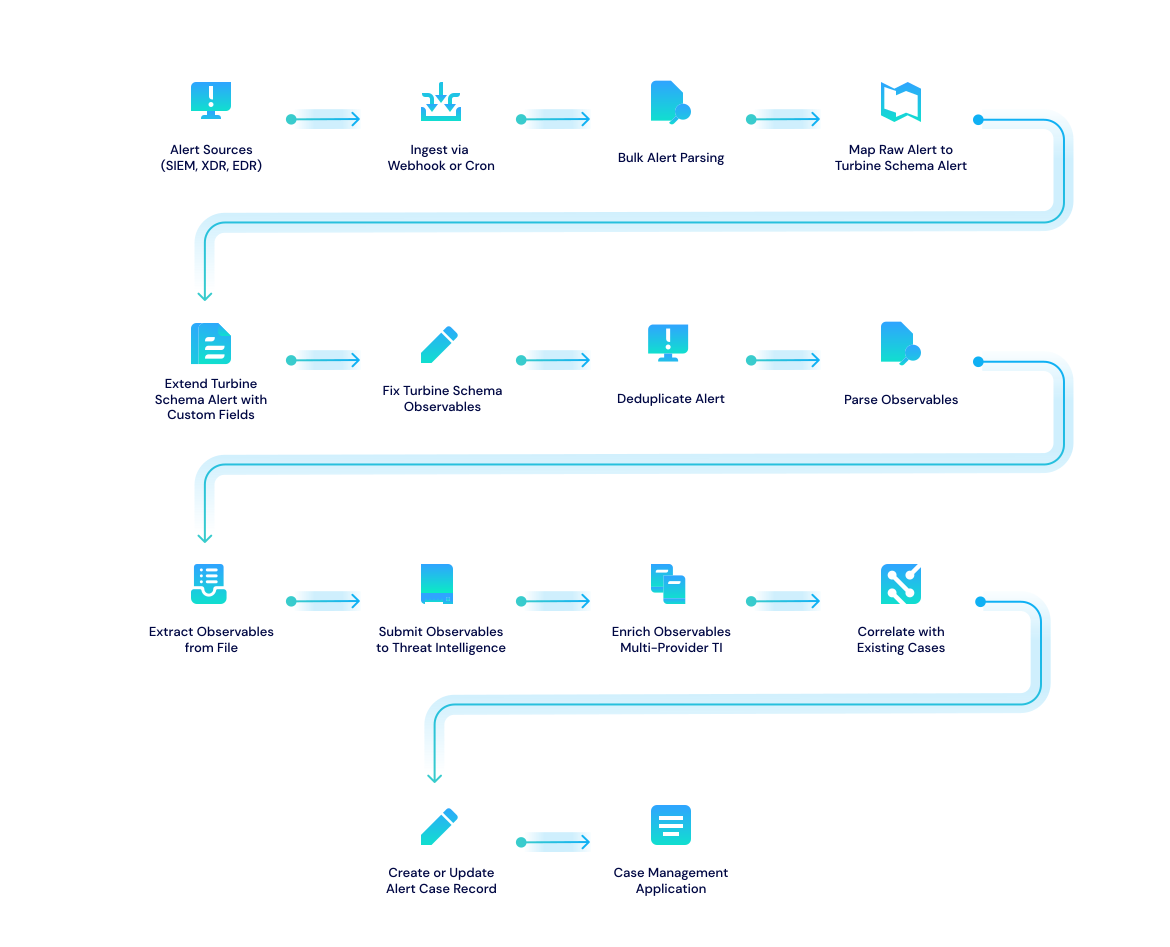
The Ingest Webhook Alert and Ingest Bulk Alerts Flows both publish to the Ingest_Alert channel. Alert Schema Store (AWSS) caches example payloads and Turbine Schema field mappings so repeat vendor formats map consistently. The downstream Flow Ingest Alert to CASE Record (Event) reads from Ingest_Alert and materializes or updates work in Case Management.
Phishing Ingestion Pipeline
Reported phishing email path through parsing, a Turbine Schema email object, enrichment, and Case Management.
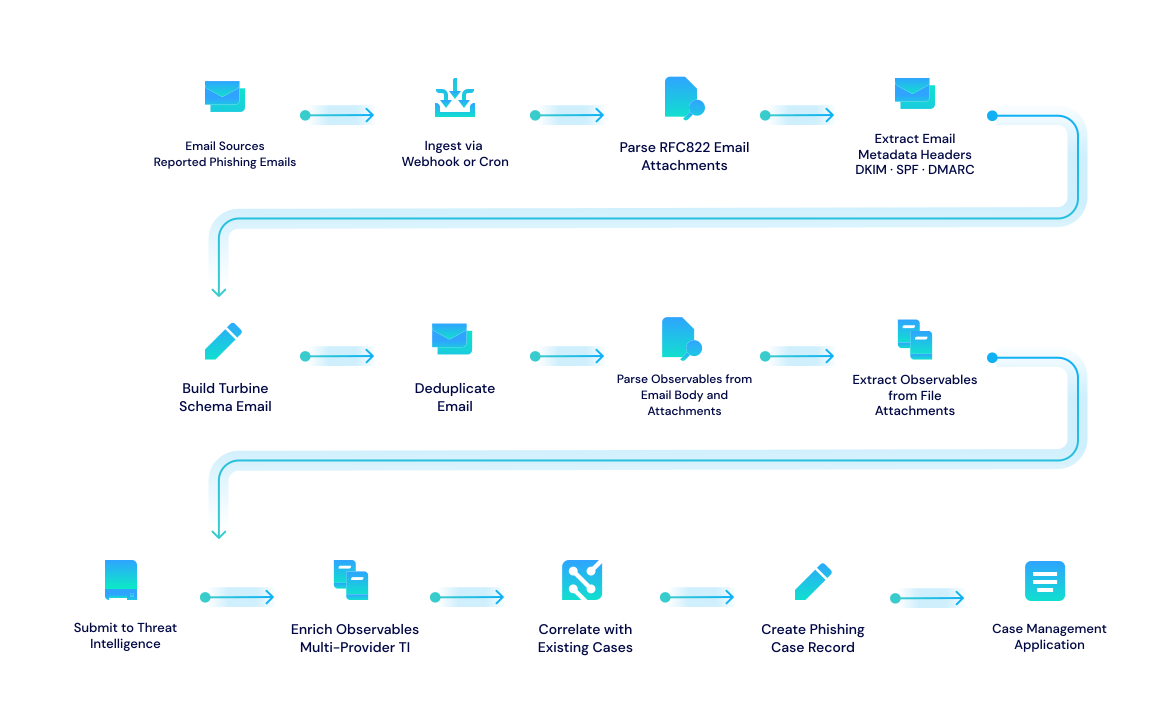
For phishing-style traffic, a scheduled template Playbook wraps a Flow that searches unread mailbox items for Turbine Schema email ingestion, retrieves email objects, and emits each one onto Ingest_Email using Emit TEDS Email actions. A separate test webhook Playbook forwards lab messages to the same channel. The Ingest Email to CASE Record (Event) Flow consumes Ingest_Email events and creates or updates phishing CASE records.
Threat Intelligence Enrichment
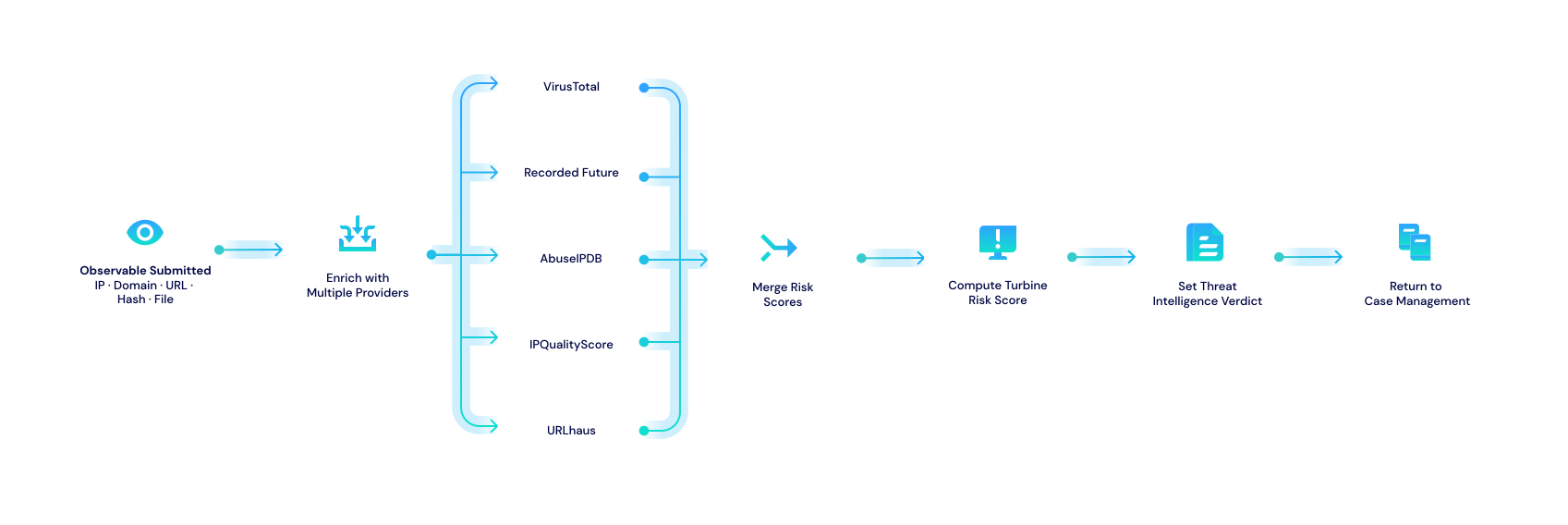
Multi-provider enrichment, merged scores, Turbine Risk Score, and verdict fed back to the case under investigation.
Hero AI Analysis
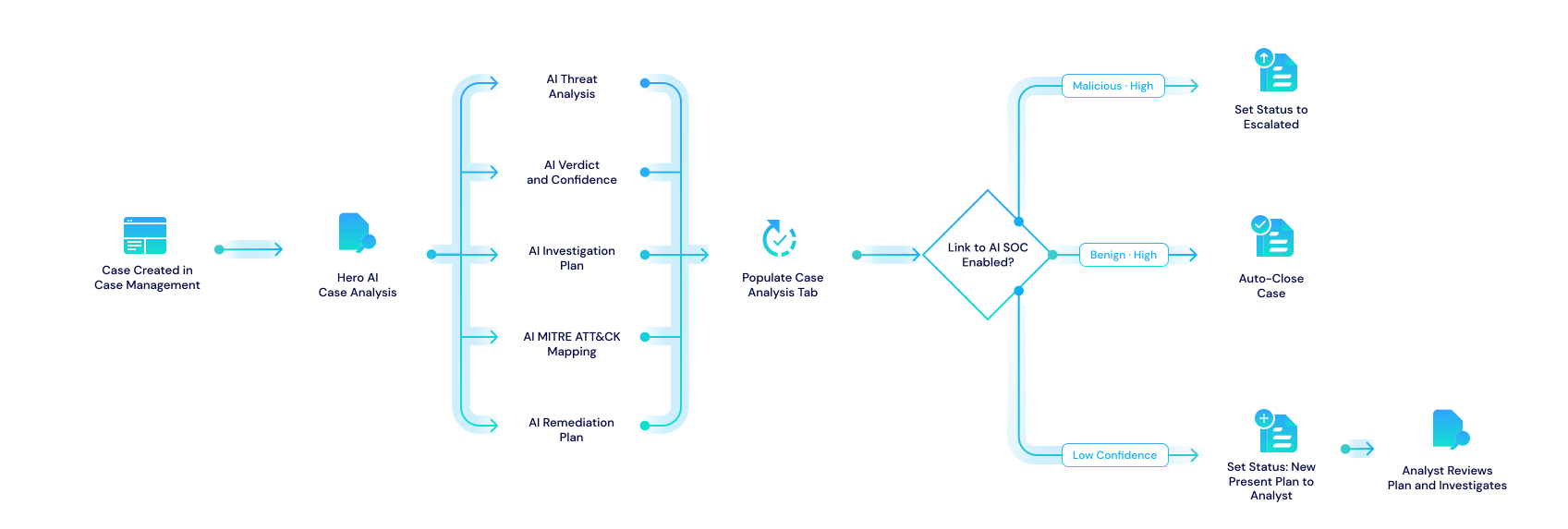
Hero AI consumes case context (observables, threat intelligence, knowledge base) to produce summaries, verdicts, investigation plans, and optional remediation guidance on Case Management records.
AI Ingestion (Connectors and Schema Mapping)
The AI Ingestion application and custom widget support building vendor connectors from API specifications and mapping raw alert data to Turbine Schema for downstream playbooks.
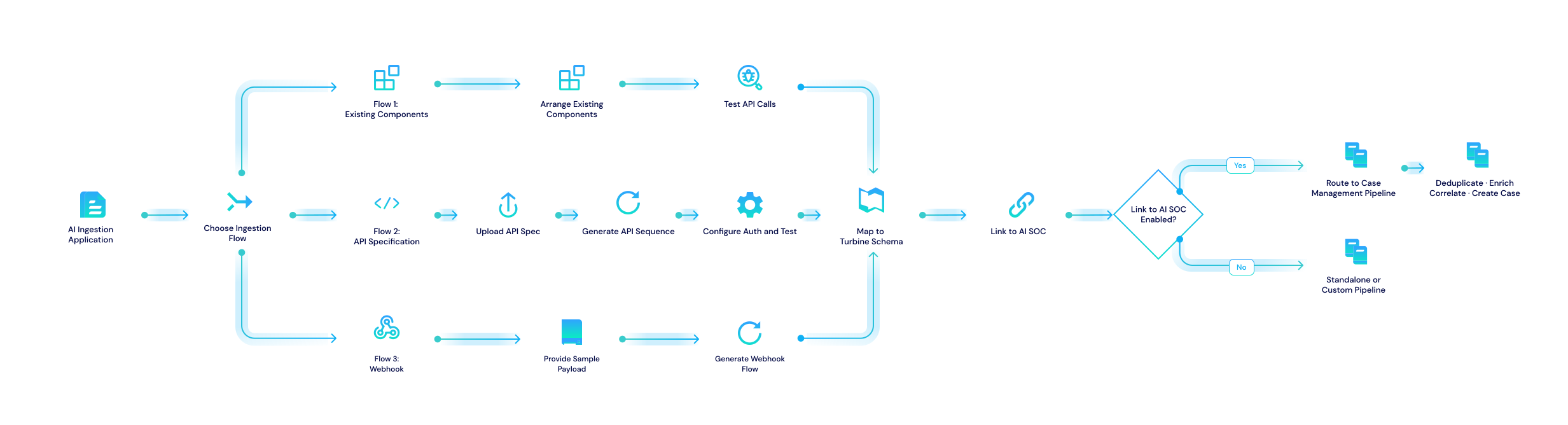
For step-by-step usage, see AI SOC IngestionAI SOC Ingestion.
Signal Routing Rules
Routing Rule records express conditions that map Case Management workload to playbooks for enrichment, correlation, and automated response. When a rule matches, the rules engine emits Rule-Execute with rule UUID and tracking ID; the associated playbook loads the case, runs optional steps, and ends with a verdict. See Building Routing Rule PlaybooksBuilding Routing Rule Playbooks.
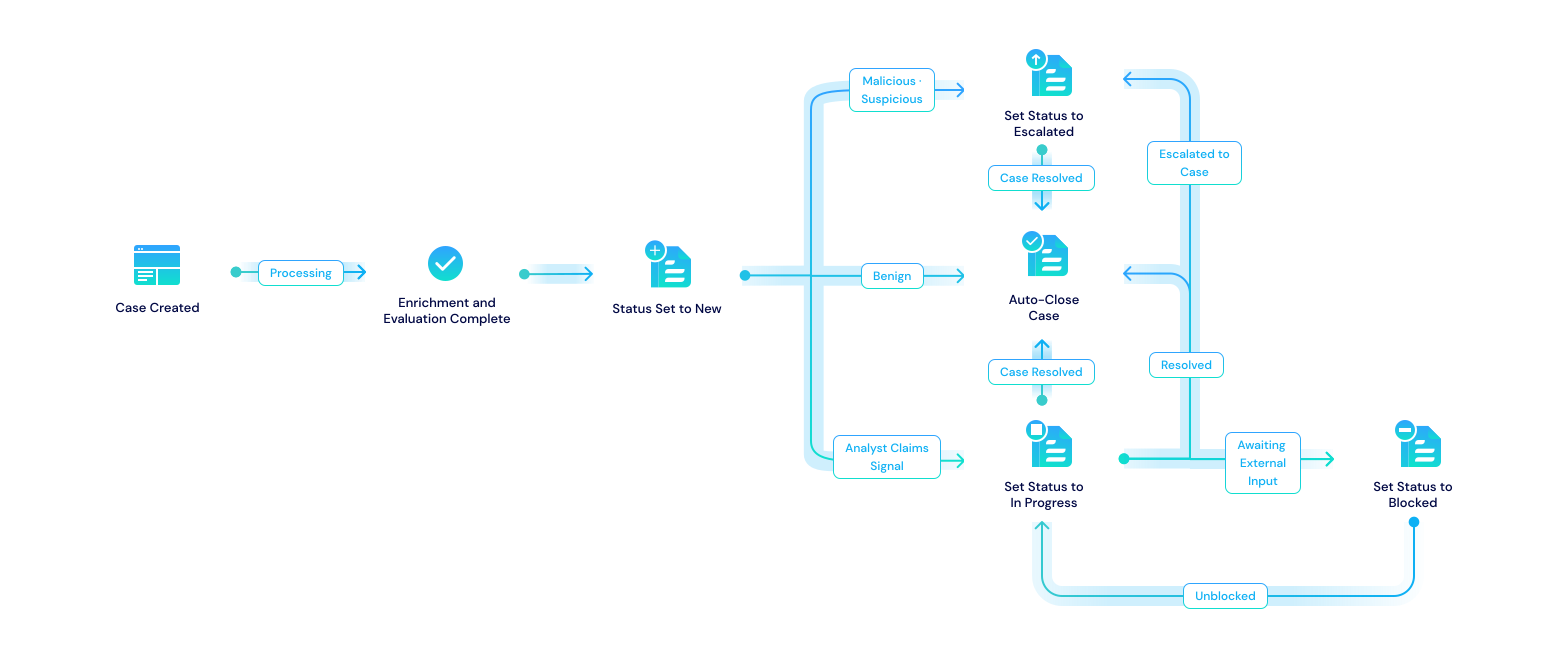
Signal Status Lifecycle
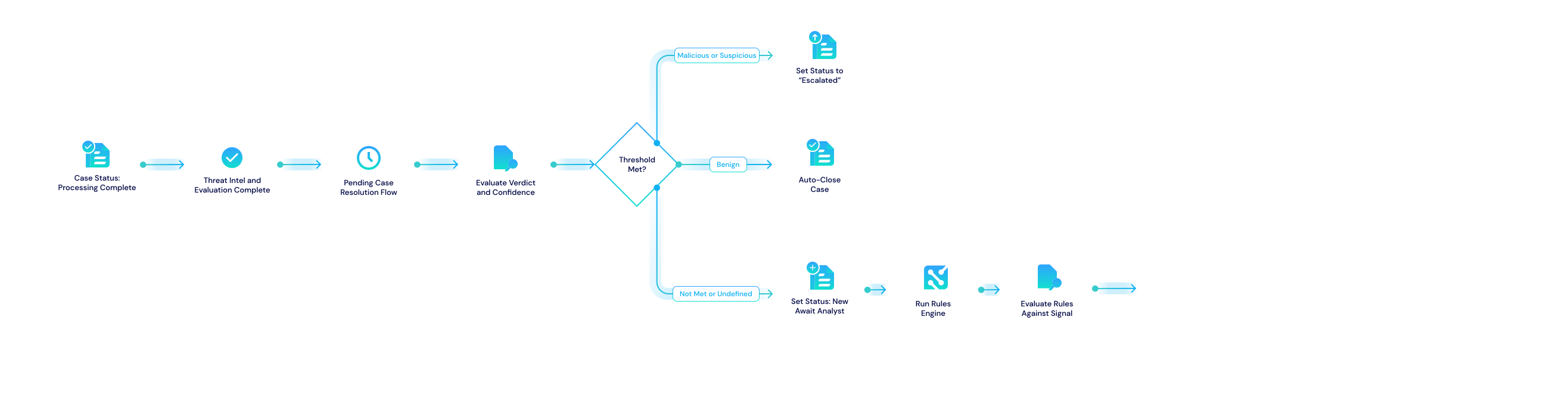
Case Management records move through statuses such as Processing, New, In Progress, and Closed, with Escalated and other outcomes driven by your pending resolution flows and tenant configuration.