AI SOC Ingestion
The AI Ingestion application helps you build vendor connectors and alert ingestion pipelines quickly — without writing code or learning JSONata. A guided custom widget builds Turbine components from an uploaded OpenAPI specification, one per endpoint. Hero AI then assists in mapping incoming raw alert data — from any source — to a standardized Turbine Schema object, producing an ingestion component ready to use in downstream AI SOC playbooks.
Why Use the AI Ingestion
Use the AI Ingestion when you want to integrate new alert sources faster, prototype ingestion paths against real vendor APIs, and hand standardized Turbine Schema output to your existing AI SOC playbooks without hand-building every connector and mapping from scratch.
What it helps you do:
- Quick integration: Upload an OpenAPI specification and generate Turbine components per endpoint so you can connect to vendor APIs in a repeatable way.
- Prototyping and iteration: Test API calls, inspect sample payloads, and adjust mappings before you commit to production routing and automation.
- Consistent normalization: Hero AI suggests how raw vendor fields map to Turbine Schema fields (the Turbine Schema is the mapping target you work against) so alerts land in a predictable shape for downstream Flows.
- Reuse across playbooks: Components you generate can be referenced from multiple playbooks and templates, so you invest once and reuse.
The following section describes the widget modes and how to run each flow.
Alert Ingestion only: AI Ingestion helps quickly build alerts ingestion pipelines and not Email ingestion.
What the AI Ingestion Widget Does
The AI Ingestion application provides a single custom widget with two main modes:
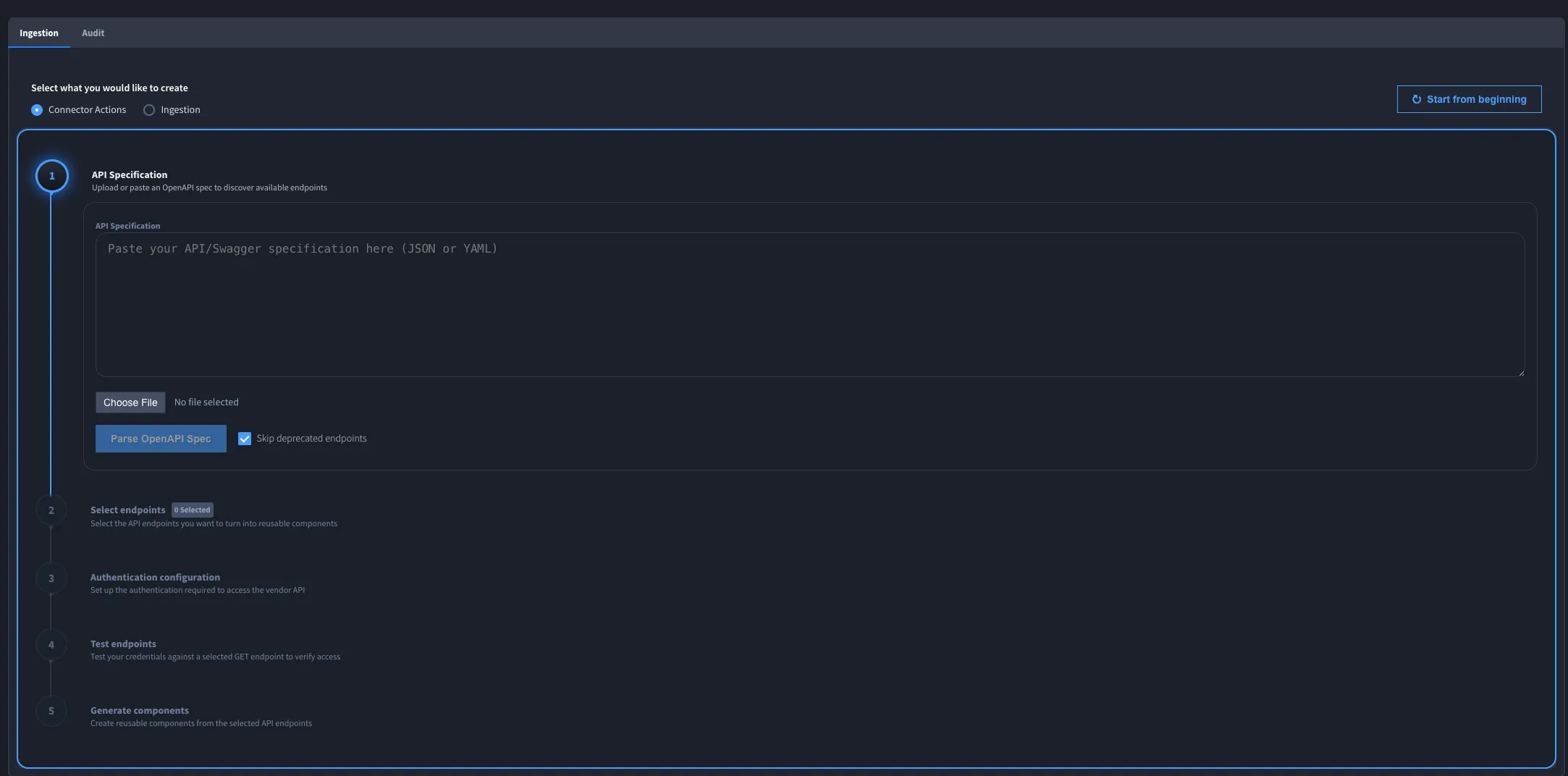
- Create Connector Actions as Components. Convert an OpenAPI specification into Turbine components, one per endpoint, that you can reuse across playbooks.
- Run the Ingestion Process. Build a complete alert ingestion component using one of three flows. Open the Ingestion tab; under Generate Ingestion component/playbook using: choose Existing components, API specification, or Webhook.
Use the toggle at the top of the widget to switch between modes. You can run each flow independently.
When you save the AI Ingestion record, the widget preserves the generated playbook or component details and the data entered for the selected ingestion path. Reopen the saved record to continue reviewing the configuration; use the Audit tab to review fields populated during execution.
Package Contents
Component | Name | Description |
|---|---|---|
Application | AI Ingestion | The core application that hosts the AI Ingestion widget. It has two tabs: Ingestion (the widget) and Audit (fields populated by the widget during execution). Hero AI visibility is enabled by default. |
Application | Alert schema store | Stores cached Hero AI-generated mappings between incoming raw alert data and the Turbine Schema for repeatable ingestion. |
Component | AI SOC-Alerts to Turbine Schema | Handles mapping so incoming alerts are converted to Turbine Schema. Automatically appended to newly generated ingestion components or webhook ingestion playbooks. |
Workspace | AI Ingestion Workspace | A dedicated workspace for the AI Ingestion application. Created automatically when you install from the content library. |
Workflow | (unnamed) | An application workflow linked to the AI Ingestion application. It has no stages configured on import. Add stages and actions to define what happens after an ingestion record is created. |
Report | Default | A default search report that displays records sorted by Tracking Id. |
Template Playbooks and Entry Flows
These template Playbooks are shipped to help you standardize ingestion patterns:
Playbook Bundle Name | Primary Flow Title | Sensor or Trigger Notes |
|---|---|---|
AI SOC – Alert Ingestion (Webhook) – Template | Ingest Webhook Alert | HTTP webhook trigger; emits on Ingest_Alert |
AI SOC – Alert Ingestion (Cron) – Template | Ingest Bulk Alerts | Scheduled cron; Ingest_Alert listed as the emitting sensor |
AI SOC – Phishing Ingestion (Cron) – Template | Scheduled TEDS email fetch and emit loop | Cron schedule; emits each email to Ingest_Email |
AI SOC – Test Email Ingestion (Webhook) | Emit Test Email to Email Ingestion Flow | Webhook trigger; forwards to Ingest_Email |
AI SOC – Test CASE Generator | AI SOC Alert Case Generator; Phishing Case Generator | Synthetic CASE generation for testing pipelines |
All of these converge on Ingest Alert to CASE Record (Event) or Ingest Email to CASE Record (Event), which normalize payloads into Case Management records.
Application Fields
The AI Ingestion application includes the following fields. The widget populates these during execution; most are read-only. The Audit tab displays them for review.
Field | Type | Required | Read-only | Visible to Hero AI | Notes |
|---|---|---|---|---|---|
API Specification Uploaded | Attachment | No | Yes | No | The API specification file used; populated by the widget. |
Asset Created/Used | Text | No | Yes | No | The HTTP asset created or selected during the ingestion setup. |
Final Ingestion Component | List | No | Yes | No | The generated ingestion component(s); populated by the widget. |
Name of component(s) generated | List | No | Yes | No | Names of the components generated during the process. |
Vendor Product | Text | No | No | No | Identifies the vendor or data source. Editable. |
Tracking Id | Tracking | — | Yes | Yes | Auto-generated. Uses the prefix AI- (for example, AI-1, AI-2). |
Prerequisites
Before you use AI Ingestion:
- Confirm that you have access to the AI Ingestion application (installed as part of AI SOC).
- Confirm that your Turbine instance runs version 26.0.0 or later.
- Confirm that Hero AI is enabled in your Turbine environment. The widget's AI-assisted features, including Turbine Schema mapping suggestions and JSONata expression creation, require Hero AI. To enable Hero AI, contact Swimlane Support.
- Obtain the OpenAPI specification (JSON or YAML) for the vendor tool you want to integrate.
Installation
AI Ingestion is installed automatically when you install the AI SOC solution. See Installing and Configuring AI SOC SolutionInstalling and Configuring AI SOC Solution for how to install AI SOC and configure the solution. After installation, the AI Ingestion Workspace and AI Ingestion application are available; navigate to Workspaces → AI Ingestion Workspace to open the application.