Okta SCIM Integration
Swimlane Turbine supports SCIM 2.0 integration with Okta. Use this guide to configure the Okta SCIM 2.0 app, connect it to Swimlane, and provision users and groups.
Choose Your Path
Goal | Go to |
|---|---|
Configure the Okta SCIM app | |
Assign users and groups | |
Field mapping and API details | Provisioning with SCIM IntegrationProvisioning with SCIM Integration |
Provisioning SCIM Application in Okta
- Log in to Okta as an administrator.
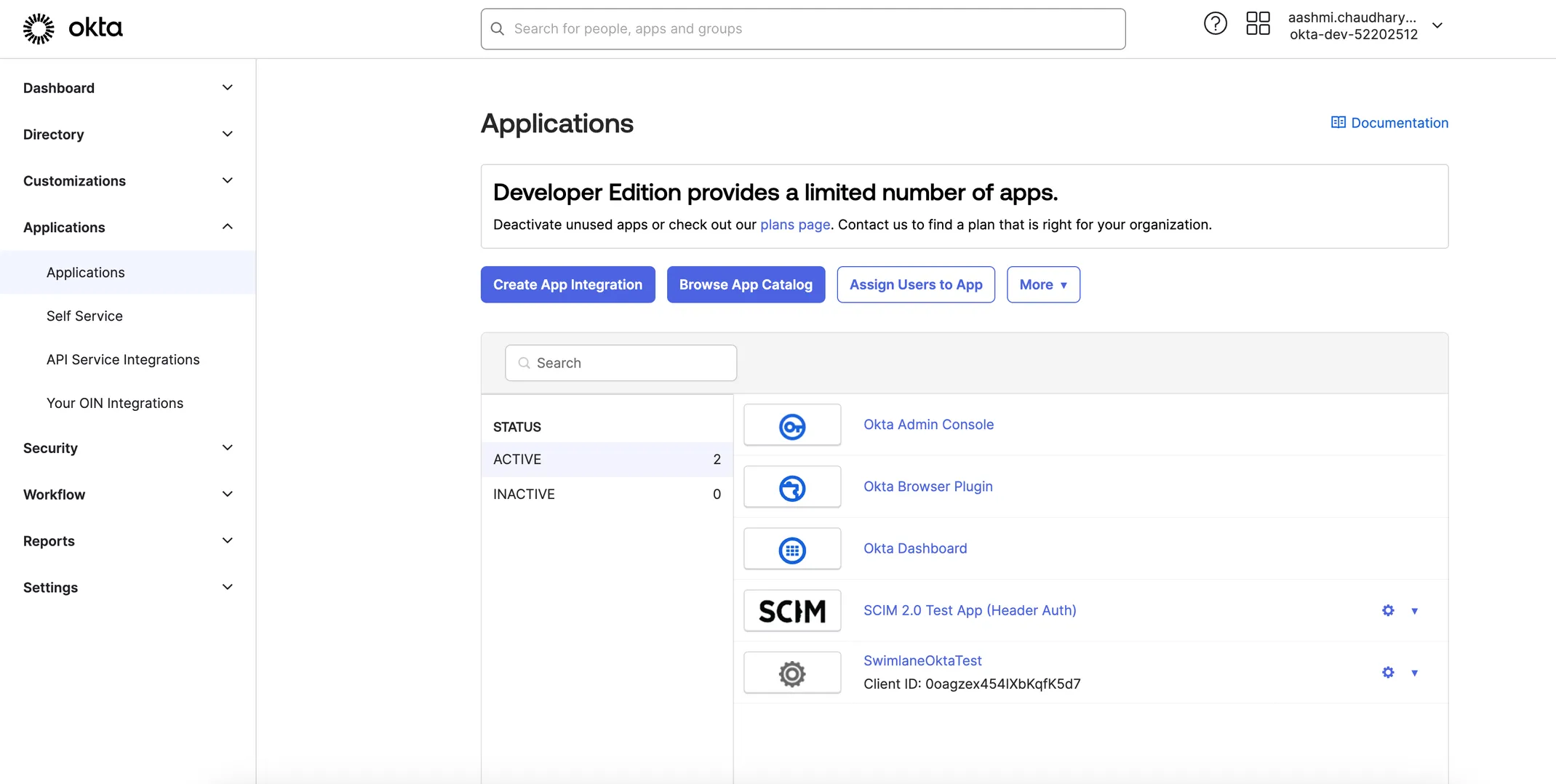
- On the left panel, select Applications > Applications, and click Browse App Catalog.
- Search for SCIM 2.0 App in the Search field.
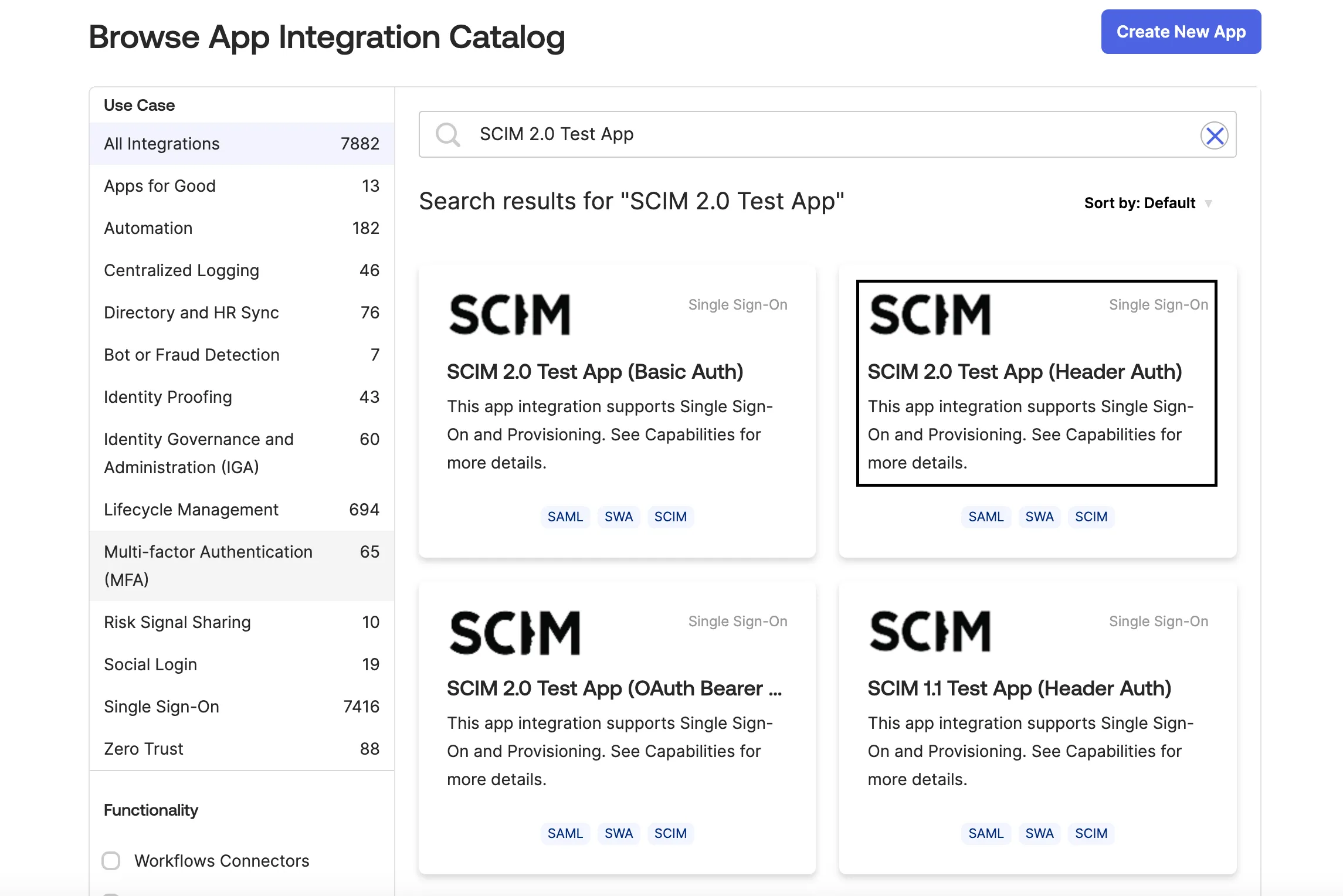
- Click Add integration > Integrate the app.
- Click the Provisioning tab and Configure API Integration.
- Enter the following values and click Save:
Field | Value |
|---|---|
Base URL | https://<your-swimlane-host>/tenant/api/account/<ACCOUNT_ID>/scim/v2 |
API token | Swimlane Personal Access Token (PAT) |
Replace <your-swimlane-host> with your Swimlane Turbine hostname and <ACCOUNT_ID> with your Swimlane account UUID. Okta sends the PAT as the API token; Swimlane maps it for SCIM authentication. Use a PAT for a user with Account Admin privileges. See Provisioning with SCIM IntegrationProvisioning with SCIM Integration for authentication, authorization, and field mapping.
- Enable provisioning and run Test API Credentials to confirm the connection.
Assigning Users
To provision Okta users in Swimlane Turbine, create users in Okta, assign the users to a group, and then assign the provisioning app to the group.
Create users in Okta:
- In Okta, on the left panel, select Directory > People, and click Add person.
- In the Add Person dialog box, enter the user details.
- Click Save or click Save and Add Another to add another user.
- From the Assignments tab, click Assign.
- From the pop-up menu, click Assign to People.
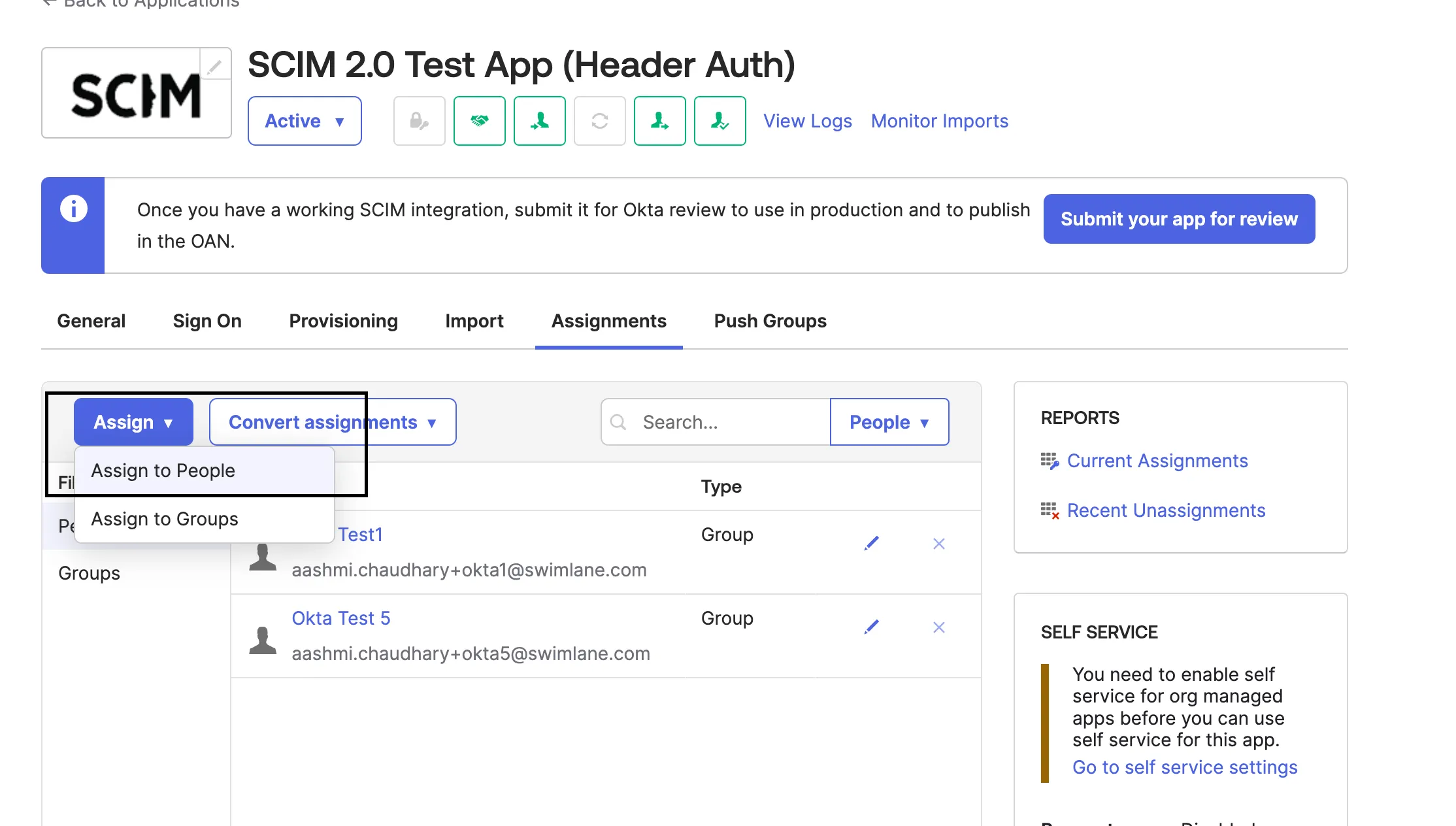
Assign any user and verify that the assigned user is added in Swimlane. Swimlane Turbine displays only a subset of Okta user fields. See Provisioning with SCIM IntegrationField Mapping with Swimlane on the parent SCIM topic.
Editing or Removing Users
- From the Assignments tab, click Assign.
- Click the edit icon next to the user.
- Update mapped fields (for example, givenName, familyName, display name) and click Save.
- To remove a user assignment, click the delete icon next to the user and click Save.
Verify that user information is updated in Swimlane.
In Turbine 26.0.0 and later, Okta may call SCIM DELETE to remove users. In earlier versions, de-provision users by setting active to false via PUT or PATCH. See Provisioning with SCIM IntegrationREST API Endpoints for SCIM.
Assigning Groups
If you do not already have user groups set up in your IdP, create them first. You will assign roles and account access to these groups in Swimlane after they sync. To learn how to create groups, see your IdP documentation.
Assigning users is done using two tabs in the app. We recommend selecting users on the Assignments tab and associated groups on the Push Groups tab.
- In the app, click the Assignments tab.
- From the Assignments form, click Assign.
- From the pop-up menu, click Assign to Groups.
- From the Assign to groups form, click Assign for each group you want to assign to the application.
- Click Save and go back.
- Repeat until all desired groups are assigned to the application.
- Click Done.
Pushing Groups
- In the app, click the Push Groups tab.
- From the Push Groups form, click Push Groups.
- From the pop-up menu, click Find groups by name.
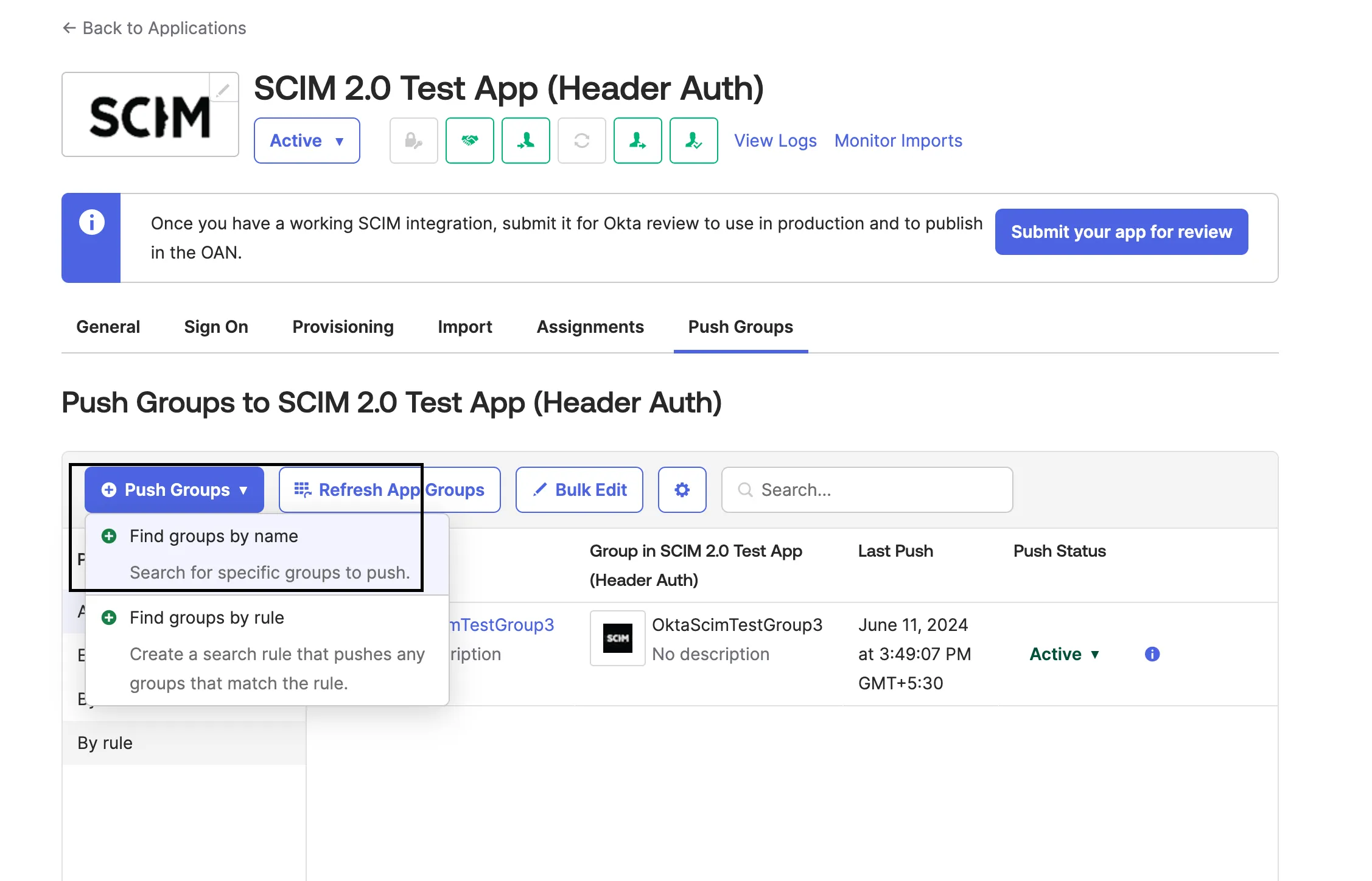
- In the search field, enter the first few characters of the group name you want to send to Swimlane. Leave Push group memberships immediately checked.
- Click your group in the search results list.
- Click Save, or Save and add another to configure more groups.
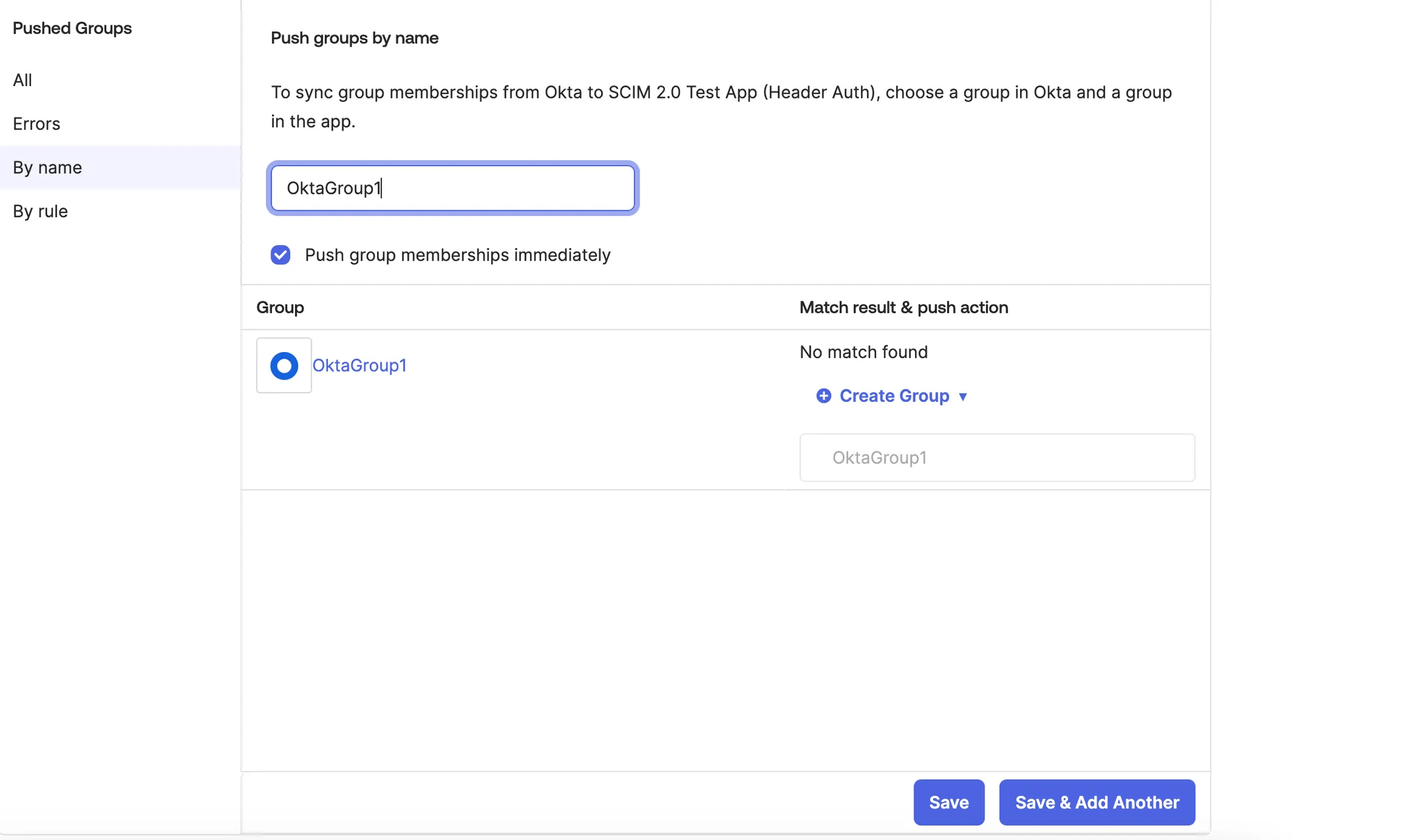
Without pushing the group, the group does not sync to Swimlane Turbine. After you push a group, it continues to sync until it is deactivated in Okta. Roles are not provisioned through SCIM; assign roles to synced groups manually in Swimlane.
Verify that the group, group members, and user–group associations appear in Swimlane Turbine.
See Also
- Provisioning with SCIM IntegrationProvisioning with SCIM Integration — Prerequisites, PAT authentication, REST endpoints, and field mapping