Installing Robo 3T and running a query for MongoDB
Step 1: Installing Robo 3T
- Download Robo 3T version on your respective OS (we are using Mac OS for this article) from https://robomongo.org/download.
Step 2: Setting up and Connecting to a single host Linux CentOS system
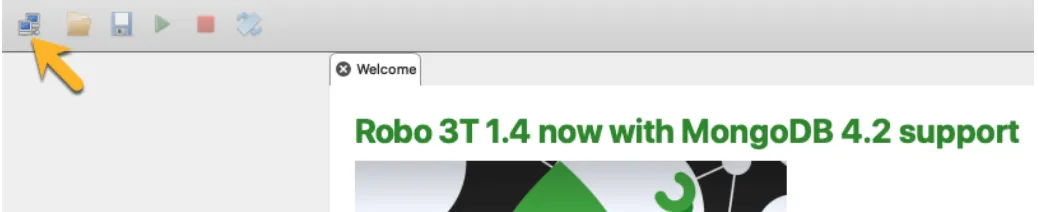
- Click on the two computers at the upper left-hand corner as shown in the screenshot below:
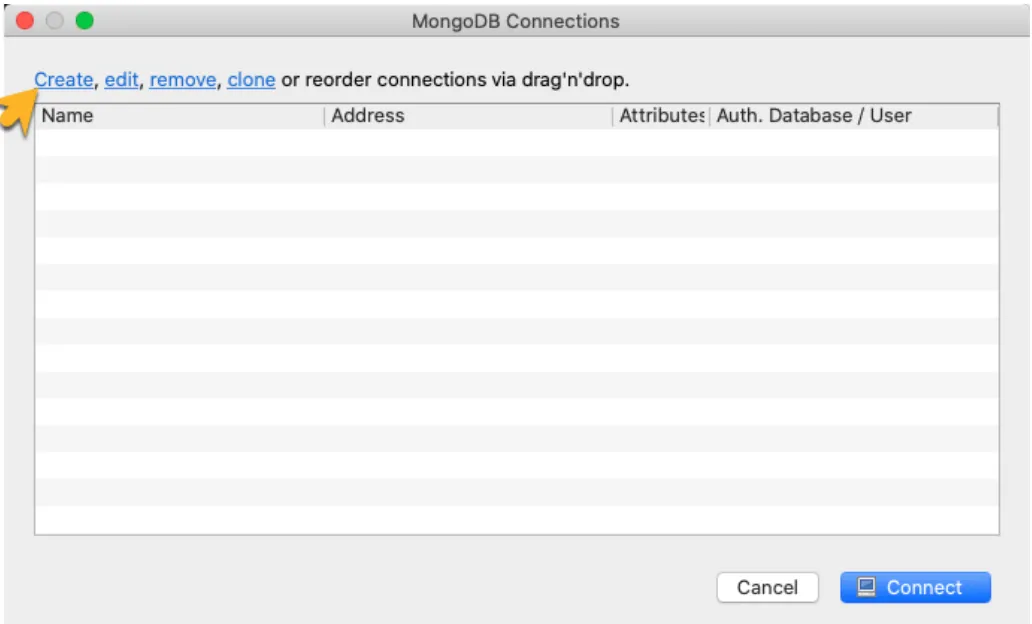
- This will open the connection window then click on create as shown below:
- Click the connection tab:
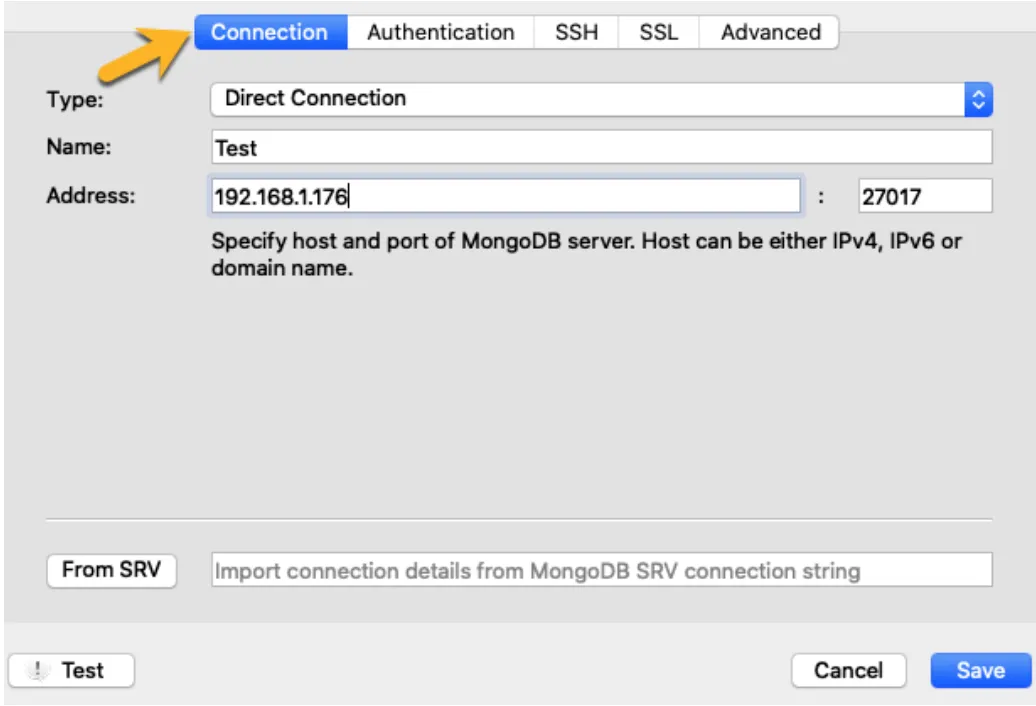
- For Type, select Direct Connection.
- Enter the Name for the connection.
- Enter the Swimlane system IP Address.
- Enter the port as 27017.
- Click on the Authentication tab:
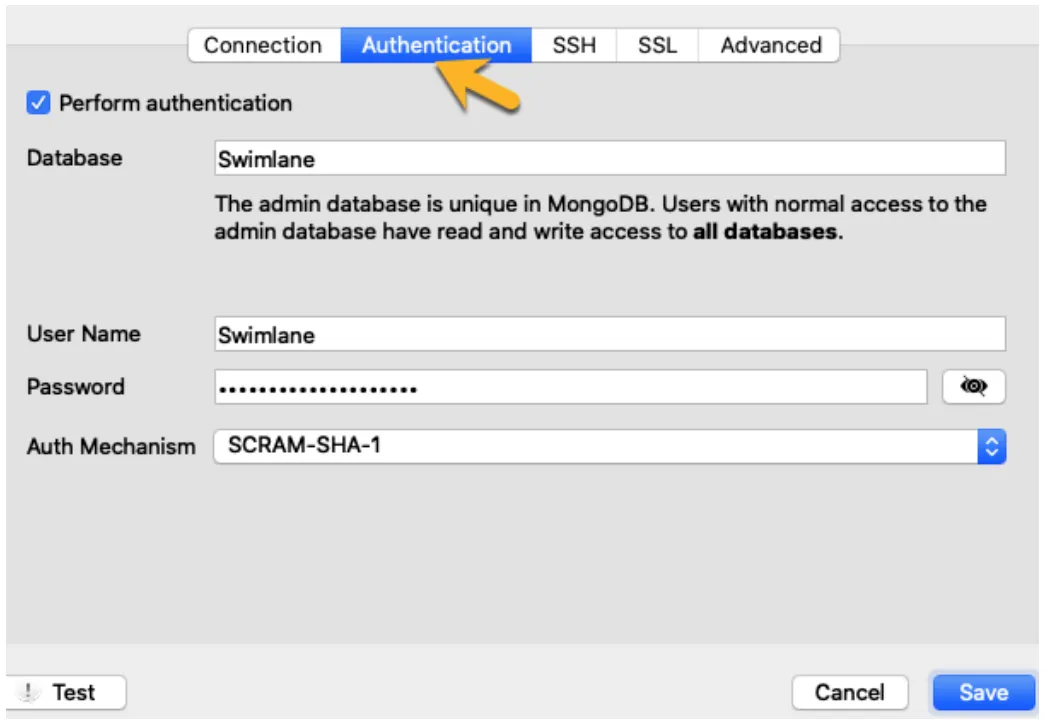
- Select the Perform Authentication Checkbox.
- Set the Database Name to your DB name. It is "admin" in this example.
- Enter Username and Password for MongoDB.
- Select SCRAM-SHA-1 as the Auth Mechanism. Note: You can also manually specify visible databases.
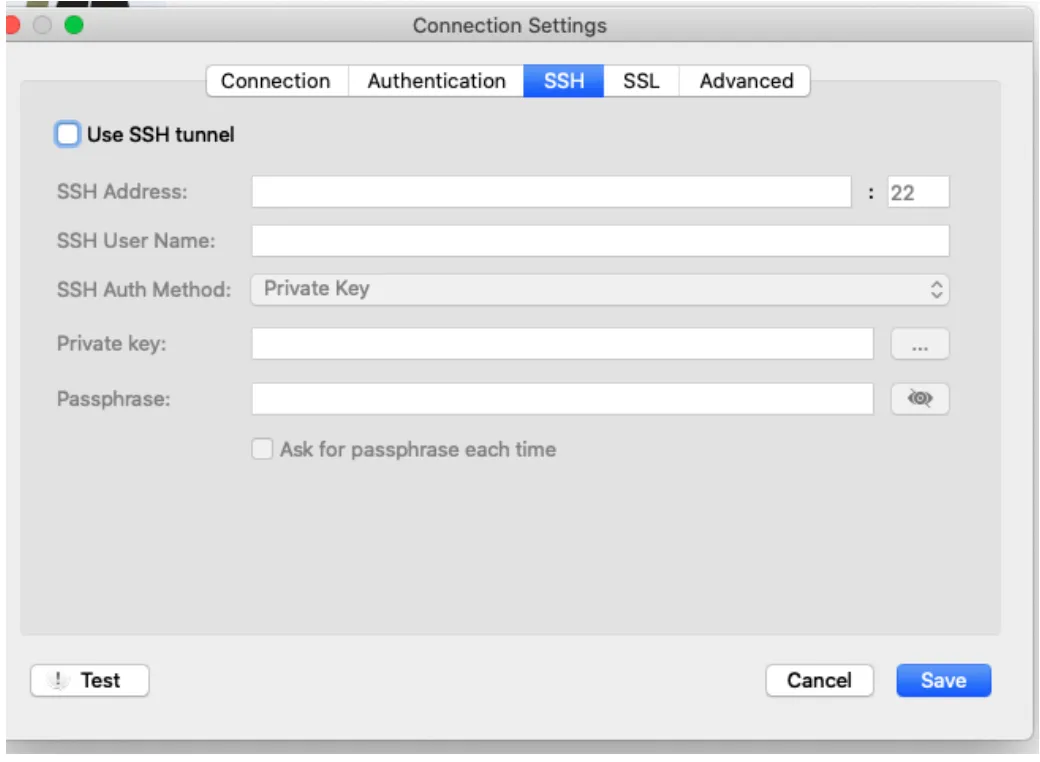
- On the SSH Tab, leave everything blank as shown in the screenshot below:
- Select the SSL Tab as in the screenshot below:
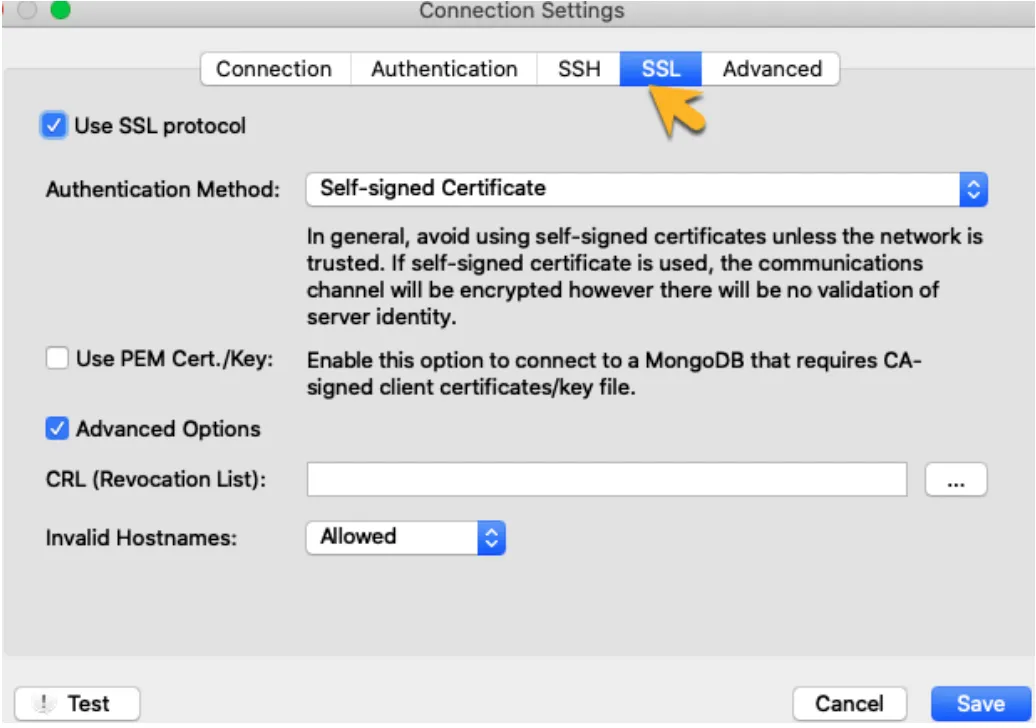
- Select the Use SSL Protocol CheckBox.
- For the Authentication Method, select the Certificate used to install Swimlane, in this example, it is self-signed.
- Check whether "Use PEM Cert./key" is required and select it. (Not required in this setup).
- Select the checkbox for "Advance Options" and use the drop-down arrow to select "Allow" for Invalid Hostname.
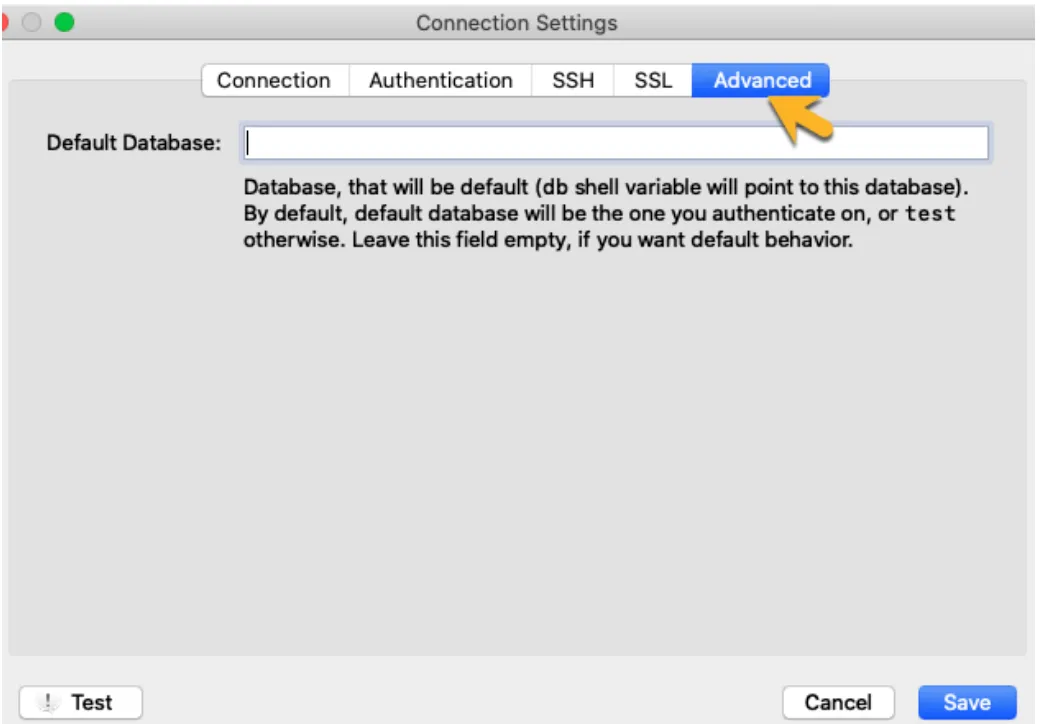
- Click the Advanced Tab. Define a Default Database if required else leave blank as in the screenshot below:
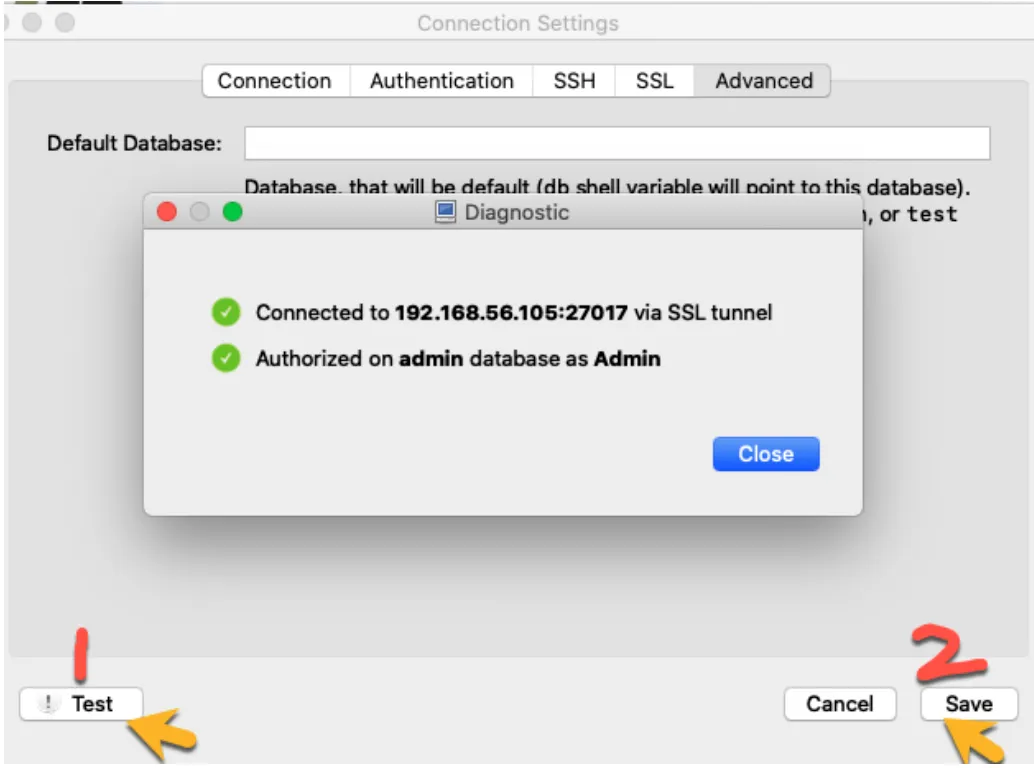
- Test the connection. If it is successful, save the connection details:
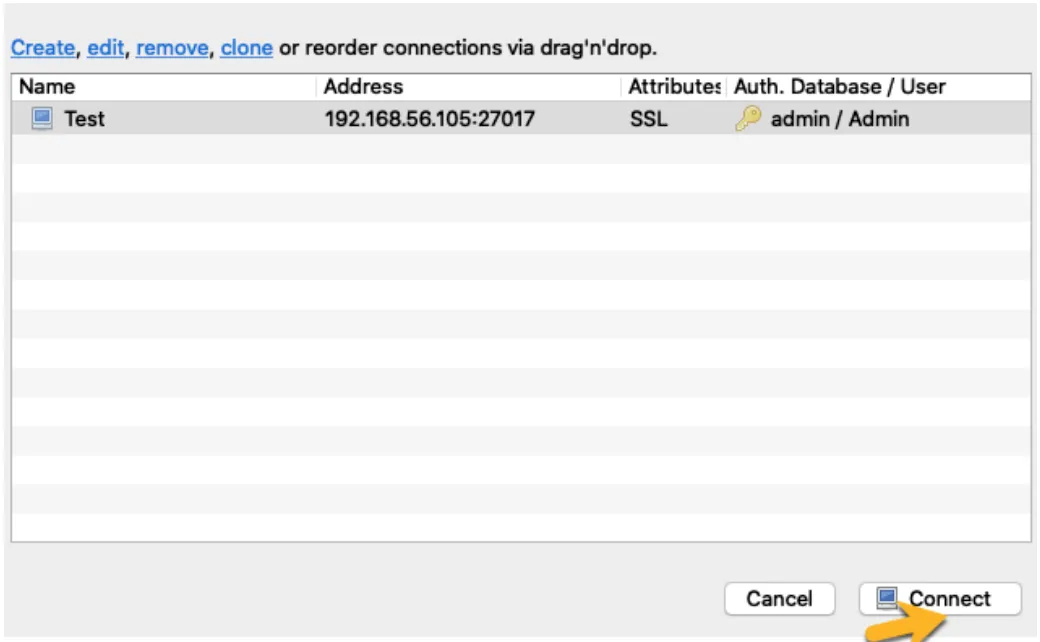
- Select the connection name and click on the Connect button at the bottom as shown in the screenshot:
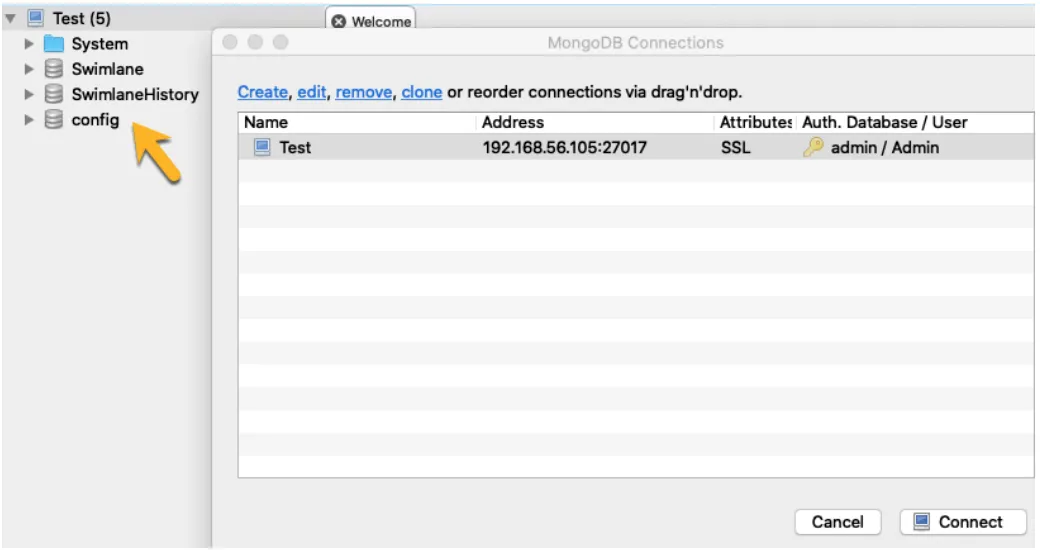
The connection is successful to Mongo DB as in the screenshot below:
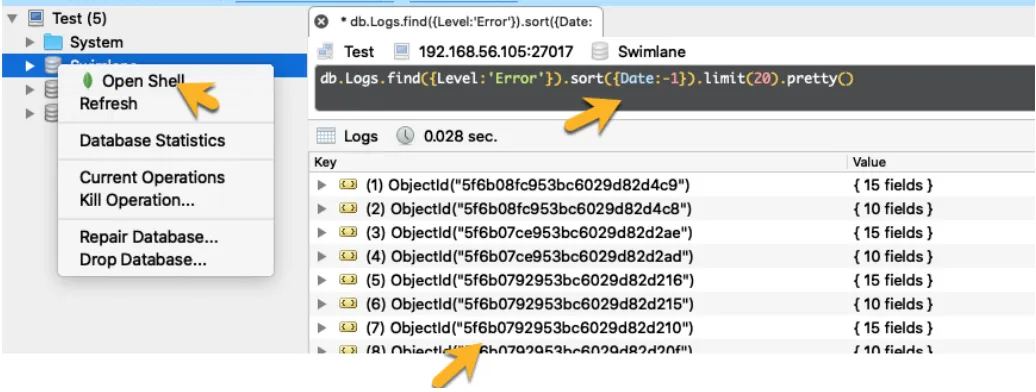
- Now you can run a command using the mongo shell by right-clicking on the Swimlane database or the Swimlane-History Database and clicking on "Open Shell". See the screenshot below:
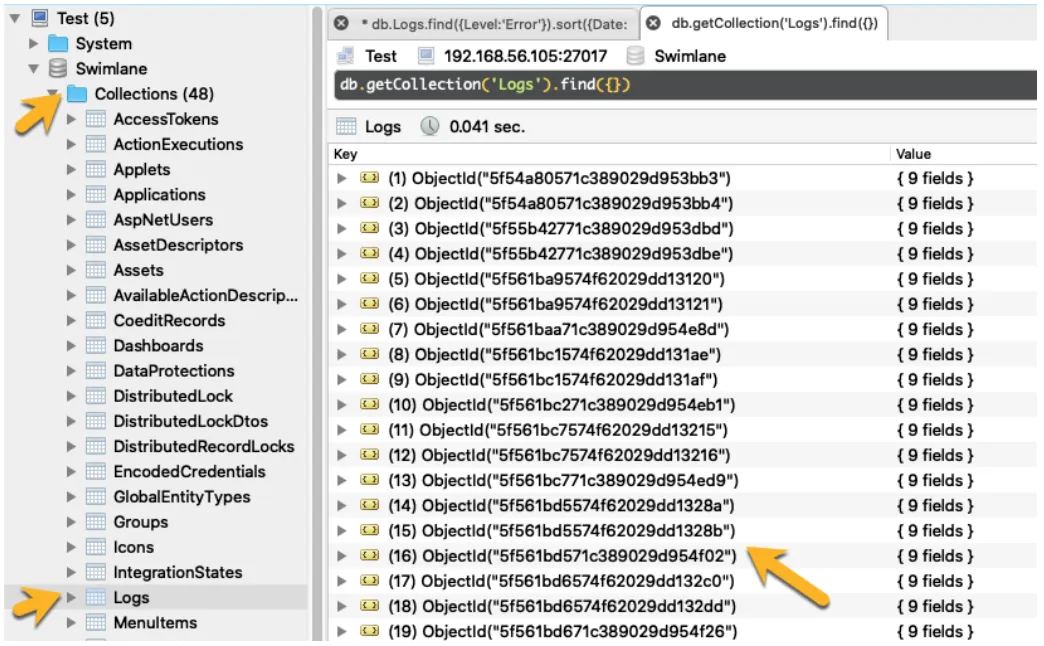
- You can also expand Collections and right-click on a collection and clicking on view document:
Note: This article is about how to use Robo 3T to connect to MongoDB with Swimlane installed on a single Linux host. Follow this link to connect Robo 3T to MongoDB from outside Kubernetes.