Exabeam Security Management Platform
Introduction
This guide explains how to authenticate the Exabeam Security Management Platform connector in Swimlane.
The connector authenticates using API Key Authentication. You will collect the required authentication token and configure the connector inside Swimlane.
Prerequisites
Exabeam Access Requirements
- Access to the Exabeam Security Management Platform
- Permission to generate or retrieve an Exabeam Auth Token
- Network access to the Exabeam Data Lake API
Required Credentials
- URL
- Exabeam Auth Token
Authentication Method Overview
API Key Authentication
This authentication is used to authenticate requests to the Exabeam Data Lake.
You will need:
- URL
- Exabeam Auth Token
Exabeam Setup
Take the following steps to collect the Exabeam Auth Token:
- Log in to the Exabeam Security Management Platform.
- Navigate to the API or security settings section.
- Generate or copy an existing Exabeam Auth Token.
- Record the base URL for your Exabeam Data Lake instance.
Connector Configuration in Swimlane
- Log in to Turbine.
- From the left-hand navigation pane, click ORCHESTRATION and click Assets. Asset homepage opens.
- Click the plus icon to open the Configure your Connector Asset window.
- Select Exabeam Security Management Platform from the Asset type list.
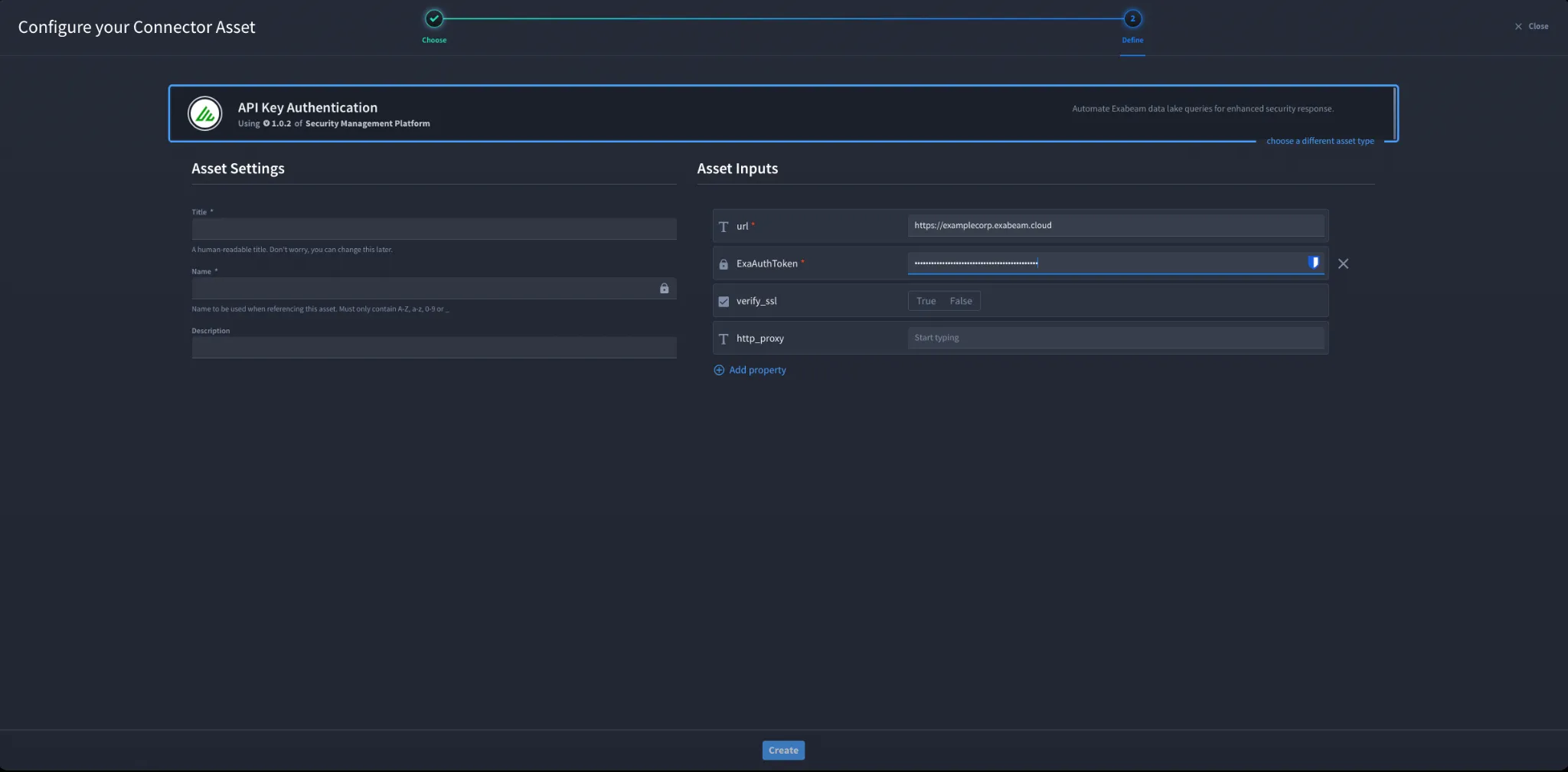
- Fill in the Asset Settings and Asset Input as shown:
Configuration - API Key Authentication
Field | Description | Required |
|---|---|---|
url | A URL to the target host. | Required |
ExaAuthToken | Exabeam Auth Token | Required |
verify_ssl | Verify SSL certificate | Optional |
http_proxy | A proxy to route requests through. | Optional |
Troubleshooting
- Invalid Auth Token - verify the Exabeam Auth Token is correct.
- Incorrect URL - ensure the Exabeam Data Lake API endpoint is correct.
- Permission issues - ensure the token has access to query the Exabeam Data Lake.
- SSL errors - adjust verify_ssl if required.Proxy issues - verify http_proxy configuration.
You have successfully authenticated the Exabeam Security Management Platform connector in Swimlane.