ANY.RUN
Introduction
This guide explains how to authenticate the ANY.RUN connector in Swimlane.
The ANY.RUN connector supports two authentication methods:
- API Key Authentication
- HTTP Basic Authentication
You will collect the required credentials, configure authentication parameters, and set up the connector inside Swimlane.
Prerequisites
ANY.RUN Access Requirements
- Access the ANY.RUN API
- Retrieve account credentials
- Obtain an API key
- Use a valid username and password for HTTP Basic Authentication
Required Credentials
For API Key Authentication:
- URL
- API Key
For HTTP Basic Authentication:
- URL
- Username
- Password
Authentication Methods Overview
API Key Authentication
Use this method for secure token-based authentication.
You will need:
- URL
- API Key
HTTP Basic Authentication
Use this method when username and password authentication is preferred.
You will need:
- URL
- Username
- Password
ANY.RUN Setup
Collect API Key (API Key Authentication)
- Log in to your ANY.RUN account.
- Navigate to your Profile.
- Navigate to API and limits.
- Generate or copy your existing API key.
Collect Username and Password (HTTP Basic Authentication)
- Log in to your ANY.RUN account.
- Confirm your username.
- Confirm or reset your account password if needed.
Connector Configuration in Swimlane
- Log in to Turbine.
- Click ORCHESTRATION.
- Click Assets.
- Click the + icon to create a new asset.
- Select ANY.RUN from the Asset Type list.
- Fill in the Asset Settings and Asset Input as shown according to your authentication type:
Configuration - API Key Authentication
Field | Description | Required |
|---|---|---|
url | A URL to the target host. | Required |
APIKey | API key | Required |
verify_ssl | Verify SSL certificate | Optional |
http_proxy | A proxy to route requests through. | Optional |
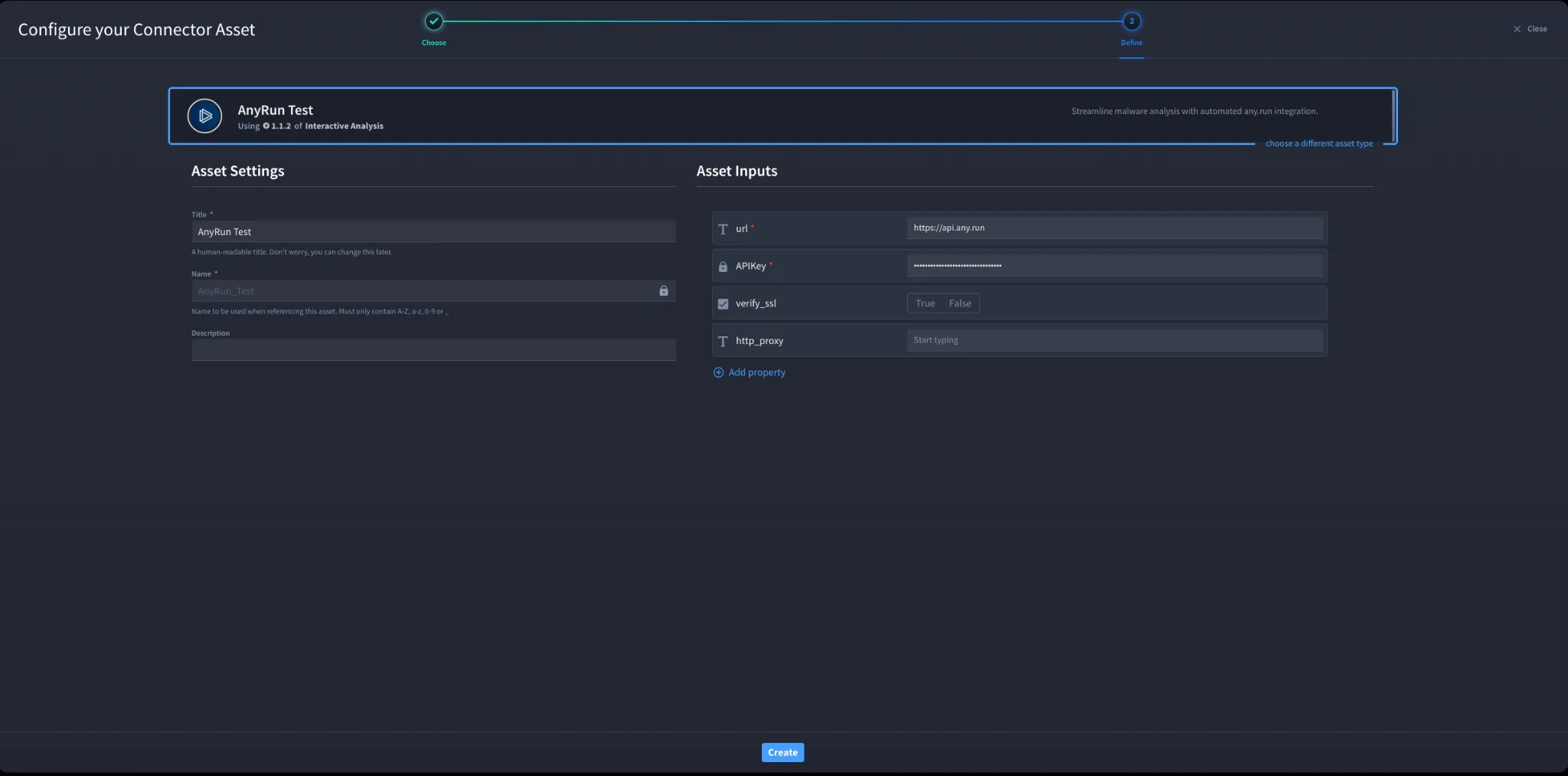
Configuration - HTTP Basic Authentication
Field | Description | Required |
|---|---|---|
url | A URL to the target host. | Required |
username | Username | Required |
password | Password | Required |
verify_ssl | Verify SSL certificate | Optional |
http_proxy | A proxy to route requests through. | Optional |
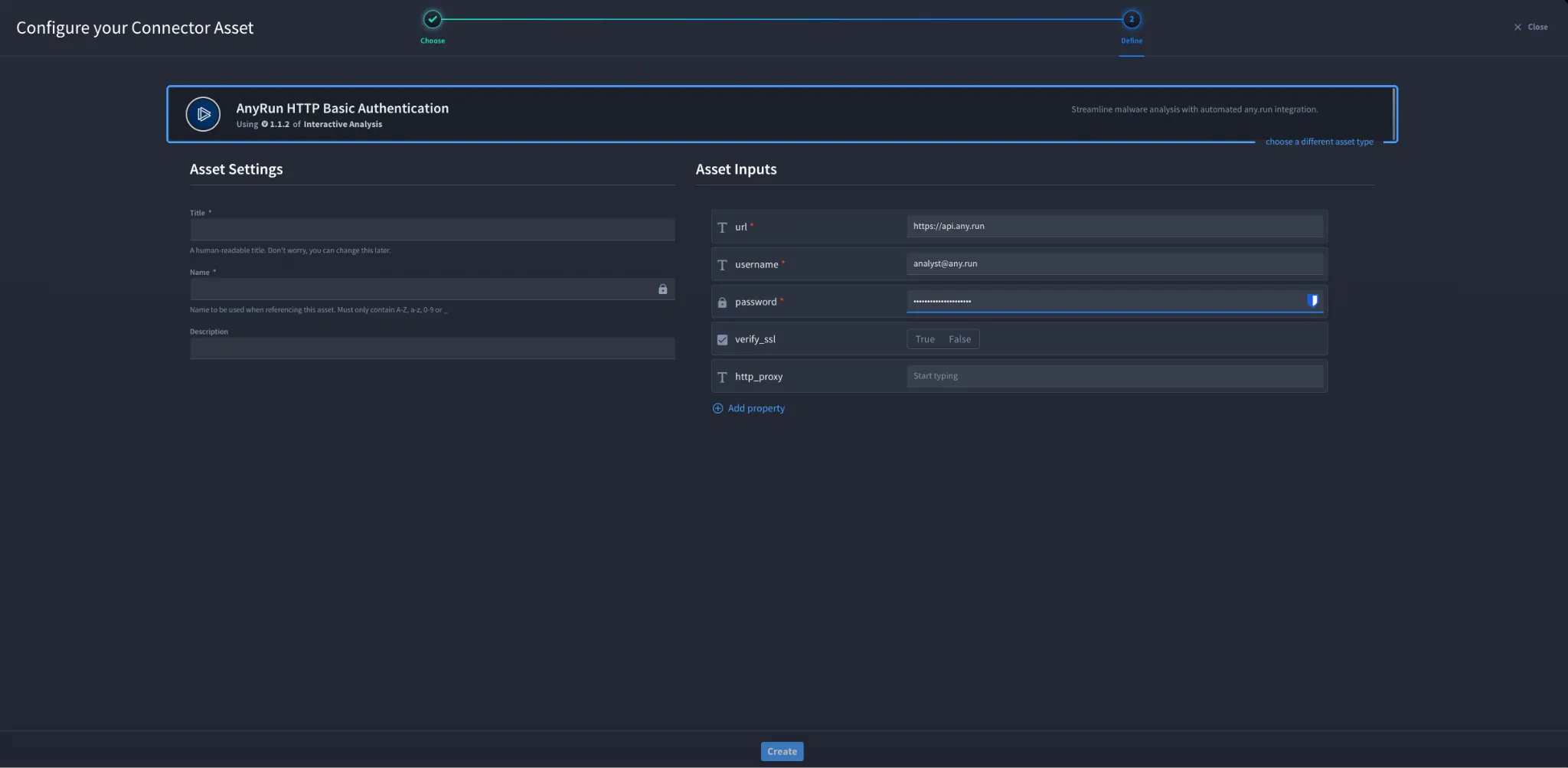
- Click Create.
Troubleshooting
- Verify the API key is correct and active.
- Verify username and password are correct.
- Verify the URL is a valid ANY.RUN endpoint.
- Verify the account has access to the ANY.RUN API.
- Check network connectivity to ANY.RUN.Configure http_proxy if your environment uses a proxy.
You have successfully authenticated the ANY.RUN connector in Swimlane using either API Key or HTTP Basic Authentication.