Amazon AWS S3
Introduction
This guide tells you how to authenticate the Amazon AWS S3 connector in Swimlane using AWS credentials or an optional IAM Role. You will obtain AWS credentials, collect the required identifiers, and configure the connector in Swimlane.
Prerequisites
Amazon AWS Access Requirements
You must have access to an active Amazon AWS account with permissions to create or use IAM users, access keys, and optionally assume IAM roles for accessing Amazon S3 resources.
Required Credentials
During setup, you will collect:
- AWS Access Key ID
- AWS Secret Access Key
- AWS Region Name
- IAM Role ARN (optional)
- External ID (optional)
AWS Credential Setup
Take the following steps to obtain AWS credentials for Amazon S3 access:
- Log in to the AWS Management Console.
- Navigate to the IAM service.
- From the left navigation pane, select Users and choose the user for which credentials are required.
- Open the Security credentials tab.
- Click Create access key.
- Copy and securely store the Access Key ID and Secret Access Key.
If your organization uses IAM roles for access control, note the Role ARN and External ID configured by your AWS administrator.
Connector Configuration in Swimlane
Take the following steps to configure the Amazon AWS S3 connector asset in Swimlane:
- Log in to Turbine.
- From the left-hand navigation pane, click ORCHESTRATION and click Assets.
- Click the plus icon to create a new asset.
- Select Amazon AWS S3 from the Asset Type list.
- Enter the configuration values as :
Configuration Parameters
Parameter | Description | Type | Required |
|---|---|---|---|
access_key | AWS Access Key ID | string | Optional |
secret_key | AWS Secret Access Key | string | Optional |
region_name | AWS Region where the S3 bucket is hosted | string | Required |
role_arn | IAM Role ARN to assume | string | Optional |
external_id | External ID for assuming IAM Role | string | Optional |
session_token | Session token when using temporary credentials | string | Optional |
role_session_name | Session name for assumed role | string | Optional |
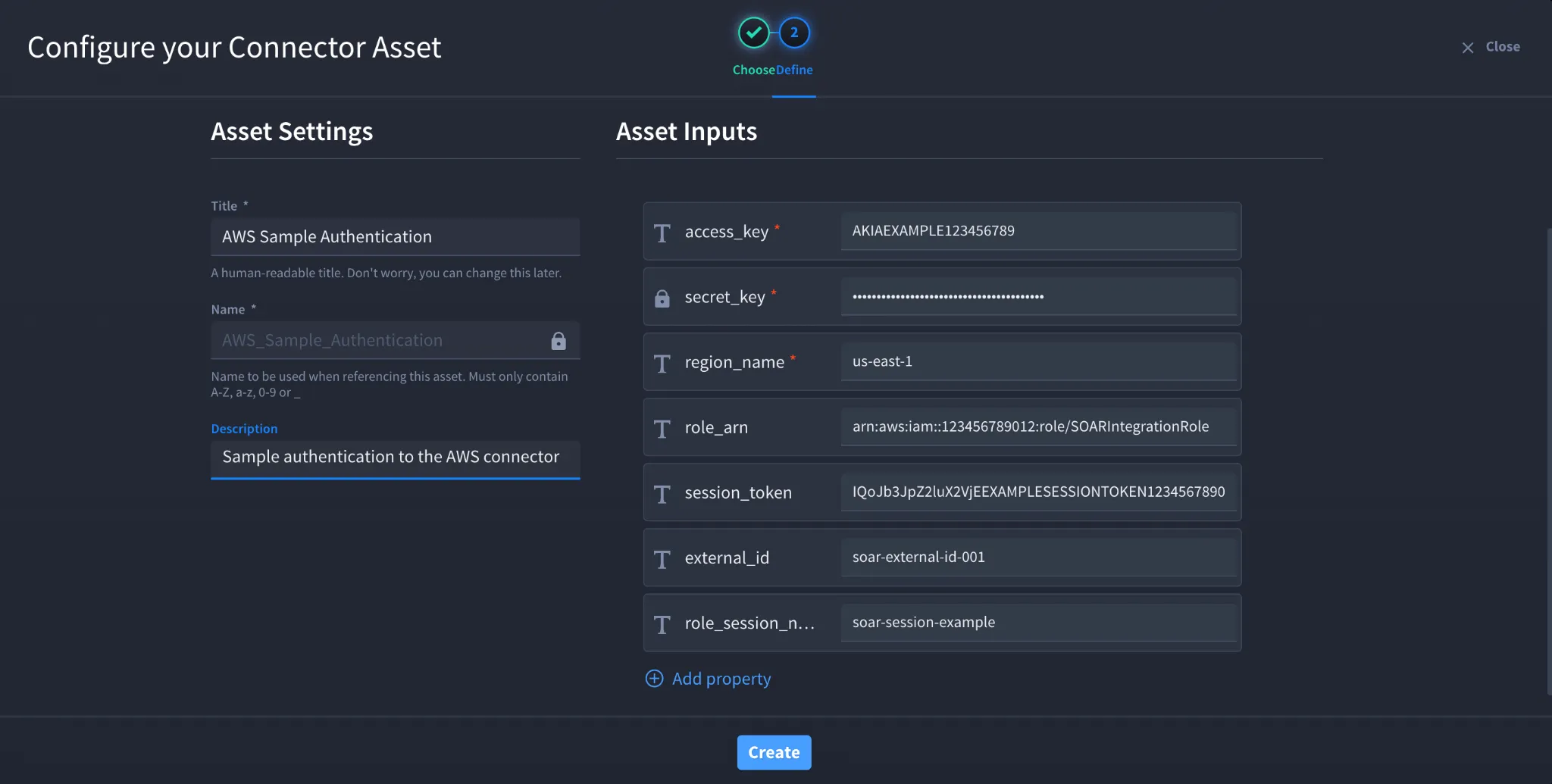
- Click Create.
Troubleshooting
If authentication fails:
- Ensure the AWS Access Key and Secret Key are valid and active.
- Verify the AWS Region name matches the S3 bucket location.
- Confirm the IAM user or role has sufficient permissions for Amazon S3 actions.
- Validate the Role ARN and External ID when using role assumption.
- Check proxy and SSL settings if applicable.
You have successfully authenticated the Amazon AWS S3 connector in Swimlane.