Akamai
Introduction
This guide explains how to authenticate the Akamai connector in Swimlane using Akamai EdgeGrid Authentication. You will generate API credentials in Akamai Control Center, collect the required identifiers, and configure the connector inside Swimlane.
Prerequisites
Akamai Access Requirements
You must have permissions in Akamai Control Center to:
- Create and manage API credentials
- Assign API access scopes
- Access Akamai EdgeGrid credentials
Required Credentials
During setup, you will collect:
- Client Token
- Access Token
- Client Secret
- API Host (xxxx.luna.akamaiapis.net)
Authentication Method Overview
The Akamai connector uses EdgeGrid Authentication. EdgeGrid secures API requests by cryptographically signing each request using a Client Token, Access Token, and Client Secret.
Akamai Setup
Take the following steps to create EdgeGrid API credentials:
- Log in to Akamai Control Center.
- Navigate to Identity and Access Management > API Clients.
- Click Create API Client.
- Select the required APIs and assign appropriate permissions.
- Provide a client name and description.
- Complete the API client creation process.
- Copy the generated EdgeGrid credentials.
Connector Configuration in Swimlane
- Log in to Turbine.
- From the left-hand navigation pane, click ORCHESTRATION and click Assets. Asset homepage opens.
- Click the plus icon to open the Configure your Connector Asset window.
- Select Akamai from the Asset type list.
- Fill in the Asset Settings and Asset Input as shown:
Configuration – EdgeGrid Authentication
Authenticates using Akamai EdgeGrid credentials.
Field | Description | Required | Example |
|---|---|---|---|
url | Akamai API host | Yes | akab-xxxx.luna.akamaiapis.net |
client_token | EdgeGrid client token | Yes | akab-client-token |
access_token | EdgeGrid access token | Yes | akab-access-token |
client_secret | EdgeGrid client secret | Yes | ******** |
verify_ssl | Verify SSL certificate | Optional | true |
http_proxy | Proxy configuration | Optional | http://proxy:8080 |
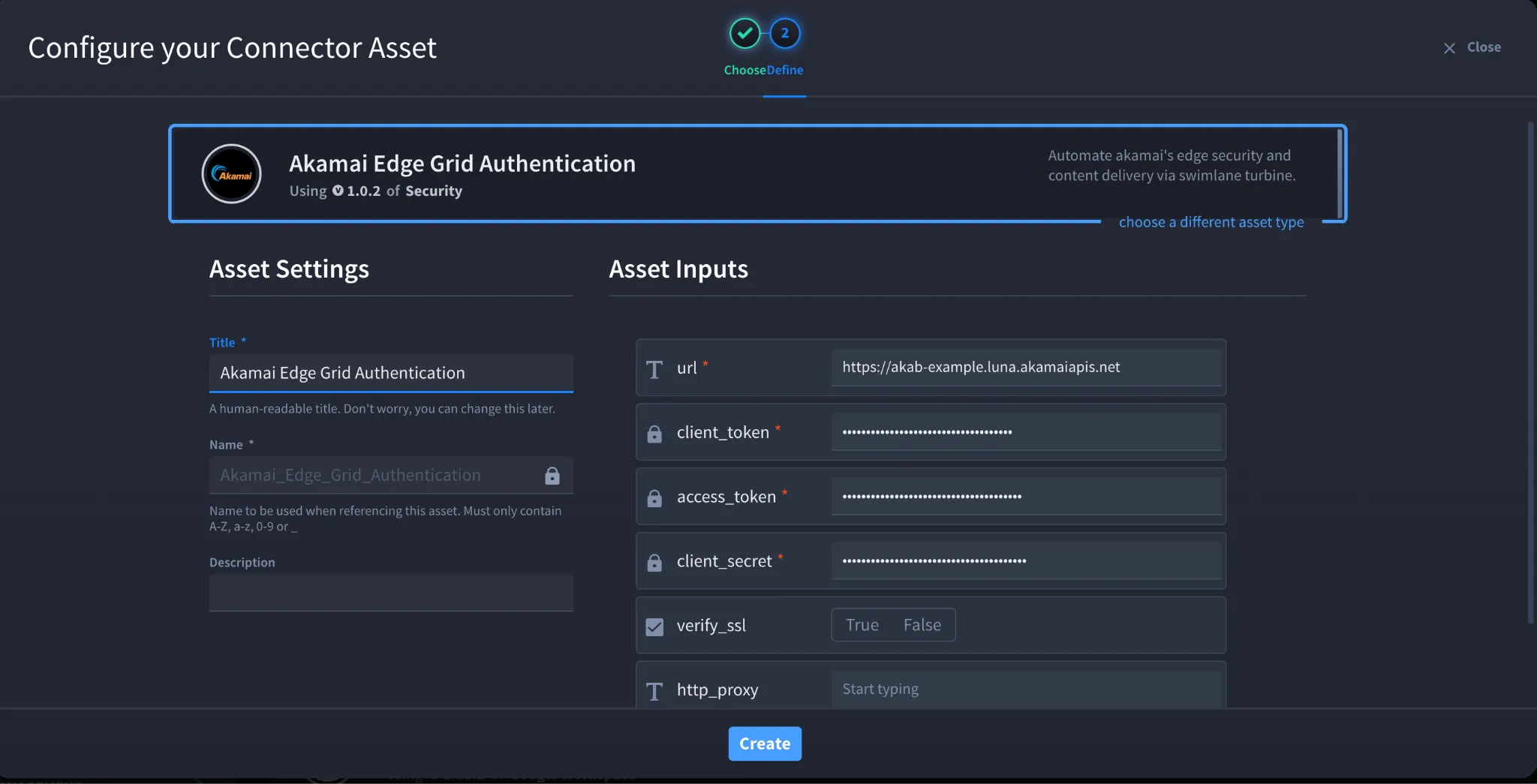
- Click Create.
Troubleshooting
- 401 Unauthorized Occurs when credentials are invalid or revoked. Fix: Regenerate EdgeGrid credentials and update the asset.
- 403 Forbidden Occurs when API permissions are insufficient. Fix: Verify permissions assigned to the API client.
- SSL Errors Occurs due to certificate validation issues. Fix: Adjust verify_ssl if required.
You have successfully authenticated the Akamai connector in Swimlane using EdgeGrid Authentication.