Users Having Trouble Logging In (Spinning Logo)
If one user is having difficulty logging in and all they can see is a spinning Swimlane logo (and cannot get to the Swimlane login page), this is likely a browser caching issue.
To resolve this issue, please log into Swimlane using Google Chrome Incognito Mode by following the steps below:
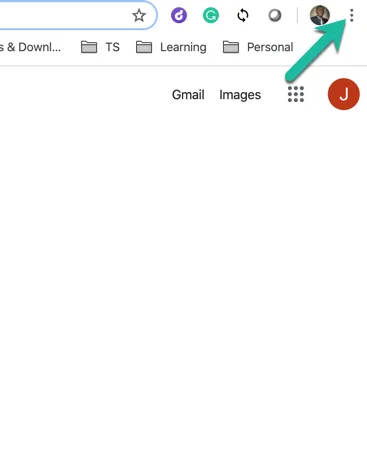
- Start Chrome and click the menu in the top right corner of the window. Note: You can press Ctrl+ Shift + N (Command+Shift+N for Mac) to bring up a new incognito window without entering the Chrome settings menu.
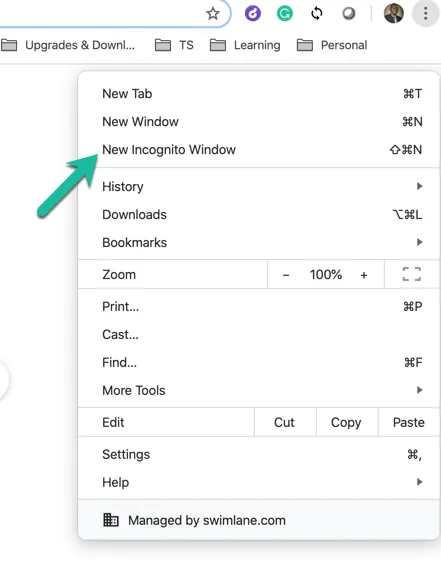
- Click ‘New Incognito Window’ and start browsing.
- Once you see the Swimlane login screen, you should be able to log in without issue.
- Go back to your normal Chrome browser (not incognito) and follow the steps outlined here to clear the cache.
- You should now be able to log into Swimlane with no issues.