Troubleshoot-python-integrations-tasks-failing-with-runtimeerror-unable-to-find-any-timezone-configuration
Overview & Summary
After upgrading to Swimlane Platform 10.26, scheduled Python tasks, custom scripts, and plugin integrations (such as the Microsoft Exchange Email plugin) fail during execution with the error:
RuntimeError: Unable to find any timezone configuration
This occurs because dependencies such as pendulum call pendulum.now(), which requires a system-level or environment-level timezone definition. When no timezone configuration is detected in the runtime container environment, the task halts immediately.
Environment & Affected Versions
- Product: Swimlane Platform
- Affected Versions: 10.26.x
- Components Impacted: swimlane-tasks, swimlane-api, Python Tasks, Plugin Integration(e.g., Microsoft Exchange Email)
Symptoms & Error Details
- Python tasks or scheduled integrations fail immediately upon execution.
- Integrations that rely on the pendulum date/time library fail during initialization or datetime parsing.
- Execution logs and tracebacks display on Hangfire:
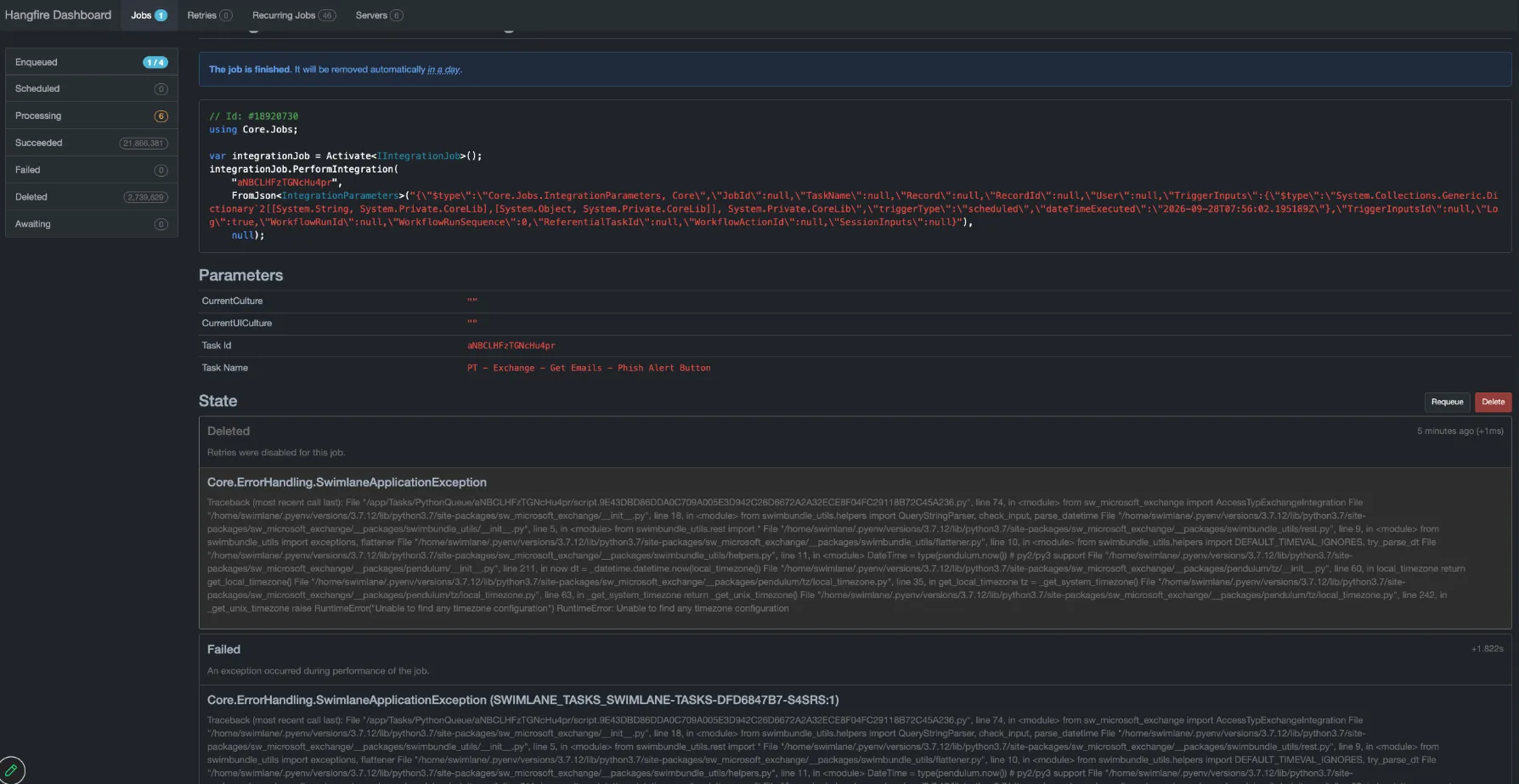
- RuntimeError: Unable to find any timezone configuration (Traceback typically originates from pendulum/tz/local_timezone.py)
Root Cause
The base container environment for swimlane-tasks and swimlane-api does not have a default system timezone configured or the TZ environment variable set. When Python packages like pendulum query the local system timezone via pendulum.now(), the lookup fails and throws a runtime exception.
Workaround & Resolution
Because integration plugins cannot be modified directly, setting the environment variable at the container deployment level provides a global platform-level fix across all tasks and plugins.
Method 1: Container-Level Environment Variable Configuration (Recommended)
Add the TZ environment variable with value UTC to both the swimlane-tasks and swimlane-api Kubernetes deployments.
Step 1: Pause ArgoCD / GitOps Sync (if applicable)
If ArgoCD manages your cluster deployments, pause auto-sync or scale down the application controller temporarily to prevent deployment overrides; otherwise, ignore this step 1:
kubectl scale deployment argocd-application-controller -n argocd --replicas=0
Step 2: Update swimlane-tasks Deployment
- Export or edit the deployment: kubectl edit deployment swimlane-tasks -n <swimlane-namespace> 2. Locate the primary container (swimlane-tasks) under spec.template.spec.containers and add the TZ environment variable:
spec:
  template:
    spec:
      containers:
      - env:
        - name: TZ
       value: UTC
3. Save and exit to trigger a rolling update.
Step 3: Update swimlane-api Deployment
- Edit the swimlane-api deployment: kubectl edit deployment swimlane-api -n <swimlane-namespace> 2. Locate the swimlane-api container under spec.template.spec.containers and add:
spec:
  template:
    spec:
      containers:
      - env:
        - name: TZ
       value: UTC
3. Save and exit to trigger a rolling update.
Method 2: Custom Python Script Workaround (Optional / Custom Tasks Only)
For standalone custom Python tasks, we can initialize the timezone directly within the script header:
import os
import time
os.environ['TZ'] = 'UTC'
time.tzset()
Verification & Testing
- Trigger a test run of the affected Python task or integration and confirm successful execution without timezone errors.