Upload new TLS certificate for the KOTS admin page
If you've already gone through the setup process once, and you want to upload new TLS certificates, run this command to restore the ability to upload new TLS certificates:
Adding this annotation will temporarily create a vulnerability for an attacker to maliciously upload TLS certificates. Once TLS certificates have been uploaded then the vulnerability is void. After adding the annotation, you will need to restart the kurl proxy server. The simplest way is to delete the kurl-proxy pod (the pod will automatically get restarted):
The following command will provide the name of the kurl-proxy server:
After the pod has been restarted, direct your browser to <http://<ip>:8800> and run through the upload process.
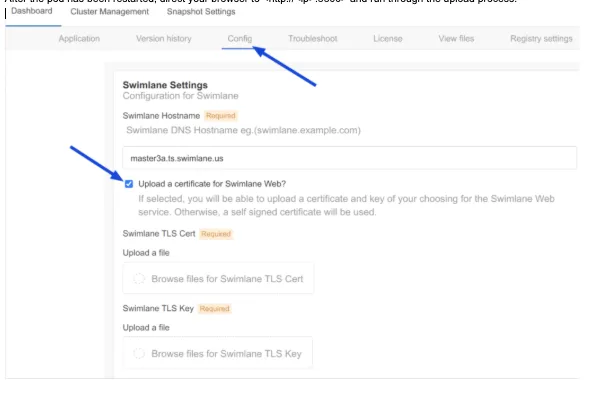
It's best to complete this process as soon as possible to avoid anyone from nefariously uploading TLS certificates. After this process has completed, the vulnerability will be closed, and uploading new TLS certificates will be disallowed again. Please repeat the steps above in order to upload new TLS certificates.