HAProxy Load Balancer
This topic explains how to use an HAProxy Load Balancer for your Turbine deployment. HAProxy can be run either as a Layer 4 (TCP mode) or a Layer 7 (HTTP-mode). Currently, a Layer 7 load balancer is not supported for the Kubernetes API. However, HAProxy works as a hybrid and provides load balancing for both Layer 4 and Layer 7 applications using a single daemon.
This topic is limited to being an example of how to use HAProxy as a load balancer for Turbine. Configuring the load balancer as described here will result in a non-highly available configuration. HAProxy can be configured with HA and failover capabilities using the same example configuration, but the HA configuration of HAProxy is beyond the scope of this topic.
Both examples in this topic include an enabled HAProxy statistics listener. This can be useful for keeping track of metrics and backend node health. It is accessible over port 8080. It is in no way required and can be disabled by deleting the listener stats sections of the configuration.
Architecture Diagram
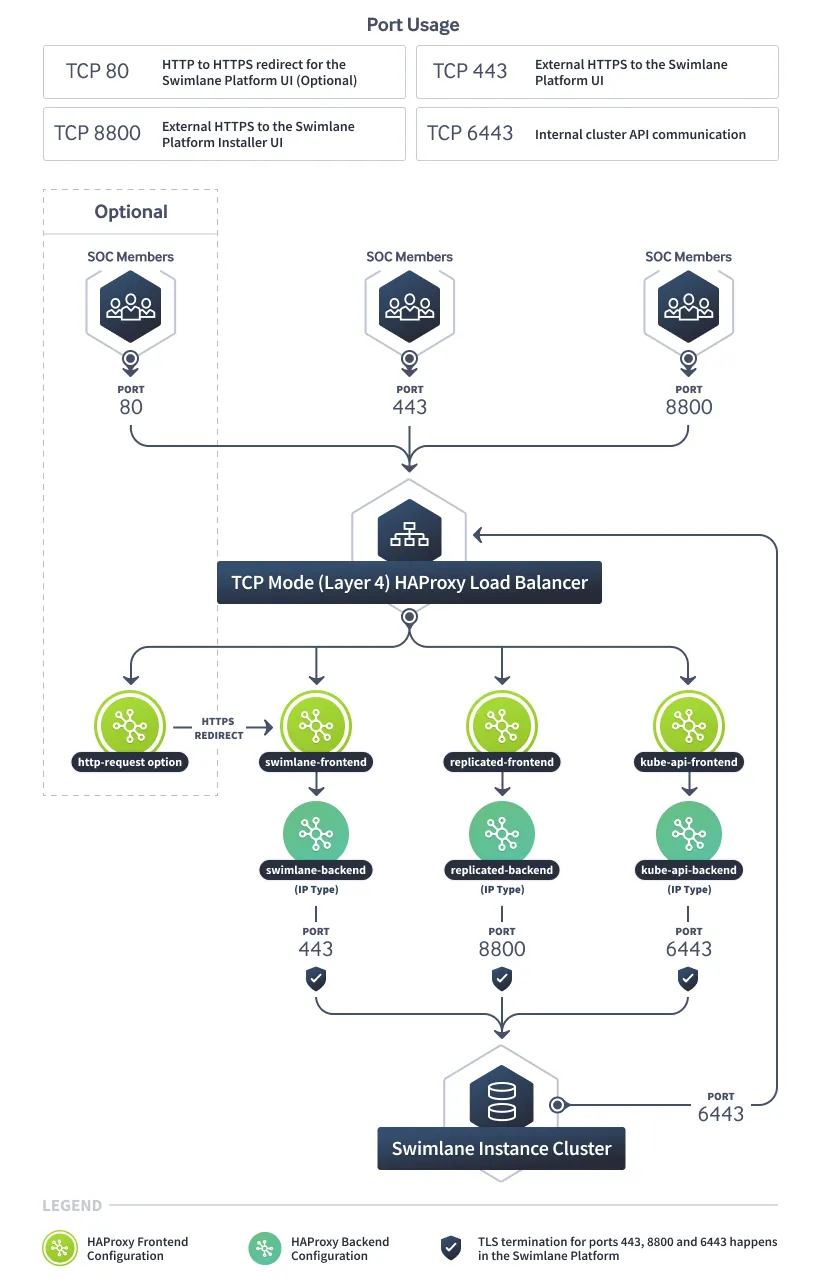
TCP Mode (Layer 4) HAProxy
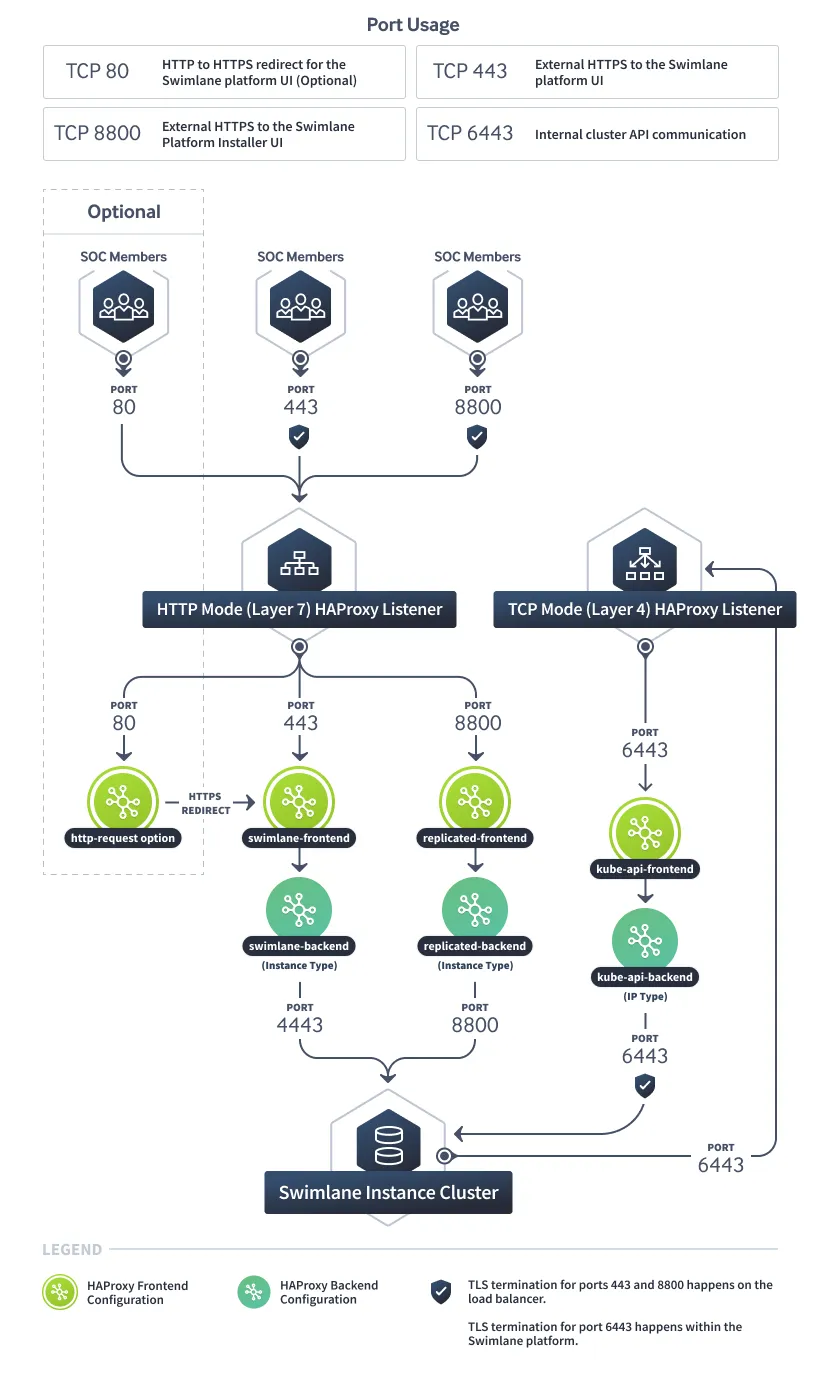
HTTP Mode (Layer 7) HAProxy
Layer 4 (TCP mode) HAProxy Load Balancer
The benefits of TCP mode are in its simplicity. TCP mode simply forwards network traffic at the port level to the configured backend servers. This allows the backend service to control almost all aspects of the communication. For example, TCP mode enables the backend service to provide its own TLS certificate so that SSL doesn't get terminated at the load balancer.
The downside of TCP mode for Turbine's use case is that generally upgrades to the load balancer (ie: whitelisting or blacklisting SSL ciphers) can happen much more quickly in HTTP-mode by the administrator versus waiting for a Turbine release.
Example configuration for a Layer 4 HAProxy server:
Turbine Configuration
Be sure to select the Enable Included Ingress Controller option on the Turbine Platform Installer UI config tab when using TCP mode.
Port Requirements
The ports to be load balanced in TCP mode are:
- Port 443
- Port 6443
- Port 8800
These ports must be accessible from the load balancer to any node that is a part of the cluster.
Layer 7 (HTTP mode) HAProxy Load Balancer
HTTP-mode load balancers offer more flexibility and more advanced routing capabilities over TCP mode. SSL termination occurs at the load balancer, at which point the load balancer communicates with the backend nodes over the HTTP protocol. Configuration of the load balancer in HTTP-mode is more flexible and allows for a wider range of configuration options that do not rely on a Turbine release.
Be aware that HTTP mode is incompatible with the Kubernetes API. You will need to utilize at least one TCP-mode frontend and backend.
The example below requires an SSL certificate + a key located at /etc/haproxy/server.pem.
Example configuration for a Layer 7 HAProxy server:
Swimlane Configuration
Be sure to enable the Expose the Swimlane Web service externally option on the Turbine Platform Installer UI config tab when using HAProxy in HTTP mode.
Port Requirements
The ports to be load balanced in HTTP mode are:
- Port 4443
- Port 6443
- Port 8800