Add Additional Nodes to Create an HA Cluster
This topic provides instructions on how to create a High Availability (HA) cluster and assumes you have already run the Swimlane Platform Installer on the first node. Please see Install Into an Embedded Kubernetes ClusterInstall Into an Embedded Kubernetes Cluster if you have not yet installed on the first node.
HA considerations
- HA clusters require at least 3 nodes and the total number of nodes must be an odd number.
- Only one MongoDB pod can run on a node. For example, you need 3 nodes in a cluster if you want to go to 3 MongoDB pods to enable a replica set.
- The first node that the initial install is running on should be in the target group to start. The additional nodes should only be added to the target groups after they’ve been joined to the cluster.
To add additional nodes to a cluster:
- From the Swimlane Platform Installer UI, click the Cluster Management tab.
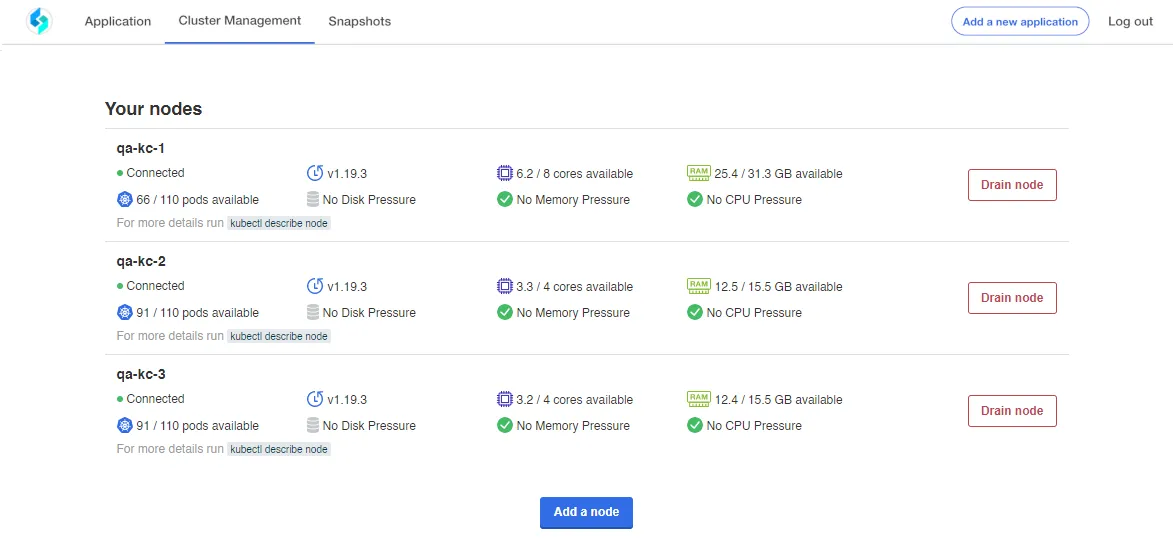
- The Cluster Management page displays your installed nodes.
- Click Add a node.
- Under Add a Node, ensure that you have selected Primary node and then click Copy command.
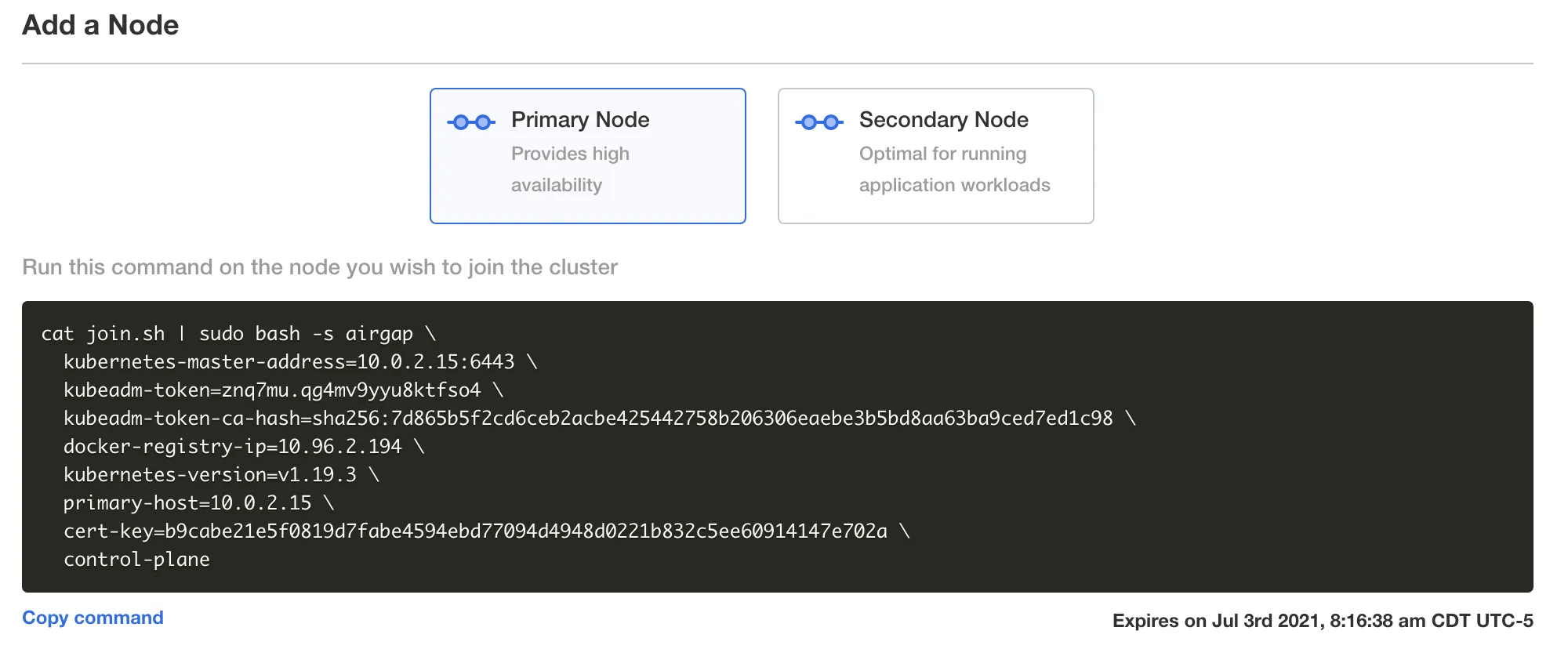
- Important! The code generated here expires after time. Swimlane recommends that you always copy the code as you work to add additional nodes. Do not save the code for use later.
- Go to your Command-Line Interface (CLI) and paste the copied command for your additional nodes.
- Note: You can add multiple nodes simultaneously.
- If your environment requires a proxy then the additionalNoProxyAddresses override option must include an IP range in CIDR notation that encompasses the new node's private IP. If it does not then you will need to update the installer override file to add the new node's private IP to the additionalNoProxyAddresses list and specify the override file when running the join node command on the new node, and then re-run the install command on every other node with the installer override file specified. Failure to ensure that all nodes have the updated additionalNoProxyAddresses list will result in cluster networking issues and issues with the Swimlane platform. See the Define Proxy SettingsDefine Proxy Settings topic for more information on specifying proxy settings.
- Repeat the steps above for each node you want to add to the cluster. Once you have 3 or more nodes you can continue to the next step.
- Back in the Swimlane Platform Installer UI, click the Application tab, and then click Config.
- Scroll down to the heading HA Settings. Select HA Environment and click Save config.

- Once you save the new configuration, you are prompted to view the new version. Click Go to new version.

- On Version History, click Deploy.
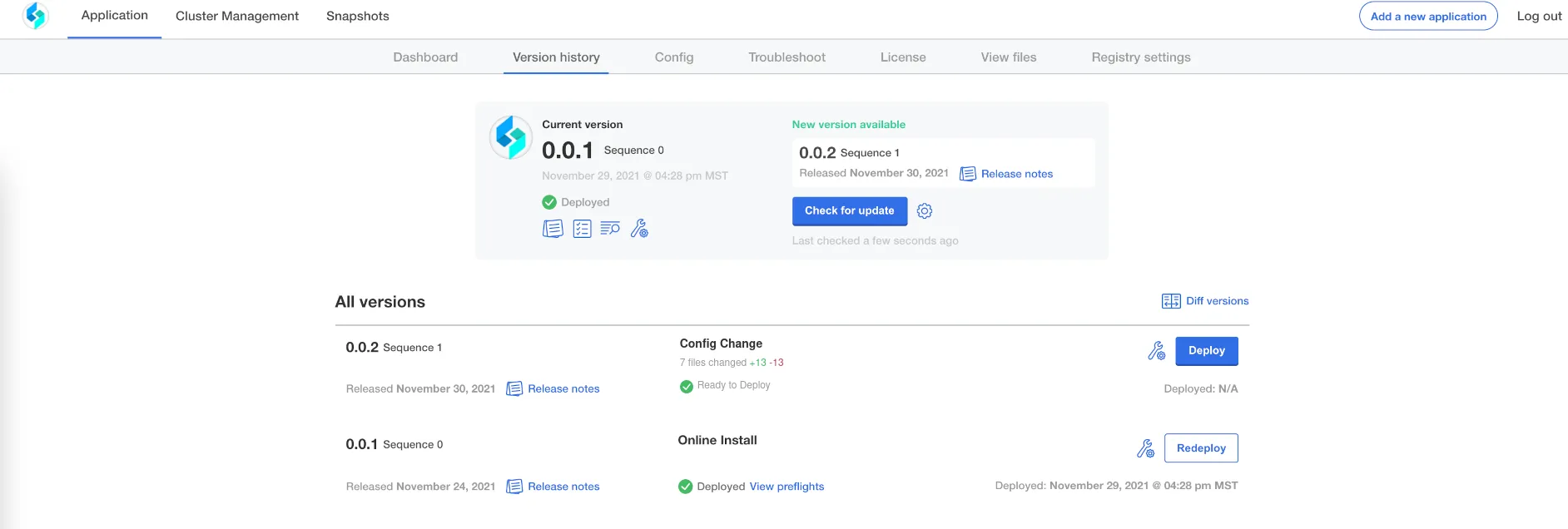
- Return to the Application tab. Once the Application Status is Ready you have added the additional nodes to your HA Swimlane environment.
- Add the new nodes to the load balancer target groups.
Known Issue: Mongo stuck during HA expansion
If after adding nodes (Standalone → HA) the mongo-1 pod is stuck in Init:2/3, this is typically due to the replica set not expanding correctly from a single-node state.
Workaround
Restart Mongo to re-trigger replica set initialization.
Run during a maintenance window (causes Mongo downtime).
Expected
Mongo initializes cleanly and all 3 members join the replica set.